Speech Recognition Python: Your Guide to Building Real-Time AI
Learn speech recognition Python to build real-time voice apps, AI assistants, and automation workflows using top Python libraries.
If you’ve ever wondered how voice assistants, transcription systems, or conversational agents interpret and act on spoken language, Python speech recognition is at the core. On paper, it seems simple to capture audio, convert it to text, and respond. In practice, building real-time, reliable systems requires handling noise, accents, interruptions, and latency while integrating with automation and AI workflows.
Python has emerged as the preferred language for speech recognition thanks to its flexible libraries, strong community support, and integration capabilities with AI platforms like Smallest.ai. Developers can quickly build scalable, voice-driven applications ranging from accessibility solutions to enterprise automation.
This guide walks you through how Python-based speech recognition works, which libraries to use, how to implement them, and where these systems fit into real-world AI workflows.
Key Takeaways
Real-World Accuracy Is Critical: Speech recognition Python systems perform best when designed for real conditions, including noisy environments, overlapping speech, and diverse accents.
Choose Libraries Based on Use Case: Different applications such as voice assistants, transcription tools, or AI customer support, require tailored Python speech recognition solutions rather than one-size-fits-all tools.
Deployment Affects Control and Privacy: Cloud-based APIs provide high accuracy and scalability, while on-prem or offline solutions like DeepSpeech or Pulse STT ensure low latency and data privacy.
Integration with AI Workflows Adds Value: Combining Python speech recognition with AI pipelines, automation tools, or analytics systems transforms raw speech into actionable insights and real-time decision-making.
Offline and Online Options Matter: Developers should balance offline engines for privacy and low-latency needs with cloud APIs for advanced AI features and multilingual support.
What Is Speech Recognition in Python and Why Does It Matter?
Speech recognition in Python captures audio input, converts spoken words into structured text, and feeds it into AI models or automation workflows. In modern applications, it acts as the foundational layer that determines transcription accuracy, response latency, and the reliability of voice-driven interactions. By leveraging Python’s machine learning frameworks and API integrations, developers can build scalable, real-time speech-enabled systems that work across diverse environments.
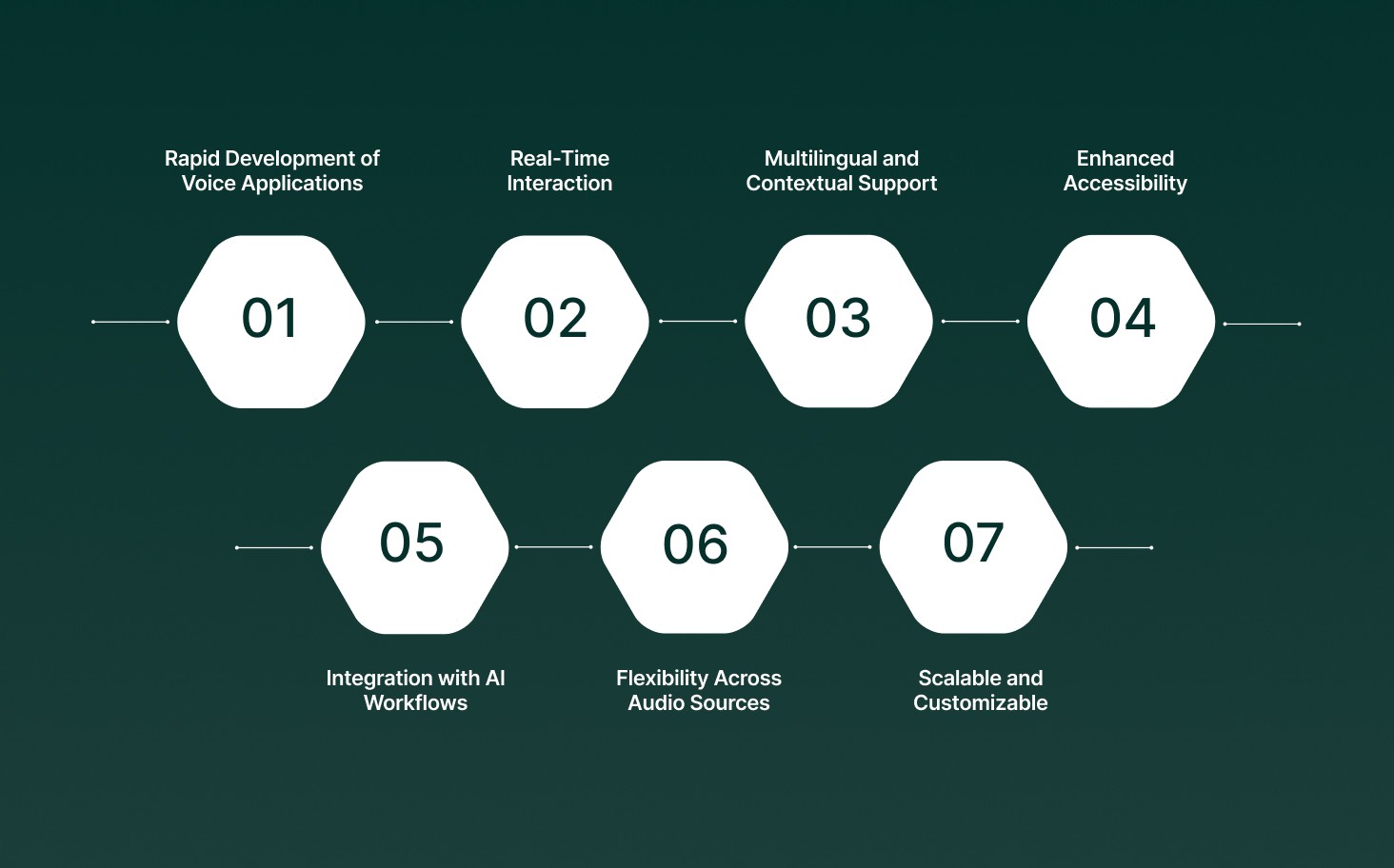
Here are a few benefits of using speech recognition in python:
Rapid Development of Voice Applications: Simplifies the development of voice assistants, real-time transcription systems, and AI customer support agents without complex setup.
Real-Time Interaction: Enables instant conversion of speech to text, enabling live responses for meetings, calls, or automated workflows.
Multilingual and Contextual Support: Handles multiple languages, accents, and domain-specific vocabulary, making it suitable for global applications.
Enhanced Accessibility: Supports tools for users with disabilities, including speech-controlled interfaces and real-time captions.
Integration with AI Workflows: Recognized text can feed into AI pipelines, analytics dashboards, or automation systems for seamless operation.
Flexibility Across Audio Sources: Works with both live microphone input and pre-recorded files, allowing developers to design diverse solutions.
Scalable and Customizable: Python libraries offer a range of options, from offline engines for privacy-sensitive applications to cloud APIs for high accuracy and advanced AI features.
Speech recognition in Python is essential because downstream applications, whether automating tasks, generating transcripts, or driving AI-powered voice agents, rely entirely on its accuracy and speed.
Difference Between Speech Recognition and Voice Recognition in Python
When building applications using speech recognition in Python, it is important to distinguish it from voice recognition. Although the terms sound similar, they serve different purposes, and knowing the difference ensures you implement the right functionality in your projects.
Feature | Speech Recognition Python | Voice Recognition |
Purpose | Converts spoken words into text or actionable commands using Python. | Identifies the speaker based on unique voice patterns. |
Focus | Interprets language content and meaning for automation or AI workflows. | Verifies the identity of the person speaking. |
Use in Python Projects | Used for transcription, real-time voice assistants, or AI-powered automation. | Used for authentication, security, or personalized experiences. |
Output | Structured text or command signals for Python applications. | Speaker identity information for verification or access control. |
Typical Applications | Chatbots, meeting transcription, real-time automation, and accessibility tools using Python. | Secure logins, voice biometrics, personalized experiences. |
Understanding these differences helps you choose the right approach when designing speech recognition Python applications and ensures that your system meets the intended functionality.
4 Popular Python Libraries for Speech Recognition
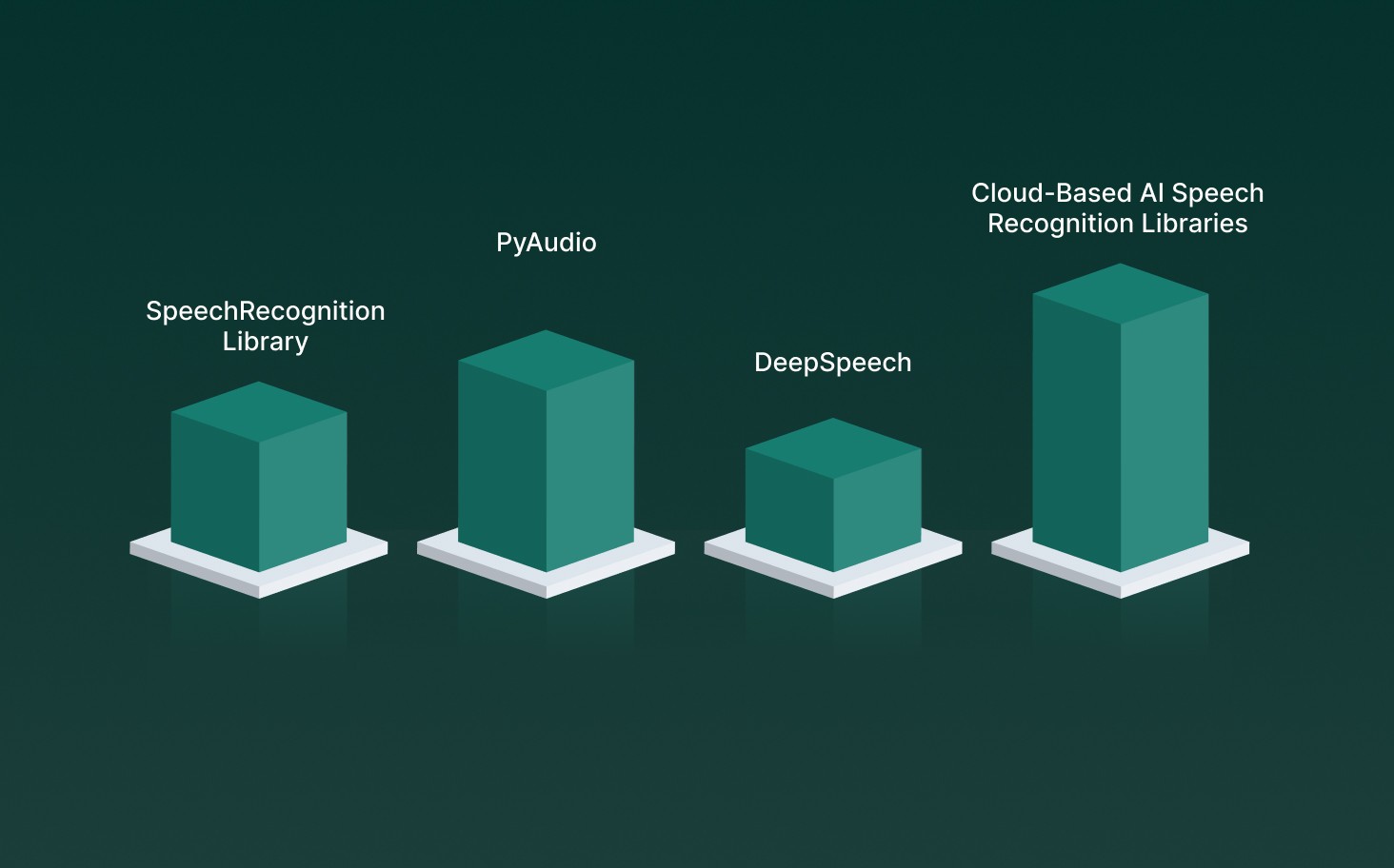
Python provides a rich ecosystem for building speech recognition applications, from simple voice commands to complex real-time AI workflows. Choosing the right libraries is essential for creating scalable, accurate, and production-ready systems.
Here’s an in-depth look at the most popular libraries and how they fit into different project requirements.
1. SpeechRecognition Library
The SpeechRecognition library is one of the most widely used Python tools for converting spoken language into text. It provides a single interface to multiple recognition engines, including Google Speech API, Sphinx, and more.
Key Features:
The library offers a simple and intuitive API, making it easy for developers to implement speech recognition quickly.
It supports both live microphone input and pre-recorded audio files, providing flexibility for different application needs.
SpeechRecognition works with multiple online and offline engines, allowing developers to choose the best recognition backend for their project.
Basic preprocessing, such as noise reduction, is handled automatically to improve transcription accuracy.
Ideal Use Cases:
It is ideal for rapid prototyping of voice assistants or chatbots, enabling developers to test ideas quickly.
The library can efficiently transcribe recorded audio from meetings, interviews, or lectures into text.
It can be integrated into AI pipelines that accept online APIs, providing a bridge between speech input and machine learning workflows.
2. PyAudio
PyAudio is primarily an audio capture library that enables Python applications to record live microphone input. While it does not perform recognition itself, it is critical for feeding audio into speech recognition engines in real-time workflows.
Key Features:
PyAudio provides low-latency audio capture, making it suitable for live applications that require immediate processing.
It supports multiple audio sources, giving developers flexibility to capture input from microphones and other devices.
The library is compatible with recognition engines such as SpeechRecognition, DeepSpeech, and other Python-based speech tools.
Ideal Use Cases:
PyAudio is ideal for voice-controlled applications, such as smart home devices or interactive assistants.
It can be used for real-time transcription dashboards, capturing live audio and converting it to text in real time.
PyAudio is suitable for preprocessing audio for AI workflows or automation systems, ensuring clean input for recognition engines.
3. DeepSpeech
DeepSpeech, developed by Mozilla, is an offline, open-source speech recognition engine. Unlike cloud-based libraries, it allows applications to convert speech to text without sending audio data over the internet, making it ideal for privacy-sensitive or offline solutions.
Key Features of DeepSpeech
DeepSpeech provides fully offline speech-to-text processing, ensuring that audio data does not need to be sent over the internet.
It comes with pre-trained deep learning models optimized for English, while additional languages can be trained to meet specific project requirements.
The engine is well-suited for embedded devices and resource-constrained systems, making it a reliable choice for applications with limited computational resources.
Ideal Use Cases
DeepSpeech is ideal for enterprise applications that require strict data privacy and cannot rely on cloud-based transcription services.
It supports offline voice assistants or accessibility tools, enabling users to interact with devices without an internet connection.
The engine is also suitable for mobile or embedded systems that require real-time transcription with minimal latency.
4. Cloud-Based AI Speech Recognition Libraries
Cloud-based speech APIs such as Google Cloud Speech, Microsoft Azure Speech SDK, and Amazon Transcribe offer highly accurate AI-powered recognition. These are particularly useful for applications that require advanced features such as speaker diarization, sentiment detection, and real-time translation.
Key Features:
Cloud-based AI speech recognition libraries provide high transcription accuracy by leveraging advanced deep learning models.
They support multiple languages and automatically detect the spoken language, ensuring seamless transcription across diverse audio sources.
These libraries can be easily integrated with AI pipelines and cloud-based analytics platforms, enabling real-time processing and actionable insights.
Ideal Use Cases:
They are widely used in enterprise call centers for automated transcription, enabling businesses to improve customer service efficiency.
Cloud-based speech recognition supports multilingual transcription for global teams, helping organizations manage audio content across regions and languages.
These tools also enable AI-powered voice analytics and real-time dashboards, offering insights into customer sentiment, call trends, and operational metrics.
To help you choose the right tools for your projects, here’s a comparison of popular Python libraries for speech recognition based on key features, use cases, and performance.
Library | Real-Time Support | Offline Capability | Accuracy | Best For | Notes |
SpeechRecognition | Yes (depends on engine) | Yes (Sphinx) | Medium-High | Rapid prototyping, flexible integration | Supports multiple engines |
PyAudio | Yes | N/A | N/A | Live audio capture | Works with any recognition library |
DeepSpeech | Yes | Yes | High (offline) | Privacy-sensitive applications, offline tools | Needs pre-trained models or fine-tuning |
Google Cloud Speech / Azure / AWS | Yes | No | Very High | Enterprise-grade AI transcription | Cloud-based, low-latency, multilingual |
Pocketsphinx | Yes | Yes | Medium | Embedded / low-resource devices | Lightweight, fast, but less accurate |
When selecting libraries for your Python speech recognition project, consider the following factors:
Project Requirements: Pulse and Lightning enable rapid prototyping and real-time transcription; Hydra supports offline/privacy apps, and AI features ensure high accuracy.
Audio Source: Live audio via PyAudio can go to Pulse or Hydra; pre-recorded files work with Pulse or Lightning for TTS.
Latency Needs: Pulse delivers sub-100ms latency for real-time commands; Pulse handles batch transcription efficiently.
Language & Domain Support: Pulse covers multiple languages; Hydra supports custom vocabulary and domain-specific terms.
Deployment & Environment: Cloud-ready: Lightning, Pulse, Electron; on-prem/private cloud: Hydra, Electron for real-time, secure applications.
Integration Complexity: Simple APIs such as Pulse, Lightning; advanced pipelines: Electron, Hydra for conversational bots and CRM workflows.
Cost Considerations: Free quotas for prototyping; premium plans offer higher usage, real-time capabilities, and multiple voice clones, similar to paid cloud APIs.
Also Read: The Ultimate Guide to Contact Center Automation.
How Does Speech Recognition in Python Convert Audio to Text?
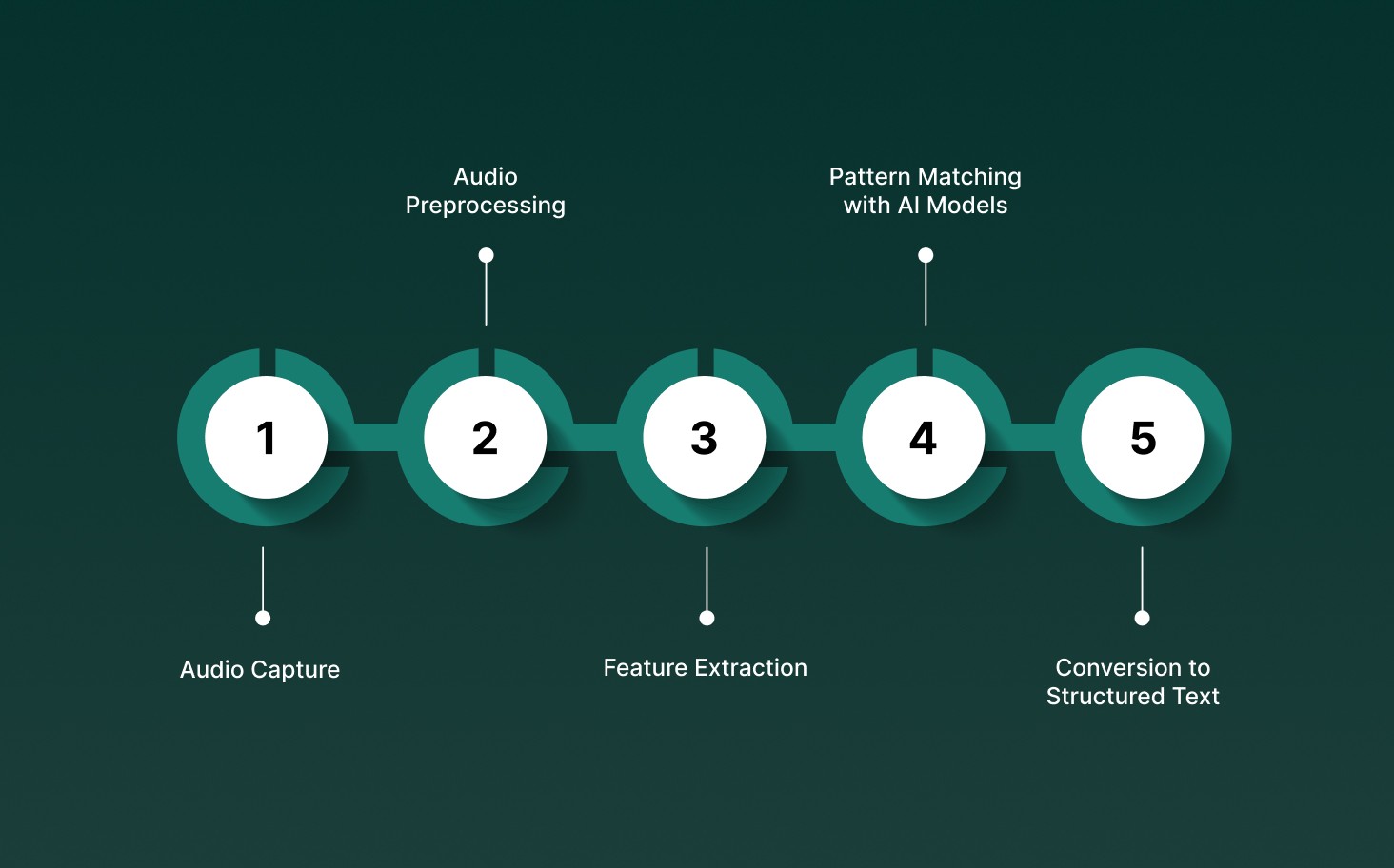
Each stage ensures that the audio is processed accurately and efficiently for real-time or batch applications. Speech recognition in Python converts spoken words into text by following a structured workflow.
The main steps involved are:
Audio Capture: The system collects spoken input from live microphones or pre-recorded audio files, ensuring that all relevant sound is captured for processing.
Audio Preprocessing: Background noise is reduced, silence is removed, and the signal is normalized to improve recognition accuracy before analysis.
Feature Extraction: Key characteristics of the speech, such as frequency, pitch, and energy patterns, are extracted from the audio to provide the AI model with interpretable input.
Pattern Matching with AI Models: Machine learning or deep learning models analyze the extracted features and match them against known speech patterns to identify words and phrases.
Conversion to Structured Text: Recognized speech is transformed into structured, readable text that can be used for applications like chatbots, transcription tools, or voice-controlled systems.
By following this pipeline, Python-based speech recognition ensures that audio is reliably converted into text while maintaining accuracy, speed, and context for downstream applications.
Also Read: Top Voice API Providers: Revolutionizing Speech Recognition
How Developers Build and Integrate Speech Recognition Python Systems?
Integrating speech recognition Python into applications is more than just converting audio to text. Developers need to handle audio capture, preprocessing, model inference, and routing transcripts into workflows without breaking responsiveness or reliability.
Here’s a step-by-step approach to building production-ready Python speech recognition systems:
Step 1: Install Core Libraries
Install the essential Python packages for processing and recognizing speech. Use pip for installation:
pip install SpeechRecognition |
Ensure platform-specific dependencies are addressed:
Windows: Install PyAudio wheels manually if the default installation fails.
macOS: Use Homebrew to install PortAudio before PyAudio.
Linux: Install development packages like portaudio-dev.
Verify installation:
import speech_recognition as sr |
Step 2: Initialize the Recognizer
The Recognizer class is the central component for converting audio into text. |
This object will manage audio input, feature extraction, and interaction with recognition engines such as the Google API or DeepSpeech.
Step 3: Capture and Preprocess Audio
Accurate audio capture is critical for high-quality recognition.
Live Microphone Input:
with sr.Microphone() as source: |
Pre-recorded Audio Files:
with sr.AudioFile(“sample.wav”) as source: |
Adjusting for ambient noise improves recognition accuracy in real-world environments.
Step 4: Convert Speech to Text
Use built-in recognition methods to transform audio into text.
try: |
This step converts audio features into structured text, with error handling to maintain workflow reliability.
Step 5: Integrate into Applications
Once recognition works, developers can integrate Python speech recognition into production systems:
Real-Time Event Handling: Partial transcripts trigger application events like UI updates, workflow automation, or CRM updates.
Voice-Controlled Tools: Use Python to control smart home devices, to-do lists, or accessibility tools.
Conversational AI Agents: Feed transcripts into chatbots, voice assistants, or customer support workflows.
Step 6: Build Sample Applications
Practical implementations help teams test workflows and scale capabilities:
Voice-Controlled To-Do List Manager: Create and manage tasks using voice commands.
Meeting Transcription Tool: Generate real-time notes during calls or meetings.
Smart Home Command System: Control lights, thermostats, or media players.
Real-Time Customer Support Bot: Convert speech into actionable support tasks.
Step 7: Optimize for Production
Developers refine systems for reliability and scalability:
Inject custom vocabularies or domain-specific terms to improve accuracy.
Use offline engines like DeepSpeech for sensitive or low-latency environments.
Adjust runtime confidence thresholds to handle ambiguous speech or background noise.
Connect transcripts to analytics, CRM, or automation pipelines for enterprise use.
For real-time enterprise workloads, developers can integrate Pulse STT into Python projects. This provides ultra-low latency, multilingual recognition, and production-grade intelligence, turning speech into actionable data instantly.
Enterprise-Grade Practical Applications of Speech Recognition Python
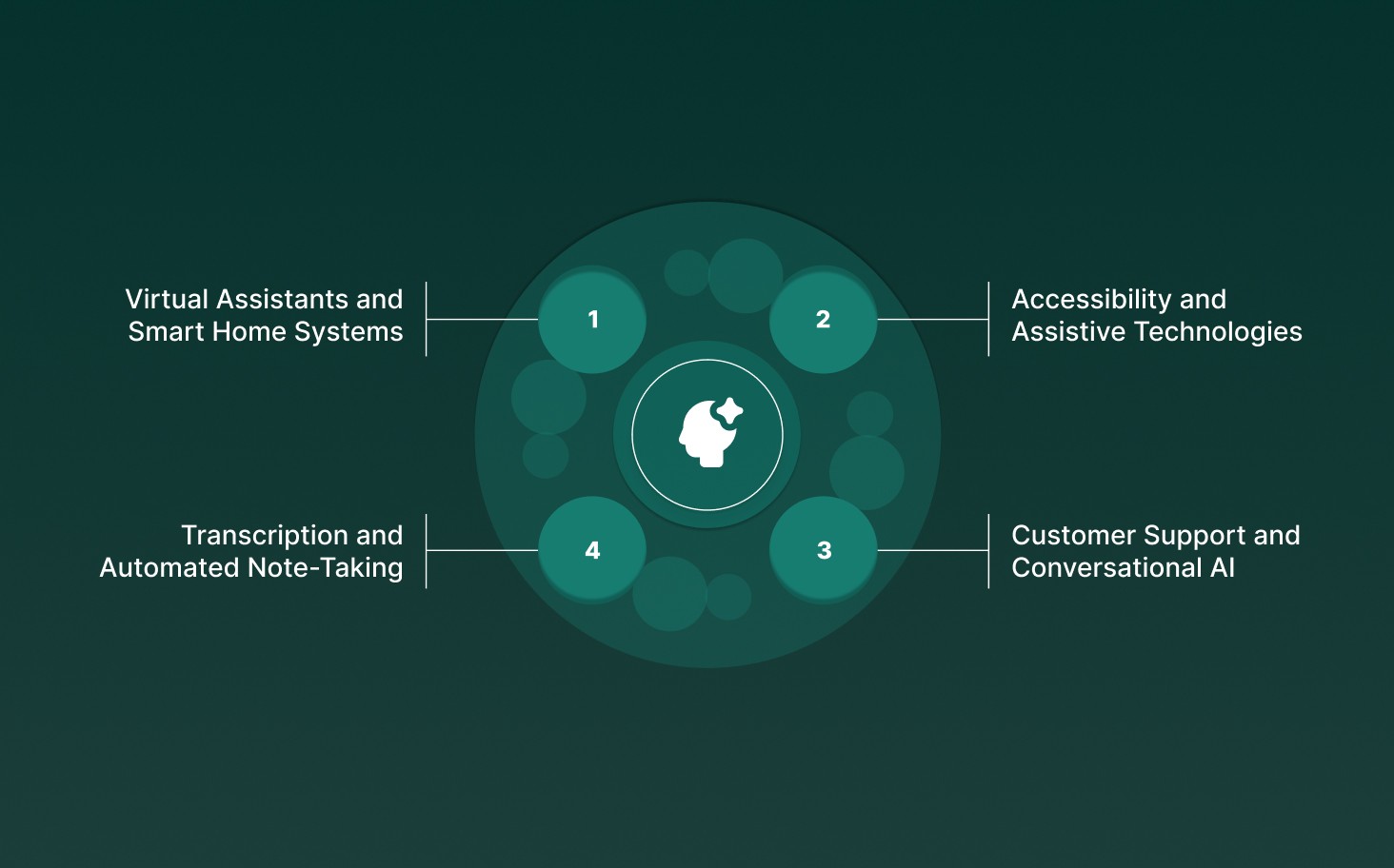
Speech recognition Python turns spoken language into structured data, enabling automation, accessibility, and real-time decision-making across industries.
Enterprise and business-focused deployments of Python-based speech recognition often target the following scenarios:
Virtual Assistants and Smart Home Systems: Python-powered AI assistants interpret voice commands to control devices such as lights, thermostats, and media players, creating seamless automation experiences.
Accessibility and Assistive Technologies: Speech recognition tools allow users with mobility, vision, or cognitive challenges to interact with digital systems through voice, making workflows inclusive and efficient.
Transcription and Automated Note-Taking: Real-time transcription of meetings, calls, and videos enables businesses to capture actionable insights, maintain accurate records, and streamline documentation processes.
Customer Support and Conversational AI: Python speech recognition drives voice-enabled bots and AI agents, transforming customer interactions into structured data that informs automated responses and workflow triggers.
Across industries, speech recognition in Python serves as a foundational layer that converts voice into actionable intelligence, powering automation, analytics, and accessibility at scale.
Limitations and Challenges of Speech Recognition Python
Speech recognition in Python is powerful, but real-world applications face technical and operational constraints that can impact accuracy, responsiveness, and overall reliability.
Challenge Area | What Can Go Wrong | Why It Matters in Real Use |
Noisy or Low-Quality Audio | Background noise, poor recording quality, and compressed audio (8–16kHz) make it hard for models to correctly detect words. | Leads to mistakes in live transcription, call centers, or field recordings where clean audio isn’t possible. |
Overlapping or Fast Speech | Multiple people speaking at once, or very fast speech, can confuse the system. | Speaker labeling and transcript accuracy drop, affecting meetings, analytics, and voice assistants. |
Accent and Dialect Differences | Regional accents, informal speech, or slang may not match the model’s training data. | Accuracy is lower for diverse users, making global applications less reliable. |
Domain-Specific Terms | Technical terms, acronyms, or specialized vocabulary may be missed by generic models. | Errors can cause problems in regulated industries or in projects that require precise transcription. |
Latency vs Accuracy Trade-Offs | Real-time recognition may sacrifice context for speed, resulting in partial or corrected text. | Applications like voice assistants or customer support need a balance between fast responses and accurate transcripts. |
Operational Overhead | Open-source libraries require setup, maintenance, and monitoring, while cloud APIs can add cost and data privacy concerns. | Teams must consider control, scalability, compliance, and cost when building Python-based speech pipelines. |
By understanding these limitations early, you can design Python speech recognition systems that deliver better accuracy and performance. Choosing the right library, preparing audio correctly, and handling domain-specific challenges ensures reliable results in real-world scenarios.
How Speech Recognition Python Works with Smallest.ai?
Speech recognition Python enables developers to convert spoken language into text and commands, powering AI, automation, and real-time voice applications. When combined with Pulse STT and Waves products from Smallest AI, it delivers enterprise-grade accuracy and responsiveness for live workflows.
Library-First Flexibility: Python libraries such as SpeechRecognition, PyAudio, and DeepSpeech enable seamless integration with Pulse STT, supporting real-time audio capture, offline processing, and cloud-based APIs.
Feature-Rich Audio Processing: Audio is preprocessed, denoised, and converted to spectral or MFCC features, enabling AI models to analyze speech patterns efficiently without relying on raw waveforms.
AI-Powered Decoding: Neural networks map audio to text or commands. Pulse STT enhances this with low-latency decoding, multi-speaker support, and real-time adaptation to domain-specific vocabulary.
Voice Intelligence Integration: Python projects can embed speaker recognition, emotion detection, profanity filtering, and command mapping. Pulse STT leverages these capabilities during decoding to create smarter, safer conversational systems.
Cross-Platform Deployment: Python speech recognition, combined with Pulse STT, runs on desktops, servers, and edge devices, enabling low-latency applications across industries, from virtual assistants to transcription tools to accessibility solutions.
By pairing Python’s flexibility with Pulse STT, developers gain a scalable, production-ready voice solution that turns speech into actionable insights and automation across real-world applications.
Conclusion
Speech recognition Python has quietly moved from a development experiment to a core part of real-time AI and automation workflows. When it is accurate, fast, and context-aware, your applications stop lagging behind and start acting on voice commands instantly, turning spoken words into actions instead of loose scripts.
That shift comes down to how your Python-based system is built and deployed, not just the libraries you use. If voice input is central to your workflows, the bar is reliability under load, predictable latency, and control over how speech is interpreted and acted on.
At Smallest AI, Pulse STT is designed for exactly these production realities, delivering sub-70ms transcription, real-time AI integration, and on-prem deployment when data cannot leave your stack. If you want to move beyond prototypes and build solutions that handle real workloads, now is the right moment to implement Python speech recognition AI with Pulse STT.
Frequently asked questions
How does AI speech recognition Python handle live voice input in real time?
What makes Python speech recognition AI suitable for automation workflows?
Can Python AI speech recognition systems process audio from different sources?
Why do some Python voice recognition AI projects struggle with accents or background noise?
What differentiates Python speech recognition from traditional STT tools?