Free Audio to Text Converter: How to Upload Audio and Get AI Transcripts

Free audio to text converter basics: how it works, what to check for accuracy and privacy, plus when free tiers break and an API makes more sense.
Audio transcription has moved from a niche productivity tool to a core workflow across journalism, education, research, customer support, and media production. As speech recognition systems improve, converting audio into searchable text has become significantly faster and more accessible than manual transcription.
If you have an audio file and need text back quickly, this piece breaks down how a free audio to text converter actually works, what separates a usable tool from a frustrating one, how to get better transcripts from the same upload, and when a free tier stops being the right fit. If you are testing a tool for the first time or trying to standardize transcription for a team, you should come away with a grounded sense of what the tech does well and where it still breaks.
What Is an Audio to Text Converter and How Does It Work?
An audio to text converter turns recorded speech into written text. Under the hood, it is speech recognition, a field that dates back to the 1950s but only became truly practical for everyday work once deep learning took off in the 2010s. Current systems handle continuous speech, multiple languages, and far messier audio with little more than an upload.
A useful way to picture the internals is the pipeline IBM describes the speech-to-text process: the system cleans up the signal (noise reduction, volume normalization), slices it into short frames, runs acoustic models that map sound patterns to phonemes, then uses language models to choose the most likely word sequence given context. What you get back is not just raw text, either. Many tools add timestamps, speaker labels, and punctuation so the transcript can slot into editing, compliance, or captioning workflows.
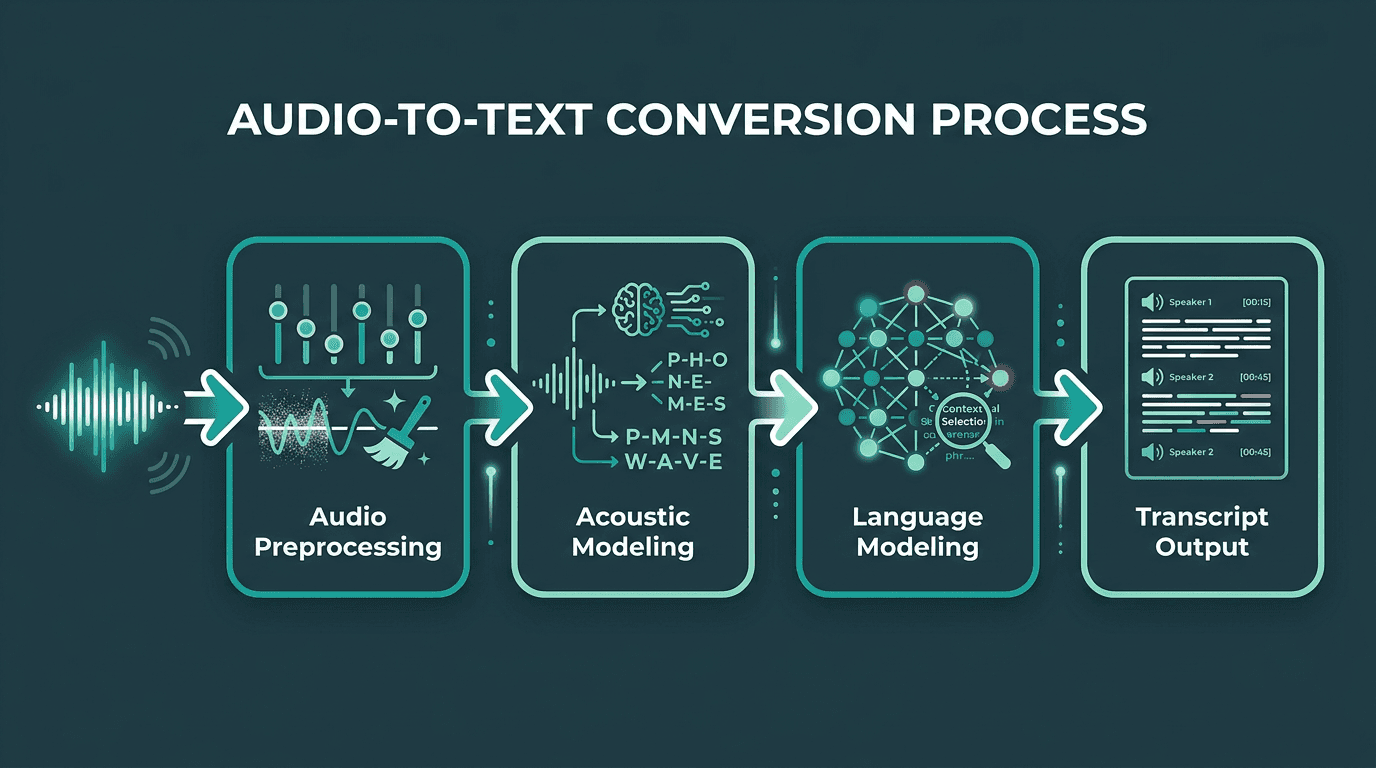
The four-stage pipeline that turns raw audio into structured, readable transcripts.
Most modern transcription tools run in the cloud, which is why users can upload audio in a browser and receive transcripts without running specialized software locally. That is why the typical free audio to text converter lives in your browser: you upload a file, remote servers do the heavy lifting with GPU acceleration, and a transcript comes back in seconds or minutes, depending on how long the recording is.
What Makes a Good Free Audio to Text Converter?
Free does not mean interchangeable. Some tools give you a tiny monthly allowance and call it a day. Others are technically free, but the output is so error-prone that you spend more time fixing it than you would transcribing by hand. A small number are genuinely useful. Here is what to look at before you commit your workflow to one:
Criterion | What to Check | Why It Matters |
|---|---|---|
Accuracy (WER) | Word error rate on clean speech versus noisy recordings | Lower WER means less time correcting transcripts by hand |
Language support | How many languages it supports and how well it handles dialects | Necessary for multilingual teams and non-English content |
File format support | Support for MP3, WAV, M4A, FLAC, OGG | Keeps you from converting files before you can even upload |
Speaker diarization | Whether it can identify and label multiple speakers | Makes interviews, meetings, and calls far easier to edit |
Timestamp granularity | Word-level versus sentence-level timestamps | Matters for precise editing and syncing to media |
Free tier limits | Minutes per month, file size caps, export options | Decides whether the free tier matches your actual volume |
Data privacy | Storage location and retention policy for uploaded audio | A deal-breaker for sensitive recordings |
One detail many comparisons gloss over: the gap between clean studio audio and real-world recordings is brutal. A tool that shines on a benchmark recorded in a quiet room can fall apart on a phone interview captured in a coffee shop. If your audio includes background noise, accents, or people talking over each other, test with your own files before you trust any accuracy claim. For more on the techniques modern systems use to cope, the guide on handling accents, code-switching, and noisy audio walks through the technical approaches.
How to Upload Audio and Get a Transcript: Step by Step
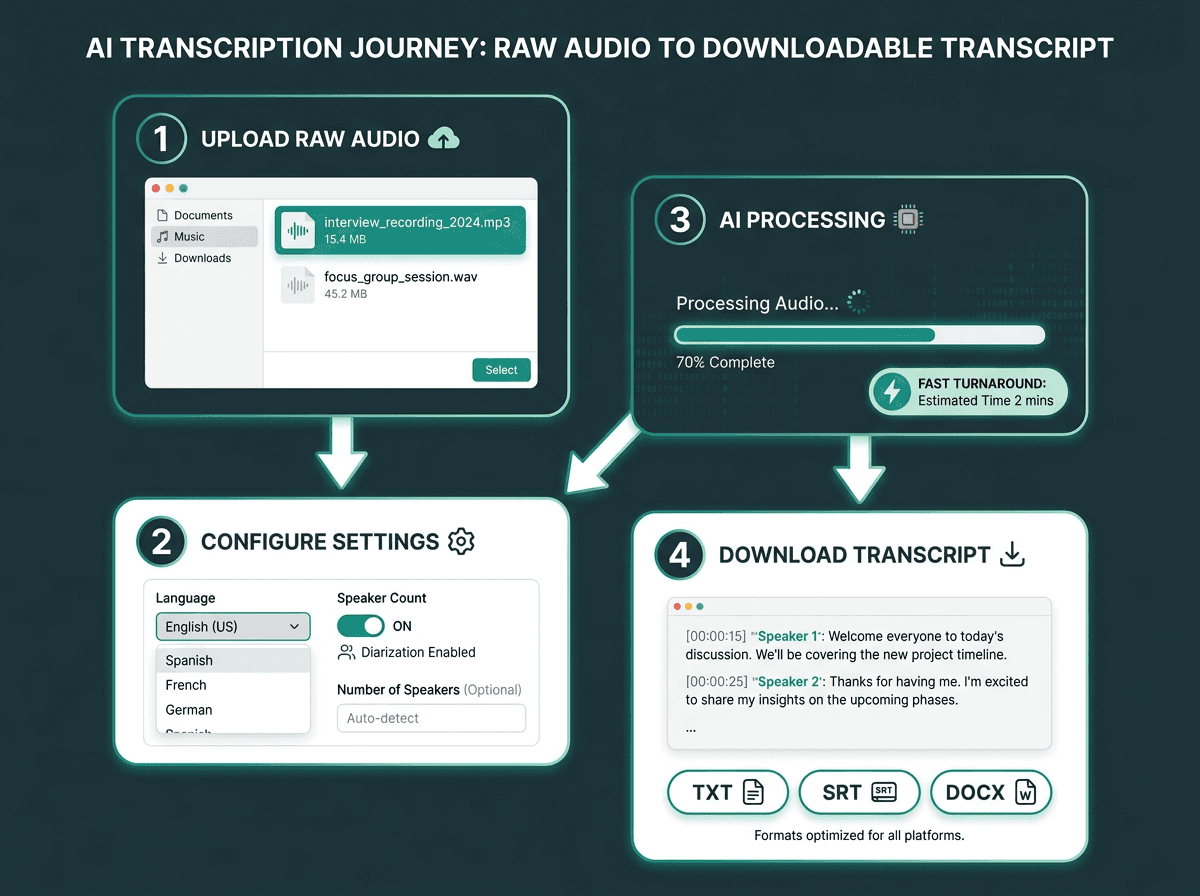
Four steps from raw audio file to downloadable transcript.
Follow these steps to get the cleanest transcript from any upload-based converter:
Prepare your file. Most tools accept MP3, WAV, and M4A. If your recording is in a less common format (AMR, OPUS, CAF), convert it first using a free local tool. Aim for a sample rate of at least 16kHz for best results.
Set the correct language. The quickest way to tank accuracy is picking the wrong language model. If the recording mixes two languages, choose a tool that supports code-switching.
Enable speaker diarization if available. If more than one person is talking, speaker labels save a lot of cleanup later.
Upload and let the model process. Many cloud transcription tools process prerecorded files faster than real time, though turnaround depends on file length, audio quality, queueing, and the provider’s infrastructure. A 30-minute recording commonly comes back in under two minutes.
Review and export. Do a fast scan before you download anything. AI transcripts are strong, but they still stumble on proper nouns, technical terms, and numbers.
Choose your export format. TXT works for notes. SRT or VTT is required for captions. DOCX is better when you need document formatting.
Common Use Cases Where Free Transcription Delivers Real Value
Journalism was an early adopter of automated transcription at scale. AI transcription has become a standard part of many newsroom workflows because it dramatically reduces the time required to turn interviews into searchable text. What used to be hours of typing out an interview can become usable text in minutes, freeing time for reporting, analysis, and writing.
Education is another place where transcription pays off quickly. Transcripts directly improve accessibility for students and professionals who cannot rely on live audio alone. Once a lecture or seminar is transcribed, it becomes searchable, readable, and easy to share, which changes how students review material.
Outside journalism and education, the patterns repeat: meeting notes that you can actually search, content repurposing (podcasts into posts or social clips), legal and compliance work where verbatim accuracy matters, and customer service analytics. That last bucket is where free tiers tend to collapse under their own limits, because call volume adds up fast. If you are operating at call-center scale, you need a different workflow, outlined in the guide on audio to text converter for call centers.
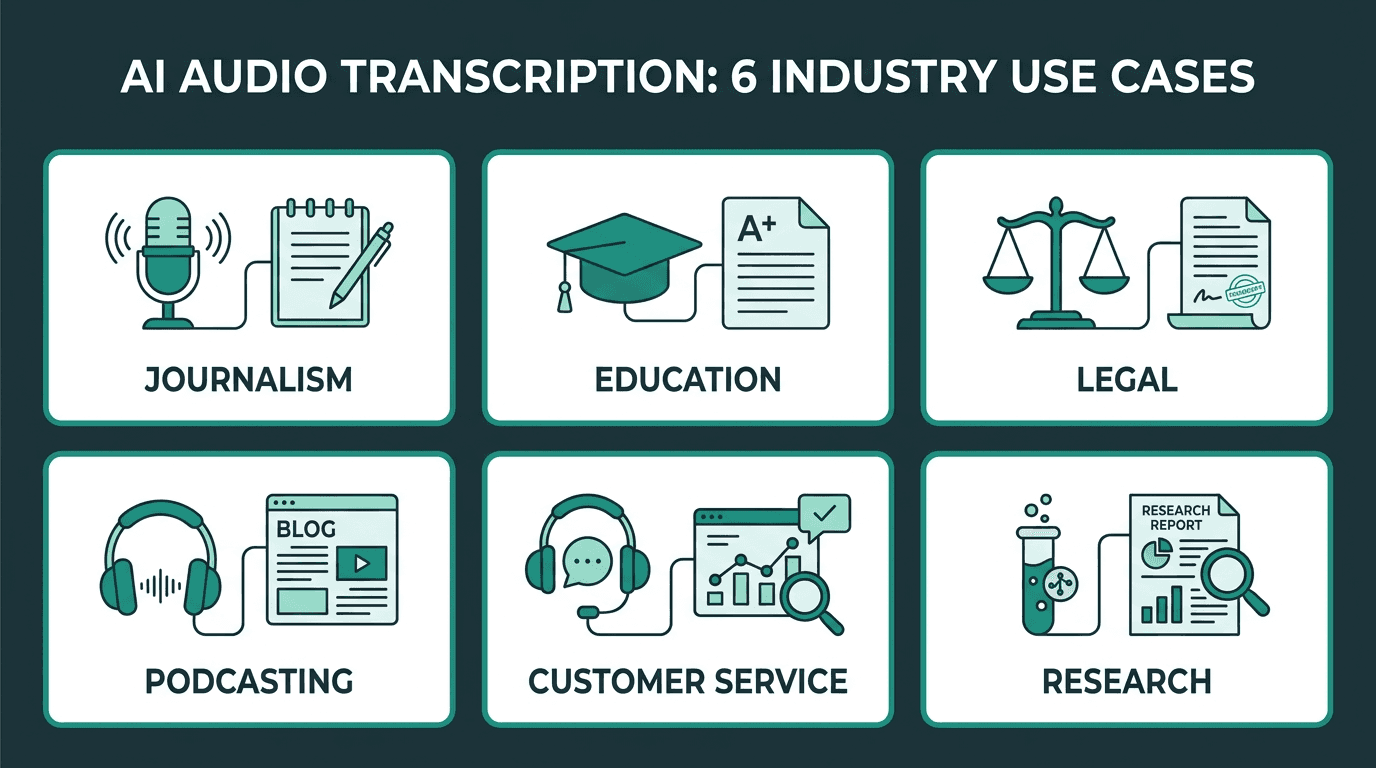
Transcription delivers value across industries wherever audio needs to become searchable text.
Where Free Tiers End and Production Needs Begin
Free audio to text converters are a solid option for occasional, low-volume work. The constraint is structural: most free tiers are meant to show you the product, not power your operations. Common free-tier limits include monthly minute caps, file-size ceilings, restricted exports, and missing automation features.
Once you start hitting those limits, the conversation usually shifts to a speech-to-text API. Instead of dragging files into a browser, you send audio programmatically and receive structured JSON with transcripts, timestamps, confidence scores, and speaker labels. That is what makes automation possible: transcribe as soon as a recording lands in cloud storage, push transcripts into a CRM, or trigger downstream workflows based on what was said. If that is the direction you are headed, the guide on how to convert recorded audio into accurate transcripts programmatically is a practical place to start.
Advanced Considerations: Accuracy, Latency, and Custom Vocabulary
Most people judge a free audio to text converter on accuracy and call it done. If you are building a product or wiring transcription into a workflow, that is only one axis. Two others tend to decide whether the system is usable in practice.
Latency is the time between submitting audio and getting text back. If you are batch-transcribing recordings, latency is usually a nice-to-have. If you are doing live captioning, voice assistants, or call analytics, it becomes the constraint that shapes everything else. Production streaming speech-to-text APIs can return partial transcripts while a user is still speaking, with latency depending on model, network conditions, chunk size, and infrastructure.
Custom vocabulary sounds optional until you run into domain language. Medical transcription, legal proceedings, engineering meetings, and product-specific jargon all contain terms a general model has barely seen in training. The failure modes are consistent: brand names get mangled, technical terms are swapped for common words that sound similar, and acronyms are rendered incorrectly. Production APIs often allow custom vocabulary or keyword boosting, which can significantly improve recognition of specialized terminology.
If you want to wire these capabilities into an application, the walkthrough on how to transcribe audio to text in Python goes from authentication through handling the API response. If you are still comparing end-user tools before you commit to an API, the roundup of best free voice to text apps lays out the options in a structured way.
Key Takeaways
What to carry forward from this guide:
Free audio to text converters are a strong fit for occasional uploads of clean audio in common languages. They are a sensible starting point, not a consolation prize.
Accuracy on real-world recordings (noise, accents, multiple speakers) swings widely between tools. Run tests on your own audio before you commit.
Speaker diarization, timestamp granularity, and export formats are often the features that decide whether a tool fits your workflow.
Free tiers hit hard ceilings fast: minute caps, file size limits, and missing batch or streaming support. If you need volume or automation, an API is the clean next step.
Custom vocabulary is easy to overlook and hard to live without for domain-specific transcription. If your audio is heavy on industry terms, it matters more than benchmark scores.
Frequently asked questions
How accurate is a free audio to text converter?
What audio file formats are typically supported?
Is my audio data private when I use a free transcription tool?
Can I transcribe audio in multiple languages with a single tool?
When should I switch from a free tool to a paid API for transcription?