Blogs

/

Top Vogent AI Alternative for 2025: Why Smallest AI Stands Out

Top 7 Free Voice-to-Text Software to Evaluate in 2026

Compare 7 free voice-to-text software options for 2026, including real-time speech tools, free limits, and when paid plans become necessary for business teams.

Kaushal Choudhary

Updated on

January 20, 2026 at 2:03 PM

Top 7 Free Voice-to-Text Software to Evaluate in 2026

If you are searching for free voice-to-text software, it usually reflects a practical requirement rather than curiosity. Teams evaluating voice workflows often need a way to test speech input, call handling, or agent logic before committing budget or locking in long-term contracts.

Voice is also becoming difficult to treat as optional. Industry forecasts indicate the global conversational AI market could reach 136.41 billion dollars by 2035, raising expectations around automation, call handling, and response quality across regulated and customer-facing operations. That trend pushes many organizations to begin with free or trial access while they validate accuracy, latency, and operational fit.

In this guide, we walk through how Voice-to-Text software handles speech input and free access, helping you identify which options are suitable for early evaluation and which align better with long-term deployment.

Key Takeaways


  • Free Access Works Best for Testing, Not Production: Free tiers primarily help teams validate speech accuracy, latency, call behavior, and workflow fit before moving to paid plans.

  • Speech-to-Text Is Used to Drive Live Calls: Streaming transcription is used to control conversations, detect intent, and trigger actions rather than produce full documents or polished transcripts.

  • Free Plans Reach Limits Quickly: Most platforms cap usage through limits on minutes, concurrency, agents, or credits, which become restrictive as real workloads grow.

  • Different Platforms Apply Speech-to-Text in Distinct Ways: Some tools use speech pipelines to power visual flows, others rely on code-level control, while enterprise platforms connect voice input directly to workflows and backend systems.

  • Scaling Beyond Free Tiers Requires Real-Time Reliability: Production environments depend on predictable latency, interruption handling, multilingual stability, and call-safe speech processing, capabilities that free tiers rarely support long-term.

Why Free Voice-to-Text Software Is Gaining Popularity

Why Free Voice-to-Text Software Is Gaining Popularity

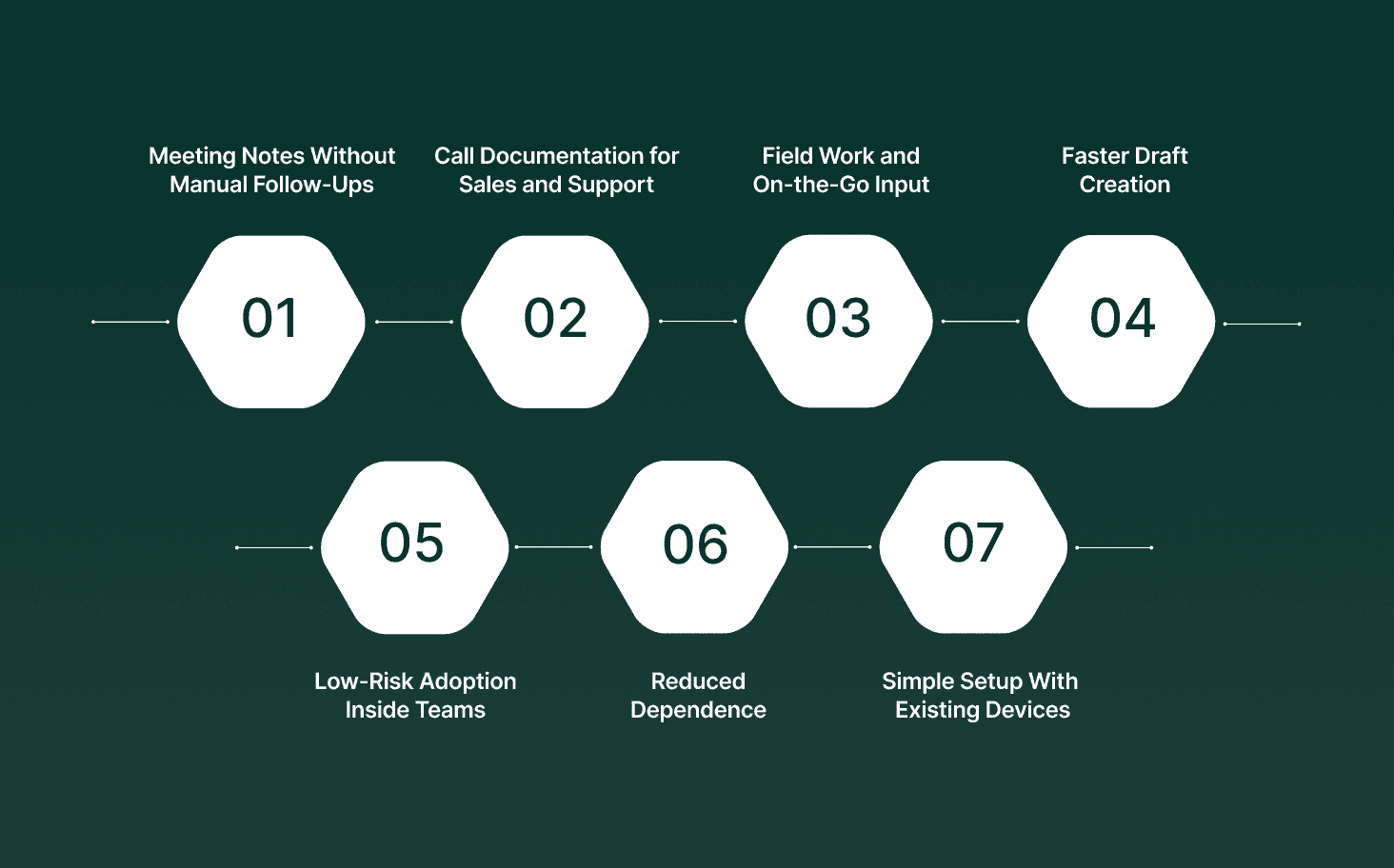
Free voice-to-text software is seeing higher adoption because it fits real work scenarios where typing slows output. Teams use it for call notes, field updates, internal drafts, and basic documentation without budget approvals or setup overhead.


  • Meeting Notes Without Manual Follow-Ups: Teams record live discussions and convert speech into written summaries the same day, which reduces missed points and follow-up clarification messages.

  • Call Documentation for Sales and Support: Sales reps use a voice-to-text app during prospect calls to capture talking points, objections, and action items while staying focused on the conversation.

  • Field Work and On-the-Go Input: Real estate agents, inspectors, and service staff rely on speech-to-text apps to log updates from their phones between site visits.

  • Faster Draft Creation for Written Tasks: Users speak rough drafts into talking software and edit later, which shortens the time spent creating emails, reports, and internal notes.

  • Low-Risk Adoption Inside Teams: Free access allows managers to test voice-to-word accuracy in real workflows before asking teams to switch tools or ask for paid licenses.

  • Reduced Dependence on Typing Skills: Users who type slowly or work in languages where keyboard input takes longer rely on speech-to-text for faster output.

  • Simple Setup With Existing Devices: Most tools work with built-in laptop or phone microphones, which removes the need for extra hardware or training.

That growing adoption has pushed teams to look beyond concepts and start comparing specific tools that offer usable free access today.

For teams interested in how live speech can be converted, controlled, and rendered dynamically during conversations, a deeper technical breakdown is available in AI Voice Cloning in Real-Time: A Deep Learning Approach.


Top 7 Best Free Voice-to-Text Software in 2026

Enterprise teams searching for speech-to-text software increasingly encounter voice AI and contact-center platforms. These tools do not exist to transcribe meetings or dictate documents. Speech-to-text is used inside live voice workflows so systems can understand callers, route requests, and automate actions during phone conversations.

1. Smallest.ai

smallest ai

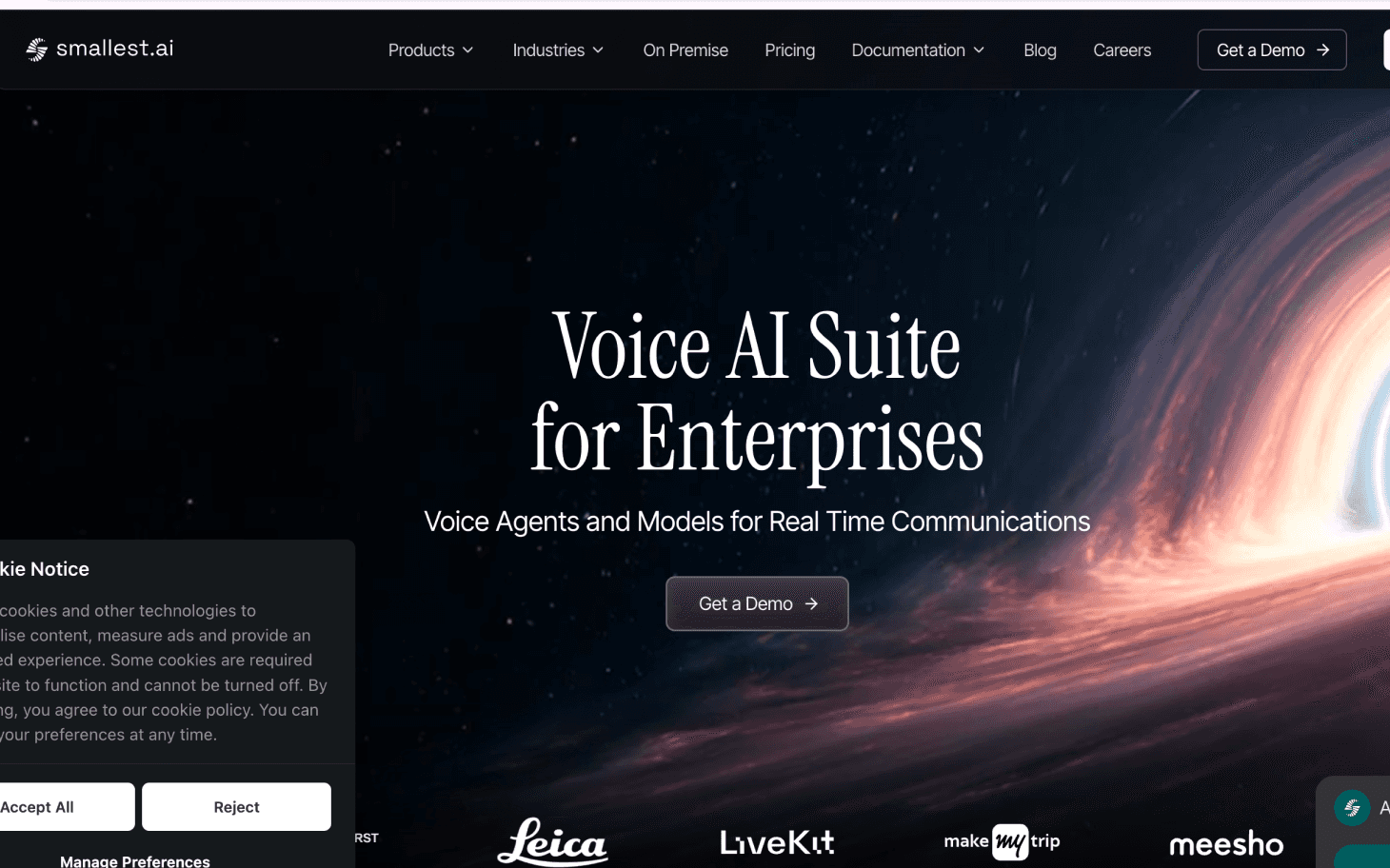
Smallest.ai operates real-time voice agents for phone calls, where speech-to-text runs continuously during the conversation. The system converts live audio into text incrementally and feeds that text into agent logic while the caller is still speaking, instead of waiting for end-of-turn transcripts.

  • Streaming Speech Ingestion: Spoken audio from phone calls is processed as a live stream. Speech is broken into partial segments and converted into text without waiting for full sentence completion or long pauses.

  • Incremental Transcription for Turn Control: Partial text is passed into the agent loop during the same speaking turn. This allows the agent to prepare responses before the caller finishes and react immediately when intent becomes clear.

  • Real-Time Interruption Handling: The system supports barge-in behavior. If the caller interrupts the agent, new speech input takes priority and replaces pending output instead of being queued.

  • Text as Active State, Not a Transcript: Speech-to-text output exists as a short-lived conversational state. It is used to resolve intent, validate answers, and trigger actions. It is not treated as paragraph-level transcription.

  • Language Detection at Call Start: Language is identified early in the call from speech input. The same speech-to-text pipeline then continues in that language without manual switching.

  • Free Access Boundaries: Free usage is limited to development and testing. It supports simulated or low-volume calls to verify speech handling, latency, and turn behavior, not sustained production traffic.

Best For
Early validation of voice TTS and simple AI agent configuration with official plan support.

Interested in seeing how real-time voice behavior performs under live conditions? Book a demo to experience Smallest.ai’s low-latency speech processing and agent control in action.

2. Vapi

Vapi

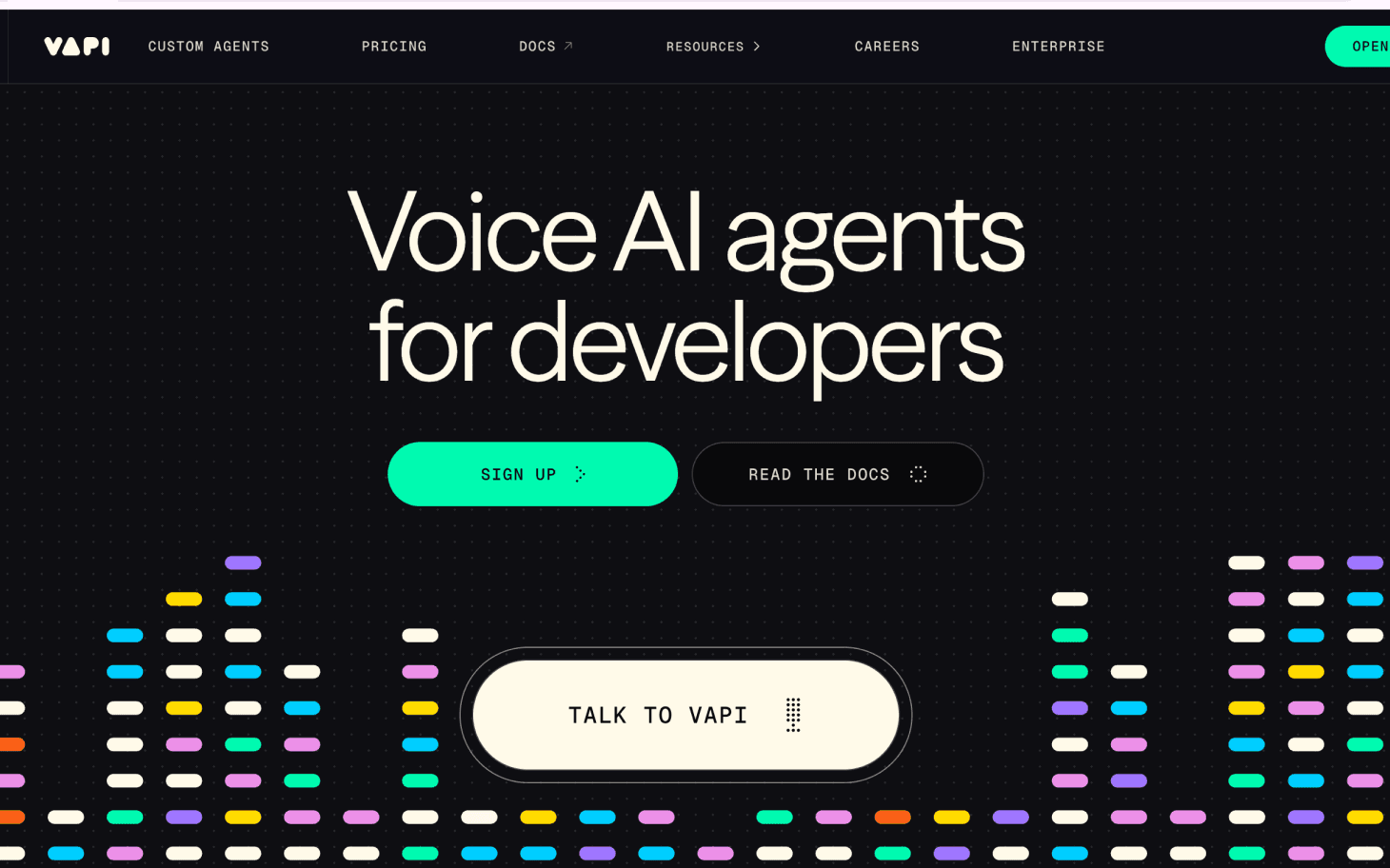
Vapi is a developer-focused voice-AI platform that allows teams to build, test, and deploy AI-powered phone-call agents with full programmatic control. It’s positioned as “infrastructure” rather than an out-of-the-box dictation or transcription tool.

  • API-Driven Architecture: Vapi exposes a comprehensive API (server and client SDKs) that lets developers define call logic, integrate with backend systems, and control call behavior.

  • Support for High Call Volume: According to Vapi, their infrastructure handles “150M+ calls” and supports the launch of “1.5M+ voice assistants.”

  • Multilingual & Global Voice Support: Vapi claims support for 100+ languages, making it suitable for multilingual voice agents worldwide.

  • Testing & Deployment Pipelines: The platform offers built-in tools for testing voice agents before deployment, simulating calls and validating logic, allowing safe rollout of voice workflows.

  • Flexibility Over Stack and Models: Vapi allows users to “bring your own models,” meaning it can integrate with external speech-recognition or text-to-speech services, or even self-hosted models if required.

Pros

  • Full API control for call logic, routing, and backend integration

  • Supports 100+ languages

  • Bring your own STT, LLM, and TTS models

  • Handles very high concurrent call volume

Cons

  • Requires engineering effort and developer involvement

  • Free credit capped at 10 dollars

  • Hosting costs are added on top of model usage costs

Best For: Engineering teams seeking maximum configurability when building custom voice agent infrastructure.

3. Bland.ai

Bland.ai

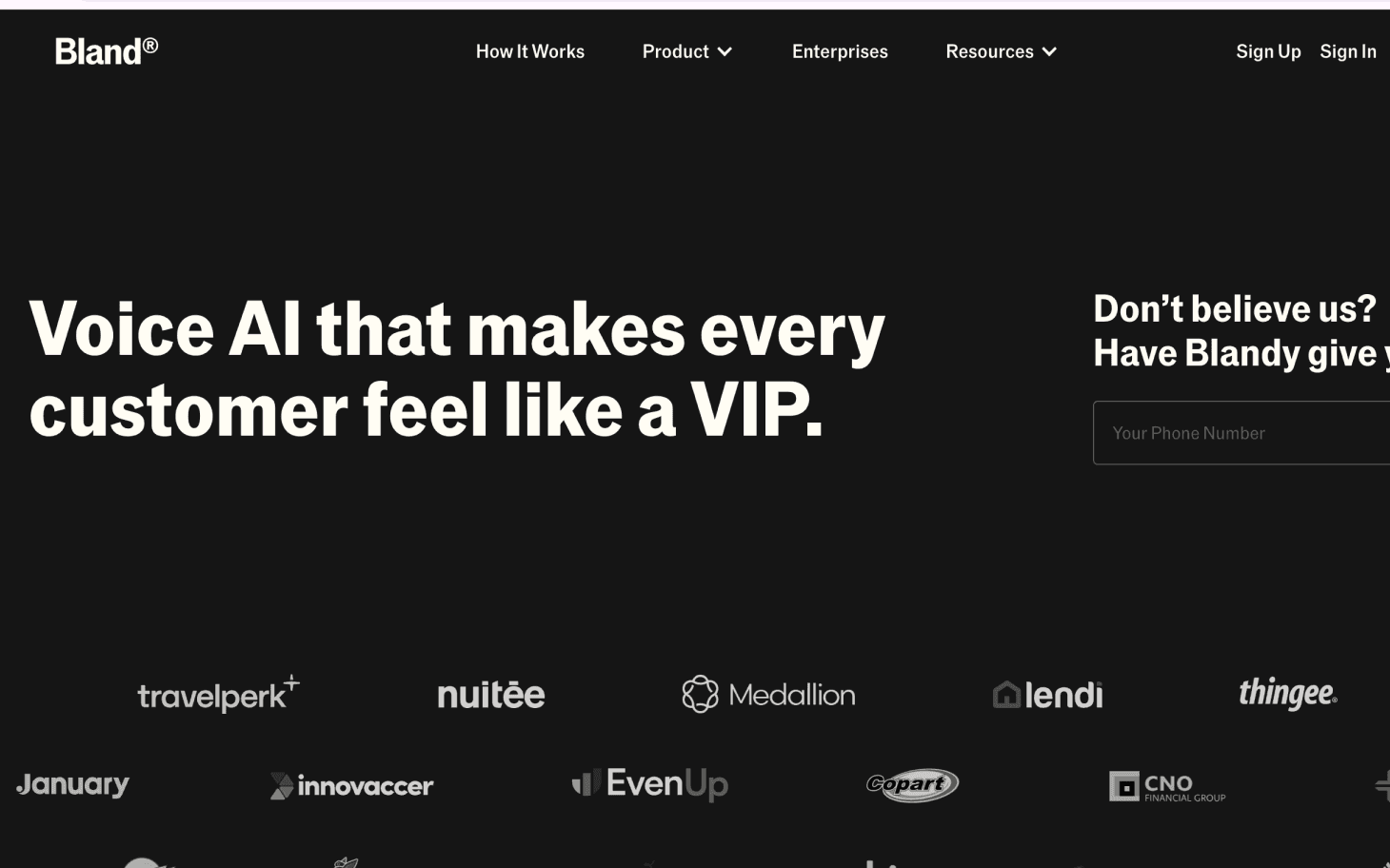
Bland.ai is a voice AI platform designed to run AI-powered phone agents that handle real inbound and outbound calls. The system converts spoken caller input into text so agents can understand responses and complete business calls without human operators handling every interaction.

  • Built for Live Phone Calling: Bland.ai is designed specifically for real phone calls. The platform focuses on running AI agents that place and receive calls rather than processing recorded audio or written dictation.

  • Speech-to-Text for Call Progression: Caller speech is converted into text during the call so agents can interpret responses, detect intent, and decide what to say or do next within the same conversation.

  • Task-Oriented Call Design: The platform is structured around completing defined call objectives such as collecting information, confirming details, scheduling, or transferring calls when necessary.

  • Integration with Business Systems: Bland.ai supports integration with external systems like CRMs and internal tools, so data captured from calls can be stored and acted on after the interaction.

  • High-Volume Calling Focus: Bland.ai positions itself for businesses that need to operate AI agents across large numbers of calls, prioritizing consistency and scale over free-form conversation.

Pros

  • Free Start plan with pay-per-minute billing

  • Call focused design with warm transfer support

  • Supports concurrency, large calling volume, and vendor telephony

  • Enterprise-grade uptime and SLAs

Cons

  • Connected minute pricing increases across higher tiers

  • All transcription usage is billed with no free minutes

  • Lower transfer rates require using Bland phone numbers

Best For: Teams running high volume inbound and outbound AI calling with structured call flows and transfer needs.

4. Retell

Retell

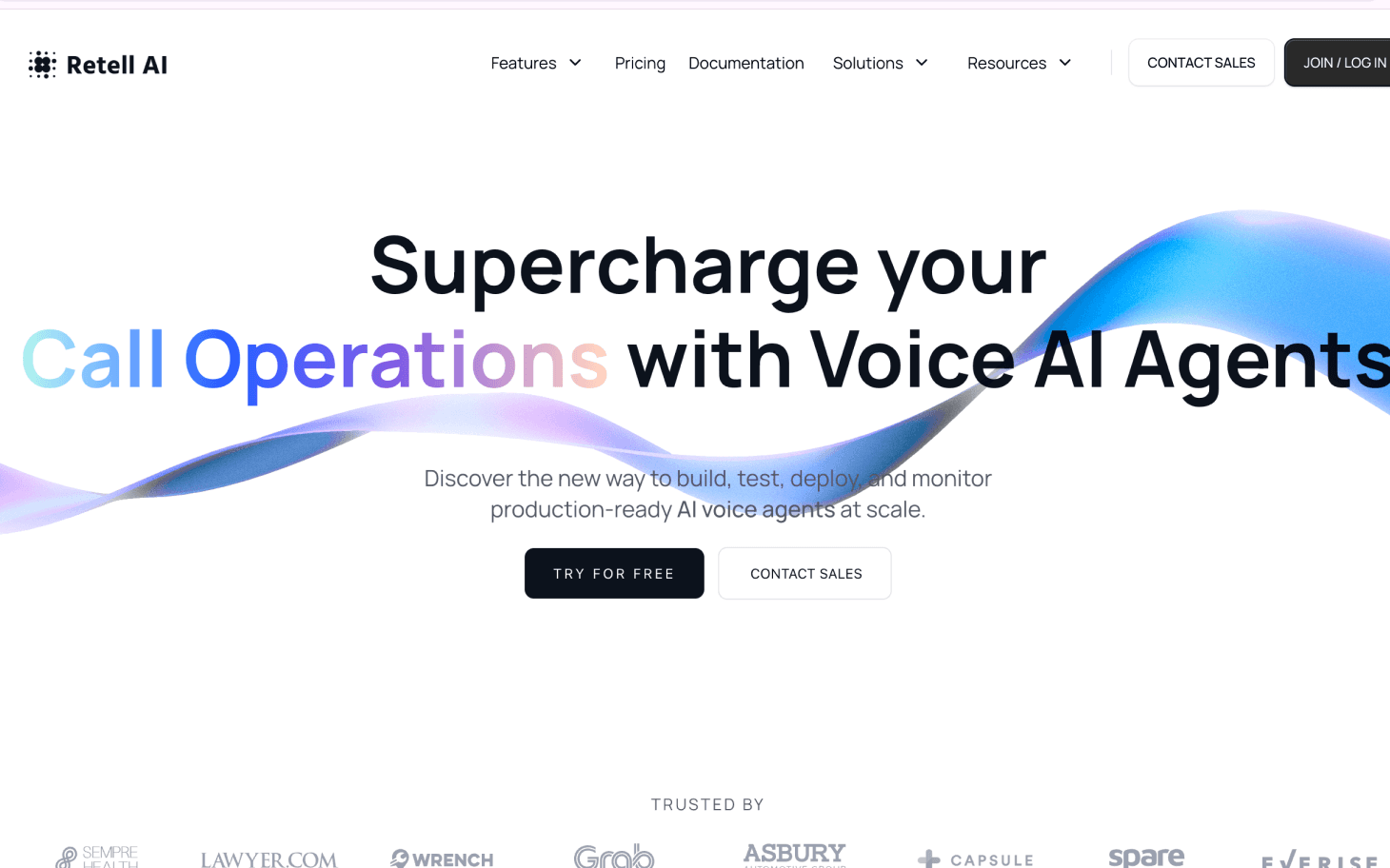
Retell is a voice AI platform designed to build and run AI phone agents that manage full phone conversations. The platform converts live speech into text so agents can understand callers, maintain context, and continue conversations without relying on post-call transcription.

  • Live Phone Call Infrastructure: Retell is built for real inbound and outbound phone calls handled by AI agents, not for audio uploads, dictation, or meeting transcription.

  • Speech-to-Text for Conversation State: Caller speech is converted into text so the agent can track context, understand requests, and maintain continuity across multiple turns in the same call.

  • End-to-End Call Handling: The platform is designed for AI agents to own the full call flow, from greeting through completion or escalation, rather than assisting human agents mid-call.

  • Developer-Oriented Agent Configuration: Retell provides tooling for developers to configure how agents listen, respond, and transition through call states in live conversations.

  • Real-Time Conversation Processing: Speech and response handling are designed to operate during active calls, supporting continuous interaction rather than delayed processing.

Pros

  • Usage-based pricing or fixed bundles with significant minute discounts

  • Native support for multilingual Indian languages

  • ASR and TTS stack using Deepgram and ElevenLabs

  • Pilot bundles offer very low per-minute rates, as low as 0.05 dollars per minute

Cons

  • International telephony pricing varies and can be higher

  • Workflows and toolkits are geared toward India-focused use cases

  • Less transparency on technical controls compared to developer-first platforms

Best For: India-based businesses that need large-scale outbound calling with low per-minute costs and strong vernacular language support.

5. Synthflow

Synthflow

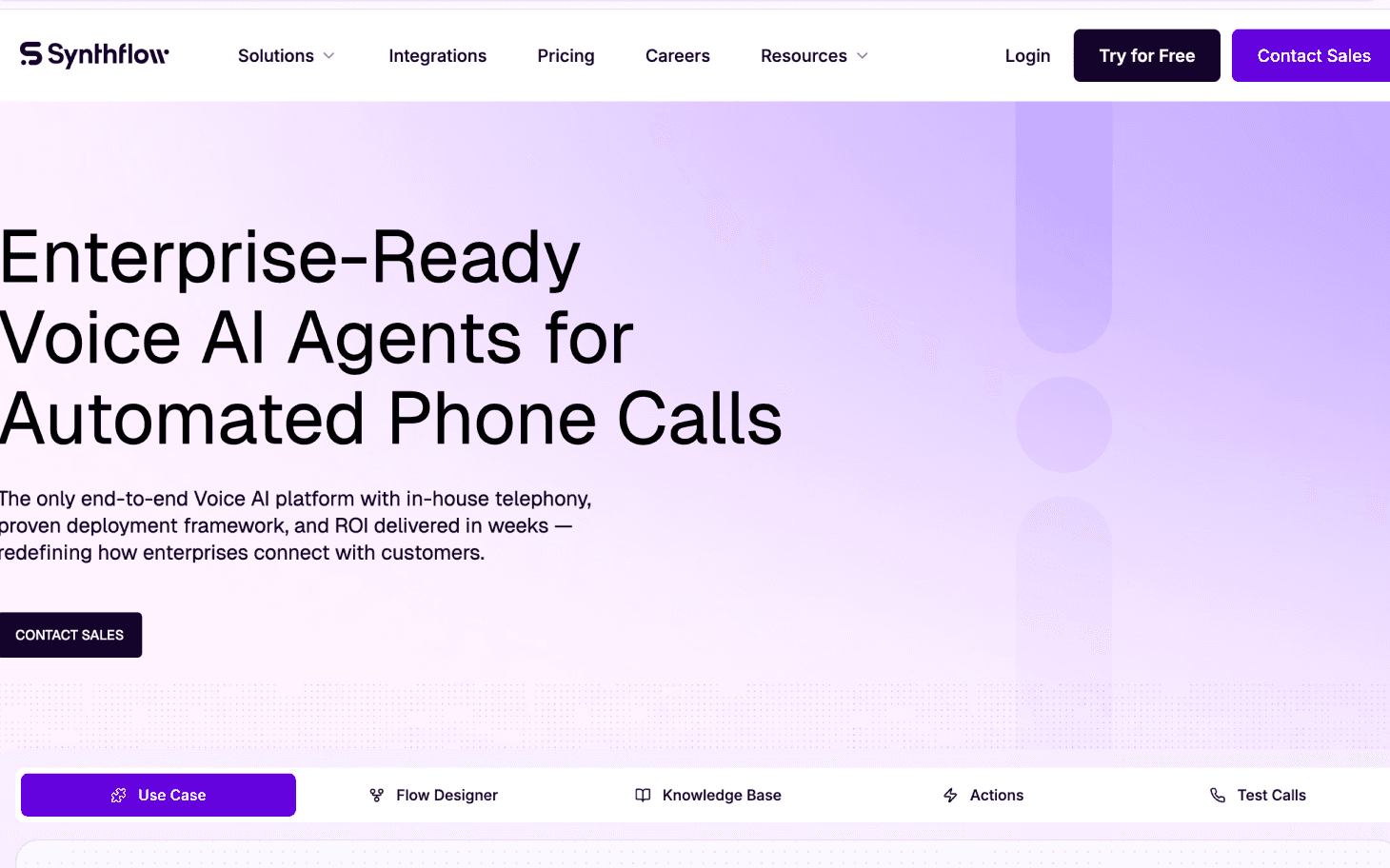
Synthflow is a no-code voice AI platform that allows teams to build and manage AI phone agents without writing custom backend or telephony code. Speech is converted into text so the system can route conversations through visual call flows.

  • No-Code Voice Agent Builder: Synthflow provides a visual interface that lets users define how phone conversations progress without programming.

  • Live Phone Call Automation: The platform is built for real inbound and outbound phone calls handled by AI agents, not for audio file transcription.

  • Speech-to-Text for Flow Routing: Caller speech is converted into text and matched against conditions in visual flows to determine how the conversation continues.

  • Visual Call Logic Control: Conversation paths are defined visually, allowing teams to adjust logic directly instead of modifying code.

  • Text Used for Branching and Capture: Text output from speech is used to select flow branches and record caller responses rather than generate readable documents.

Pros

  • No code builder with workflow and action support

  • Telephony, ASR via Deepgram, and LLM via OpenAI bundled

  • Supports over thirty languages

Cons

  • Limited flexibility for engineering teams needing custom stack control

  • Pricing increases once included minutes are exhausted

  • Does not offer a perpetual free tier

Best For: Teams that want a no-code voice AI system to build production-ready call agents without backend development.

6. Yellow.ai

Yellow.ai

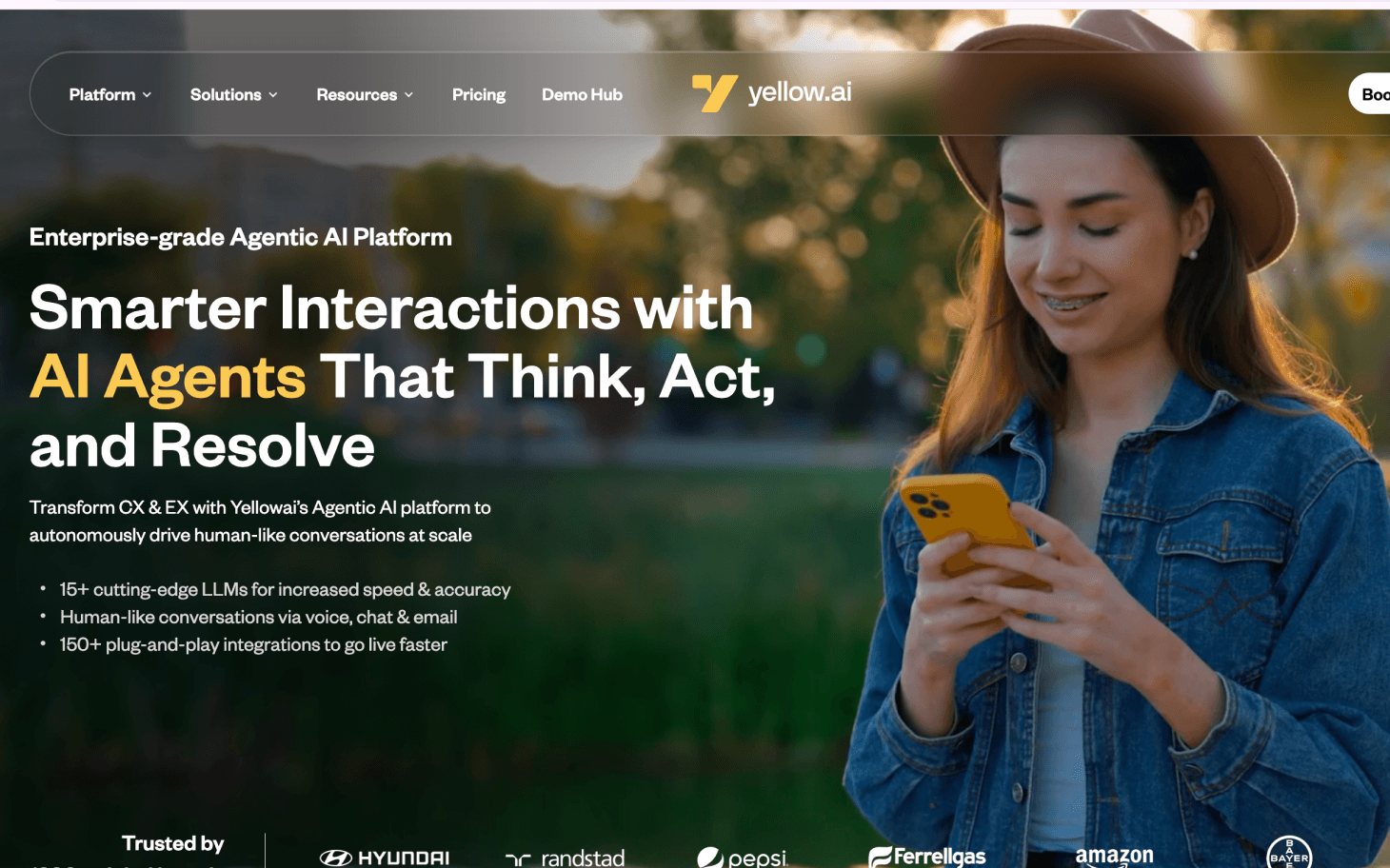
Yellow.ai is an enterprise conversational AI platform that supports automation across voice and digital channels. Its voice capability converts spoken input into text so interactions can be processed and coordinated across customer support and service workflows.

  • Omnichannel Conversational Platform: Yellow.ai positions voice as one interaction channel alongside chat, messaging, and other digital touchpoints.

  • Contact Center Phone Support: The platform is used for customer and employee voice interactions within contact center environments.

  • Speech-to-Text for Workflow Execution: Caller speech is converted into text so workflows can detect intent, extract information, and determine next actions.

  • Shared Context Across Channels: Text from voice interactions is used to maintain continuity when conversations move between voice and digital channels.

  • Structured Service Journeys: Yellow.ai focuses on predefined service paths such as inquiries, bookings, and account-related interactions.

Pros

  • Offers a free tier with limited access to a single voice agent

  • Supports omnichannel automation across chat, voice, email, and workflow tools

  • Built for large-scale customer service operations

  • Includes enterprise compliance frameworks such as SOC 2 and GDPR

Cons

  • The free tier is limited and not suitable for sustained voice operations

  • Voice capabilities are part of a broader omnichannel platform rather than a standalone voice-focused product

  • Advanced voice and automation capabilities require enterprise-level pricing

Best For: Large enterprises deploying coordinated voice and digital automation across customer support and service environments.

7. Kore.ai

Kore.ai

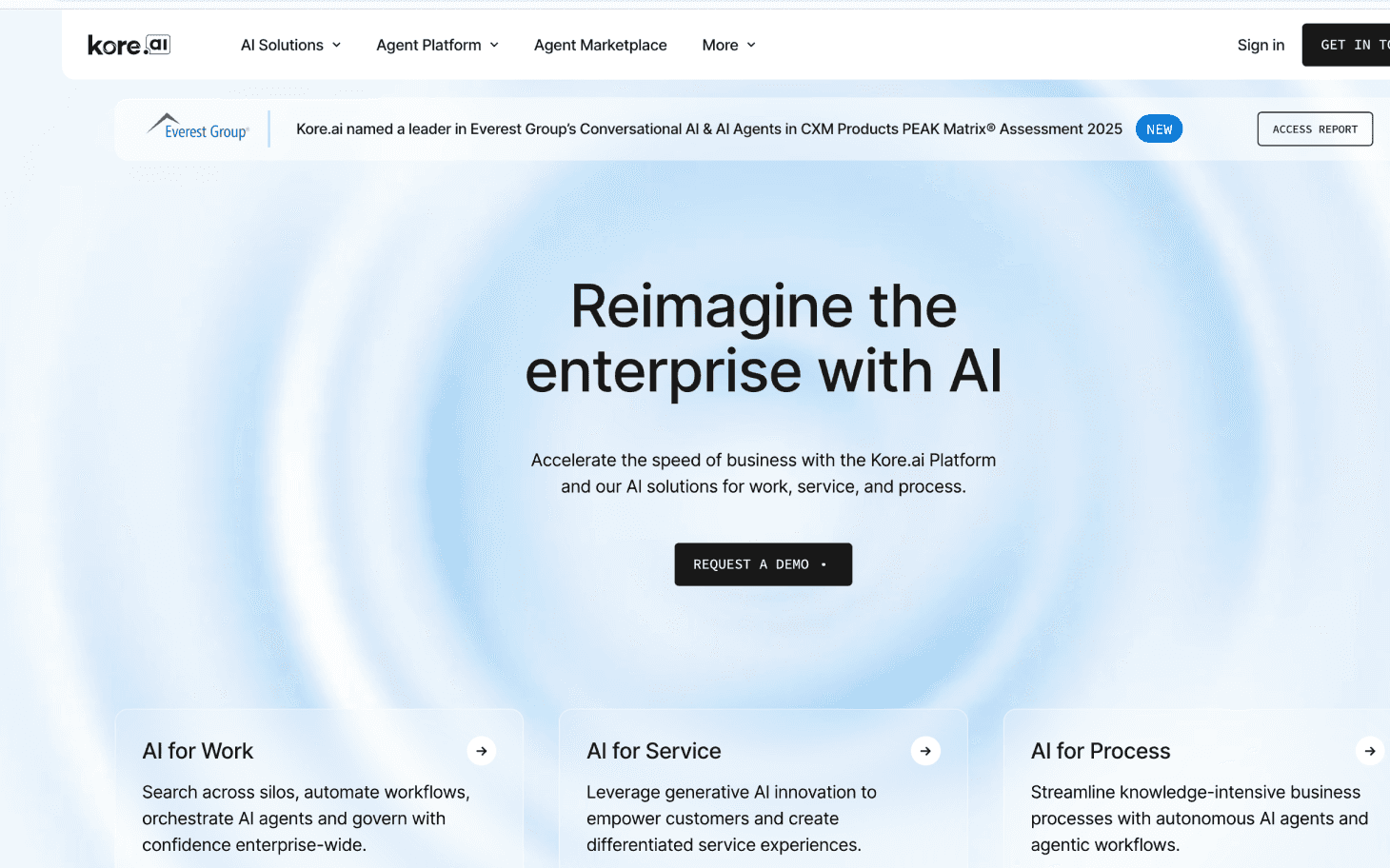
Kore.ai is an enterprise conversational AI platform used to build voice assistants for both customer-facing and internal business workflows. Speech-to-text allows these assistants to process spoken input and connect it to backend enterprise systems.

  • Enterprise Automation Platform: Kore.ai is designed for organizations deploying conversational AI across multiple departments and functions.

  • Support for Customers and Employees: The platform supports voice assistants used in customer service as well as internal help desks and service portals.

  • Speech-to-Text for Intent and Entity Extraction: Live spoken input is converted into text so the system can identify intent and extract relevant data from user requests.

  • Workflow and System Integration: Text derived from speech is used to trigger workflows and interact with enterprise systems such as ticketing or CRM platforms.

  • Analytics and Monitoring Capabilities: Conversation data is used for performance monitoring and optimization of voice assistants.

Pros

  • An enterprise-focused platform for building conversational AI across voice and digital channels

  • Supports both customer-facing assistants and internal employee workflows

  • Speech-to-text allows intent detection and entity extraction from live voice input

Cons

  • Platform breadth can increase setup time compared to voice-only tools

  • Voice capabilities are part of a broader conversational stack, not a standalone voice agent product

  • Advanced features and scaling typically require enterprise-level contracts

Best For: Large enterprises building voice assistants for customer service and internal operations that require deep workflow orchestration, system connectivity, and centralized governance.

Free Access Comparison

After evaluating individual platforms, the differences in how free access is structured become easier to compare side by side.


Platform

Free Tier?

What Free Includes

Public Paid Pricing

Notes

Smallest.ai

Yes

Free plan: 1 template AI agent, basic TTS, TTS Studio, $1 test credit

Personal $49/mo; Business $1,999/mo; Enterprise custom.

Per-minute / model pricing is shown on the site per plan and region.

Vapi

Yes

$10 free credit (pay-as-you-go)

Hosting example $0.05/min (container hosting); model provider billed at cost.

Concurrency lines: 10 included + $10/line/mo.

Bland.ai

Yes

Start plan (Free) — capped calls, limited concurrency

Start plan: connected minute rate $0.14/min; Build $299/mo, Scale $499/mo (rates lower per plan).

Free Start still bills connected minutes; BYOT affects transfer fees.

Retell

Yes

$10 free credits, 20 free concurrent calls, simulation testing

Voice agent pricing from $0.07+/min (varies by voice engine); telephony example $0.015/min (Retell Twilio).

LLM, TTS, telephony billed componentwise (site calculator).

Bolna

No free unlimited tier

Pilot/bundles (Starter $100 for 1,000 mins at $0.10/min)

Pilot bundle examples: Pilot 10k min at $0.05/min; Growth bundles at $0.063–$0.10/min.

The pricing calculator allows ASR/TTS/LLM/telephony selection.

Synthflow

Trial only

14-day free trial with included minutes

Pro $375/mo (2,000 mins; $0.13/min thereafter); Growth $750/mo; Enterprise volume pricing to $0.08/min.

Concurrency and extra call pricing published (e.g., $7/concurrent call).

Yellow.ai

Yes (limited)

Free tier: 1 agent, 500 resolutions included (then $0.99/resolution)

Higher-tier enterprise/quote-based; public materials list features not unit prices.

Free tier limited; enterprise pricing via sales.


After reviewing these platforms, the decision often comes down to constraints that only surface during real use.

See how Smallest.ai handles real-time speech with sub-100 ms latency, live interruption control, multilingual calls, and production-grade voice agents by requesting a demo today.

What to Consider When Choosing Free Voice-to-Text Software

Before selecting any free voice-to-text software, it helps to check a few practical factors. Free tools vary widely in how they handle speech input, accuracy, limits, and real usage scenarios. These points help filter tools that work in real situations from those that only look good on paper.

  • Audio Input Type and Source: Some voice-to-text apps work only with short microphone input, while others handle live calls or longer recordings. Check whether the tool accepts live speech, uploaded audio files, or phone call audio, based on how you plan to use it.

  • Accuracy With Real Speech Patterns: Free speech-to-text apps often struggle with accents, background noise, or fast speakers. Test how well the tool handles natural conversation rather than scripted speech.

  • Language and Accent Coverage: If you work with users across regions, confirm which languages and accents are supported. Many free talking software options limit non-English or regional speech recognition.

  • Usage Limits and Caps: Most free voice-to-text tools apply restrictions such as:

    • Daily or monthly transcription limits

    • Call duration caps

    • Credit-based usage

These limits matter once usage becomes regular.

  • Output Format and Usability: Some tools provide raw text only, while others structure the speech text results with timestamps or basic formatting. Decide whether you need plain text or organized output.

  • Real-Time vs. Delayed Results: Free tools may process speech after recording ends. If you need live responses or immediate text during calls, check whether real-time voice-to-text is supported.

  • Privacy and Data Handling: Review whether audio or text is stored, reused, or deleted after processing. This matters when dealing with customer conversations or internal discussions.

For readers comparing how streaming speech systems handle latency, partial transcripts, and turn control under live audio, a detailed technical assessment is available in Evaluating Lightning ASR Against Leading Streaming Speech Recognition Models.

Final Thoughts!

Free tiers and trial plans serve a specific purpose. They provide a controlled way to evaluate how free voice-to-text software performs under real conditions, including response time, concurrency limits, and how speech flows through live systems rather than isolated recordings. For teams evaluating voice seriously, insight gained during early testing often matters more than unrestricted usage.

As voice initiatives mature, requirements often move past basic transcription. Live call handling, turn control, interruption behavior, multilingual consistency, and stable performance under load start to guide decisions beyond what most free voice-to-text software can support long-term. This is typically where the difference between experimentation and production readiness becomes clear.

Smallest.ai is built for teams that want to move past surface-level trials and validate real-time voice behavior in environments that resemble production. If you want to see how low-latency speech processing and real-time agent control work in practice, request a demo of Smallest.ai.

FAQs About Voice-to-Text Software

1. Can free voice-to-text software handle live phone calls, not recorded audio

Most free voice-to-text software focuses on short dictation or uploaded audio. Live phone calls usually require streaming speech processing, which is often restricted or capped in free tiers.

2. Does free voice-to-text software support partial or real-time transcription

Some platforms process speech only after a pause or sentence end. Fewer free voice-to-text software options support partial transcriptions that update while the speaker is still talking.

3. How reliable is free voice-to-text software with accents and mixed-language speech

Accuracy often drops with non-neutral accents or code-switching. Free plans may limit language models or fall back to general-purpose recognition rather than accent-aware speech models.

4. Is free voice-to-text software suitable for testing AI voice agents

It can work for early experiments, but free voice-to-text software often limits concurrency, call duration, or processing speed, which affects agent behavior testing.

5. What happens to call data processed by free voice-to-text software

Retention policies vary widely. Some tools remove data after a short period, while others keep transcripts temporarily for debugging, which matters for teams working with sensitive conversations.


If you are searching for free voice-to-text software, it usually reflects a practical requirement rather than curiosity. Teams evaluating voice workflows often need a way to test speech input, call handling, or agent logic before committing budget or locking in long-term contracts.

Voice is also becoming difficult to treat as optional. Industry forecasts indicate the global conversational AI market could reach 136.41 billion dollars by 2035, raising expectations around automation, call handling, and response quality across regulated and customer-facing operations. That trend pushes many organizations to begin with free or trial access while they validate accuracy, latency, and operational fit.

In this guide, we walk through how Voice-to-Text software handles speech input and free access, helping you identify which options are suitable for early evaluation and which align better with long-term deployment.

Key Takeaways


  • Free Access Works Best for Testing, Not Production: Free tiers primarily help teams validate speech accuracy, latency, call behavior, and workflow fit before moving to paid plans.

  • Speech-to-Text Is Used to Drive Live Calls: Streaming transcription is used to control conversations, detect intent, and trigger actions rather than produce full documents or polished transcripts.

  • Free Plans Reach Limits Quickly: Most platforms cap usage through limits on minutes, concurrency, agents, or credits, which become restrictive as real workloads grow.

  • Different Platforms Apply Speech-to-Text in Distinct Ways: Some tools use speech pipelines to power visual flows, others rely on code-level control, while enterprise platforms connect voice input directly to workflows and backend systems.

  • Scaling Beyond Free Tiers Requires Real-Time Reliability: Production environments depend on predictable latency, interruption handling, multilingual stability, and call-safe speech processing, capabilities that free tiers rarely support long-term.

Why Free Voice-to-Text Software Is Gaining Popularity


Why Free Voice-to-Text Software Is Gaining Popularity

Free voice-to-text software is seeing higher adoption because it fits real work scenarios where typing slows output. Teams use it for call notes, field updates, internal drafts, and basic documentation without budget approvals or setup overhead.


  • Meeting Notes Without Manual Follow-Ups: Teams record live discussions and convert speech into written summaries the same day, which reduces missed points and follow-up clarification messages.

  • Call Documentation for Sales and Support: Sales reps use a voice-to-text app during prospect calls to capture talking points, objections, and action items while staying focused on the conversation.

  • Field Work and On-the-Go Input: Real estate agents, inspectors, and service staff rely on speech-to-text apps to log updates from their phones between site visits.

  • Faster Draft Creation for Written Tasks: Users speak rough drafts into talking software and edit later, which shortens the time spent creating emails, reports, and internal notes.

  • Low-Risk Adoption Inside Teams: Free access allows managers to test voice-to-word accuracy in real workflows before asking teams to switch tools or ask for paid licenses.

  • Reduced Dependence on Typing Skills: Users who type slowly or work in languages where keyboard input takes longer rely on speech-to-text for faster output.

  • Simple Setup With Existing Devices: Most tools work with built-in laptop or phone microphones, which removes the need for extra hardware or training.

That growing adoption has pushed teams to look beyond concepts and start comparing specific tools that offer usable free access today.

For teams interested in how live speech can be converted, controlled, and rendered dynamically during conversations, a deeper technical breakdown is available in AI Voice Cloning in Real-Time: A Deep Learning Approach.


Top 7 Best Free Voice-to-Text Software in 2026

Enterprise teams searching for speech-to-text software increasingly encounter voice AI and contact-center platforms. These tools do not exist to transcribe meetings or dictate documents. Speech-to-text is used inside live voice workflows so systems can understand callers, route requests, and automate actions during phone conversations.

1. Smallest.ai


smallest ai

Smallest.ai operates real-time voice agents for phone calls, where speech-to-text runs continuously during the conversation. The system converts live audio into text incrementally and feeds that text into agent logic while the caller is still speaking, instead of waiting for end-of-turn transcripts.

  • Streaming Speech Ingestion: Spoken audio from phone calls is processed as a live stream. Speech is broken into partial segments and converted into text without waiting for full sentence completion or long pauses.

  • Incremental Transcription for Turn Control: Partial text is passed into the agent loop during the same speaking turn. This allows the agent to prepare responses before the caller finishes and react immediately when intent becomes clear.

  • Real-Time Interruption Handling: The system supports barge-in behavior. If the caller interrupts the agent, new speech input takes priority and replaces pending output instead of being queued.

  • Text as Active State, Not a Transcript: Speech-to-text output exists as a short-lived conversational state. It is used to resolve intent, validate answers, and trigger actions. It is not treated as paragraph-level transcription.

  • Language Detection at Call Start: Language is identified early in the call from speech input. The same speech-to-text pipeline then continues in that language without manual switching.

  • Free Access Boundaries: Free usage is limited to development and testing. It supports simulated or low-volume calls to verify speech handling, latency, and turn behavior, not sustained production traffic.

Best For
Early validation of voice TTS and simple AI agent configuration with official plan support.

Interested in seeing how real-time voice behavior performs under live conditions? Book a demo to experience Smallest.ai’s low-latency speech processing and agent control in action.

2. Vapi


Vapi

Vapi is a developer-focused voice-AI platform that allows teams to build, test, and deploy AI-powered phone-call agents with full programmatic control. It’s positioned as “infrastructure” rather than an out-of-the-box dictation or transcription tool.

  • API-Driven Architecture: Vapi exposes a comprehensive API (server and client SDKs) that lets developers define call logic, integrate with backend systems, and control call behavior.

  • Support for High Call Volume: According to Vapi, their infrastructure handles “150M+ calls” and supports the launch of “1.5M+ voice assistants.”

  • Multilingual & Global Voice Support: Vapi claims support for 100+ languages, making it suitable for multilingual voice agents worldwide.

  • Testing & Deployment Pipelines: The platform offers built-in tools for testing voice agents before deployment, simulating calls and validating logic, allowing safe rollout of voice workflows.

  • Flexibility Over Stack and Models: Vapi allows users to “bring your own models,” meaning it can integrate with external speech-recognition or text-to-speech services, or even self-hosted models if required.

Pros

  • Full API control for call logic, routing, and backend integration

  • Supports 100+ languages

  • Bring your own STT, LLM, and TTS models

  • Handles very high concurrent call volume

Cons

  • Requires engineering effort and developer involvement

  • Free credit capped at 10 dollars

  • Hosting costs are added on top of model usage costs

Best For: Engineering teams seeking maximum configurability when building custom voice agent infrastructure.

3. Bland.ai


Bland.ai

Bland.ai is a voice AI platform designed to run AI-powered phone agents that handle real inbound and outbound calls. The system converts spoken caller input into text so agents can understand responses and complete business calls without human operators handling every interaction.

  • Built for Live Phone Calling: Bland.ai is designed specifically for real phone calls. The platform focuses on running AI agents that place and receive calls rather than processing recorded audio or written dictation.

  • Speech-to-Text for Call Progression: Caller speech is converted into text during the call so agents can interpret responses, detect intent, and decide what to say or do next within the same conversation.

  • Task-Oriented Call Design: The platform is structured around completing defined call objectives such as collecting information, confirming details, scheduling, or transferring calls when necessary.

  • Integration with Business Systems: Bland.ai supports integration with external systems like CRMs and internal tools, so data captured from calls can be stored and acted on after the interaction.

  • High-Volume Calling Focus: Bland.ai positions itself for businesses that need to operate AI agents across large numbers of calls, prioritizing consistency and scale over free-form conversation.

Pros

  • Free Start plan with pay-per-minute billing

  • Call focused design with warm transfer support

  • Supports concurrency, large calling volume, and vendor telephony

  • Enterprise-grade uptime and SLAs

Cons

  • Connected minute pricing increases across higher tiers

  • All transcription usage is billed with no free minutes

  • Lower transfer rates require using Bland phone numbers

Best For: Teams running high volume inbound and outbound AI calling with structured call flows and transfer needs.

4. Retell


Retell

Retell is a voice AI platform designed to build and run AI phone agents that manage full phone conversations. The platform converts live speech into text so agents can understand callers, maintain context, and continue conversations without relying on post-call transcription.

  • Live Phone Call Infrastructure: Retell is built for real inbound and outbound phone calls handled by AI agents, not for audio uploads, dictation, or meeting transcription.

  • Speech-to-Text for Conversation State: Caller speech is converted into text so the agent can track context, understand requests, and maintain continuity across multiple turns in the same call.

  • End-to-End Call Handling: The platform is designed for AI agents to own the full call flow, from greeting through completion or escalation, rather than assisting human agents mid-call.

  • Developer-Oriented Agent Configuration: Retell provides tooling for developers to configure how agents listen, respond, and transition through call states in live conversations.

  • Real-Time Conversation Processing: Speech and response handling are designed to operate during active calls, supporting continuous interaction rather than delayed processing.

Pros

  • Usage-based pricing or fixed bundles with significant minute discounts

  • Native support for multilingual Indian languages

  • ASR and TTS stack using Deepgram and ElevenLabs

  • Pilot bundles offer very low per-minute rates, as low as 0.05 dollars per minute

Cons

  • International telephony pricing varies and can be higher

  • Workflows and toolkits are geared toward India-focused use cases

  • Less transparency on technical controls compared to developer-first platforms

Best For: India-based businesses that need large-scale outbound calling with low per-minute costs and strong vernacular language support.

5. Synthflow


Synthflow

Synthflow is a no-code voice AI platform that allows teams to build and manage AI phone agents without writing custom backend or telephony code. Speech is converted into text so the system can route conversations through visual call flows.

  • No-Code Voice Agent Builder: Synthflow provides a visual interface that lets users define how phone conversations progress without programming.

  • Live Phone Call Automation: The platform is built for real inbound and outbound phone calls handled by AI agents, not for audio file transcription.

  • Speech-to-Text for Flow Routing: Caller speech is converted into text and matched against conditions in visual flows to determine how the conversation continues.

  • Visual Call Logic Control: Conversation paths are defined visually, allowing teams to adjust logic directly instead of modifying code.

  • Text Used for Branching and Capture: Text output from speech is used to select flow branches and record caller responses rather than generate readable documents.

Pros

  • No code builder with workflow and action support

  • Telephony, ASR via Deepgram, and LLM via OpenAI bundled

  • Supports over thirty languages

Cons

  • Limited flexibility for engineering teams needing custom stack control

  • Pricing increases once included minutes are exhausted

  • Does not offer a perpetual free tier

Best For: Teams that want a no-code voice AI system to build production-ready call agents without backend development.

6. Yellow.ai


Yellow.ai

Yellow.ai is an enterprise conversational AI platform that supports automation across voice and digital channels. Its voice capability converts spoken input into text so interactions can be processed and coordinated across customer support and service workflows.

  • Omnichannel Conversational Platform: Yellow.ai positions voice as one interaction channel alongside chat, messaging, and other digital touchpoints.

  • Contact Center Phone Support: The platform is used for customer and employee voice interactions within contact center environments.

  • Speech-to-Text for Workflow Execution: Caller speech is converted into text so workflows can detect intent, extract information, and determine next actions.

  • Shared Context Across Channels: Text from voice interactions is used to maintain continuity when conversations move between voice and digital channels.

  • Structured Service Journeys: Yellow.ai focuses on predefined service paths such as inquiries, bookings, and account-related interactions.

Pros

  • Offers a free tier with limited access to a single voice agent

  • Supports omnichannel automation across chat, voice, email, and workflow tools

  • Built for large-scale customer service operations

  • Includes enterprise compliance frameworks such as SOC 2 and GDPR

Cons

  • The free tier is limited and not suitable for sustained voice operations

  • Voice capabilities are part of a broader omnichannel platform rather than a standalone voice-focused product

  • Advanced voice and automation capabilities require enterprise-level pricing

Best For: Large enterprises deploying coordinated voice and digital automation across customer support and service environments.

7. Kore.ai


Kore.ai

Kore.ai is an enterprise conversational AI platform used to build voice assistants for both customer-facing and internal business workflows. Speech-to-text allows these assistants to process spoken input and connect it to backend enterprise systems.

  • Enterprise Automation Platform: Kore.ai is designed for organizations deploying conversational AI across multiple departments and functions.

  • Support for Customers and Employees: The platform supports voice assistants used in customer service as well as internal help desks and service portals.

  • Speech-to-Text for Intent and Entity Extraction: Live spoken input is converted into text so the system can identify intent and extract relevant data from user requests.

  • Workflow and System Integration: Text derived from speech is used to trigger workflows and interact with enterprise systems such as ticketing or CRM platforms.

  • Analytics and Monitoring Capabilities: Conversation data is used for performance monitoring and optimization of voice assistants.

Pros

  • An enterprise-focused platform for building conversational AI across voice and digital channels

  • Supports both customer-facing assistants and internal employee workflows

  • Speech-to-text allows intent detection and entity extraction from live voice input

Cons

  • Platform breadth can increase setup time compared to voice-only tools

  • Voice capabilities are part of a broader conversational stack, not a standalone voice agent product

  • Advanced features and scaling typically require enterprise-level contracts

Best For: Large enterprises building voice assistants for customer service and internal operations that require deep workflow orchestration, system connectivity, and centralized governance.

Free Access Comparison

After evaluating individual platforms, the differences in how free access is structured become easier to compare side by side.


Platform

Free Tier?

What Free Includes

Public Paid Pricing

Notes

Smallest.ai

Yes

Free plan: 1 template AI agent, basic TTS, TTS Studio, $1 test credit

Personal $49/mo; Business $1,999/mo; Enterprise custom.

Per-minute / model pricing is shown on the site per plan and region.

Vapi

Yes

$10 free credit (pay-as-you-go)

Hosting example $0.05/min (container hosting); model provider billed at cost.

Concurrency lines: 10 included + $10/line/mo.

Bland.ai

Yes

Start plan (Free) — capped calls, limited concurrency

Start plan: connected minute rate $0.14/min; Build $299/mo, Scale $499/mo (rates lower per plan).

Free Start still bills connected minutes; BYOT affects transfer fees.

Retell

Yes

$10 free credits, 20 free concurrent calls, simulation testing

Voice agent pricing from $0.07+/min (varies by voice engine); telephony example $0.015/min (Retell Twilio).

LLM, TTS, telephony billed componentwise (site calculator).

Bolna

No free unlimited tier

Pilot/bundles (Starter $100 for 1,000 mins at $0.10/min)

Pilot bundle examples: Pilot 10k min at $0.05/min; Growth bundles at $0.063–$0.10/min.

The pricing calculator allows ASR/TTS/LLM/telephony selection.

Synthflow

Trial only

14-day free trial with included minutes

Pro $375/mo (2,000 mins; $0.13/min thereafter); Growth $750/mo; Enterprise volume pricing to $0.08/min.

Concurrency and extra call pricing published (e.g., $7/concurrent call).

Yellow.ai

Yes (limited)

Free tier: 1 agent, 500 resolutions included (then $0.99/resolution)

Higher-tier enterprise/quote-based; public materials list features not unit prices.

Free tier limited; enterprise pricing via sales.


After reviewing these platforms, the decision often comes down to constraints that only surface during real use.

See how Smallest.ai handles real-time speech with sub-100 ms latency, live interruption control, multilingual calls, and production-grade voice agents by requesting a demo today.

What to Consider When Choosing Free Voice-to-Text Software

Before selecting any free voice-to-text software, it helps to check a few practical factors. Free tools vary widely in how they handle speech input, accuracy, limits, and real usage scenarios. These points help filter tools that work in real situations from those that only look good on paper.

  • Audio Input Type and Source: Some voice-to-text apps work only with short microphone input, while others handle live calls or longer recordings. Check whether the tool accepts live speech, uploaded audio files, or phone call audio, based on how you plan to use it.

  • Accuracy With Real Speech Patterns: Free speech-to-text apps often struggle with accents, background noise, or fast speakers. Test how well the tool handles natural conversation rather than scripted speech.

  • Language and Accent Coverage: If you work with users across regions, confirm which languages and accents are supported. Many free talking software options limit non-English or regional speech recognition.

  • Usage Limits and Caps: Most free voice-to-text tools apply restrictions such as:

    • Daily or monthly transcription limits

    • Call duration caps

    • Credit-based usage

These limits matter once usage becomes regular.

  • Output Format and Usability: Some tools provide raw text only, while others structure the speech text results with timestamps or basic formatting. Decide whether you need plain text or organized output.

  • Real-Time vs. Delayed Results: Free tools may process speech after recording ends. If you need live responses or immediate text during calls, check whether real-time voice-to-text is supported.

  • Privacy and Data Handling: Review whether audio or text is stored, reused, or deleted after processing. This matters when dealing with customer conversations or internal discussions.

For readers comparing how streaming speech systems handle latency, partial transcripts, and turn control under live audio, a detailed technical assessment is available in Evaluating Lightning ASR Against Leading Streaming Speech Recognition Models.

Final Thoughts!

Free tiers and trial plans serve a specific purpose. They provide a controlled way to evaluate how free voice-to-text software performs under real conditions, including response time, concurrency limits, and how speech flows through live systems rather than isolated recordings. For teams evaluating voice seriously, insight gained during early testing often matters more than unrestricted usage.

As voice initiatives mature, requirements often move past basic transcription. Live call handling, turn control, interruption behavior, multilingual consistency, and stable performance under load start to guide decisions beyond what most free voice-to-text software can support long-term. This is typically where the difference between experimentation and production readiness becomes clear.

Smallest.ai is built for teams that want to move past surface-level trials and validate real-time voice behavior in environments that resemble production. If you want to see how low-latency speech processing and real-time agent control work in practice, request a demo of Smallest.ai.

FAQs About Voice-to-Text Software

1. Can free voice-to-text software handle live phone calls, not recorded audio

Most free voice-to-text software focuses on short dictation or uploaded audio. Live phone calls usually require streaming speech processing, which is often restricted or capped in free tiers.

2. Does free voice-to-text software support partial or real-time transcription

Some platforms process speech only after a pause or sentence end. Fewer free voice-to-text software options support partial transcriptions that update while the speaker is still talking.

3. How reliable is free voice-to-text software with accents and mixed-language speech

Accuracy often drops with non-neutral accents or code-switching. Free plans may limit language models or fall back to general-purpose recognition rather than accent-aware speech models.

4. Is free voice-to-text software suitable for testing AI voice agents

It can work for early experiments, but free voice-to-text software often limits concurrency, call duration, or processing speed, which affects agent behavior testing.

5. What happens to call data processed by free voice-to-text software

Retention policies vary widely. Some tools remove data after a short period, while others keep transcripts temporarily for debugging, which matters for teams working with sensitive conversations.

Automate your Contact Centers with Us

Experience fast latency, strong security, and unlimited speech generation.

Automate Now

Talk to a voice expert

Experience the fastest voice ai, book a demo now!

1160 Battery Street East, San Francisco, CA, 94111

Products

Coming Soon

Coming Soon

Coming Soon

Coming Soon

Coming Soon

Coming Soon

Industries

Coming Soon

Coming Soon

Coming Soon

Coming Soon

Coming Soon

Coming Soon

Coming Soon

Others

Coming Soon

Coming Soon

Legal

Coming Soon

Coming Soon

Coming Soon

Coming Soon

Coming Soon

Coming Soon

Talk to a voice expert

Experience the fastest voice ai, book a demo now!

1160 Battery Street East, San Francisco, CA, 94111

Products

Coming Soon

Coming Soon

Coming Soon

Coming Soon

Coming Soon

Coming Soon

Industries

Coming Soon

Coming Soon

Coming Soon

Coming Soon

Coming Soon

Coming Soon

Coming Soon

Others

Coming Soon

Coming Soon

Legal

Coming Soon

Coming Soon

Coming Soon

Coming Soon

Coming Soon

Coming Soon

Talk to a voice expert

Experience the fastest voice ai, book a demo now!

1160 Battery Street East, San Francisco, CA, 94111

Products

Coming Soon

Coming Soon

Coming Soon

Coming Soon

Coming Soon

Coming Soon

Industries

Coming Soon

Coming Soon

Coming Soon

Coming Soon

Coming Soon

Coming Soon

Coming Soon

Others

Coming Soon

Coming Soon

Legal

Coming Soon

Coming Soon

Coming Soon

Coming Soon

Coming Soon

Coming Soon