डिस्लेक्सिया के लिए टेक्स्ट से स्पीच: एआई वॉयस पढ़ने की सुलभता को कैसे बेहतर बनाती है

डिस्लेक्सिया के लिए टेक्स्ट-टू-स्पीच लिखित सामग्री को समझने का एक वास्तविक सुनने का जरिया प्रदान करता है। देखें कि कौन सी विशेषताएं सबसे अधिक महत्वपूर्ण हैं और डेवलपर्स कैसे एआई आवाजों (AI voices) को एकीकृत कर सकते हैं।
डिस्लेक्सिया से पीड़ित कई लोगों के लिए सघन टेक्स्ट को डिकोड करने में वास्तविक प्रयास की आवश्यकता होती है। लंबे पैसेज, अपरिचित शब्द, भीड़भाड़ वाले लेआउट और लगातार स्क्रीन रीडिंग थकान का कारण बन सकते हैं या पेज पर अपनी जगह बनाए रखना मुश्किल बना सकते हैं। डिस्लेक्सिया के लिए टेक्स्ट टू स्पीच उस सामग्री के माध्यम से एक श्रवण मार्ग प्रदान करता है, ताकि पाठक केवल दृश्य डिकोडिंग पर निर्भर न रहें।
यह वॉकथ्रू बुनियादी अवधारणाओं, रोजमर्रा के उपयोग, डिज़ाइन मानदंड, कार्यान्वयन और परीक्षण को कवर करता है। पाठक, परिवार, शिक्षक, एक्सेसिबिलिटी टीम, प्रकाशक और डेवलपर्स प्रत्येक को अंत तक कुछ न कुछ उपयोगी जानकारी मिलनी चाहिए - चाहे वह किसी विशिष्ट पाठक के लिए सही विशेषताओं की पहचान करना हो या यह जानना हो कि व्यापक सुलभ पढ़ने के अनुभव के भीतर वॉयस तकनीक कहाँ फिट बैठती है।
विषय सूची
डिस्लेक्सिया के लिए टेक्स्ट टू स्पीच कैसे काम करता है: बुनियादी तकनीक और एक्सेसिबिलिटी सहायता के रूप में इसकी भूमिका।
आधुनिक टीटीएस पढ़ने में कैसे सहायता करता है: सुनने के विकल्प, सिंक्रनाइज़ टेक्स्ट, गति, आवाज़ें और भाषाएं।
जोर से पढ़ने वाले उपकरण कहाँ उपयोगी हैं: शिक्षा, कार्य, प्रकाशन, ब्राउज़र और मोबाइल ऐप्स में उदाहरण।
क्या बात टीटीएस अनुभव को सुलभ बनाती है: एक व्यावहारिक गुणवत्ता और उपयोगिता चेकलिस्ट।
डेवलपर्स टीटीएस कैसे जोड़ सकते हैं: सुलभ अनुप्रयोगों के लिए एक संक्षिप्त एकीकरण वर्कफ़्लो।
उन्नत विचार: वैयक्तिकरण, कठिन सामग्री, गोपनीयता और उपयोगकर्ता परीक्षण।
अक्सर पूछे जाने वाले प्रश्न: सामान्य खोजों के पांच संक्षिप्त उत्तर।
लिखित जानकारी तक अधिक लचीली पहुंच: व्यावहारिक अगले कदम और एक डेवलपर संसाधन।
डिस्लेक्सिया के लिए टेक्स्ट टू स्पीच कैसे काम करता है
टेक्स्ट-टू-स्पीच - जिसे आमतौर पर संक्षिप्त रूप में टीटीएस कहा जाता है - डिजिटल टेक्स्ट को बोले जाने वाले ऑडियो में परिवर्तित करता है। एक व्यक्ति टेक्स्ट का चयन करता है या प्ले कंट्रोल दबाता है, और एक संश्लेषित आवाज इसे जोर से पढ़ती है। रीडिंग रॉकेट्स का टेक्स्ट-टू-स्पीच का अवलोकन टीटीएस को एक लोकप्रिय सहायक तकनीक के रूप में वर्णित करता है जिसका उपयोग उन छात्रों द्वारा किया जाता है जिन्हें पढ़ने, विशेष रूप से डिकोडिंग में कठिनाई होती है।
एक्सेसिबिलिटी सहायता उपचार नहीं है। टीटीएस डिस्लेक्सिया का इलाज या उपचार नहीं करता है, और यह साक्ष्य-आधारित साक्षरता निर्देश, विशेषज्ञ मूल्यांकन या शैक्षिक सहायता का विकल्प नहीं है। यह लोगों को जानकारी तक पहुँचने का दूसरा तरीका देता है।
इंटरनेशनल डिस्लेक्सिया एसोसिएशन की 2025 की परिभाषा डिस्लेक्सिया को एक विशिष्ट शिक्षण विकलांगता के रूप में वर्णित करती है, जो शब्द पढ़ने और/या वर्तनी में कठिनाइयों की विशेषता है जिसमें सटीकता, गति या दोनों शामिल हैं। अनुभव व्यापक रूप से भिन्न होते हैं। कुछ लोग अधिकांश लंबे दस्तावेज़ों के लिए टेक्स्ट-टू-स्पीच का उपयोग करते हैं; अन्य इसे मांग वाले पैसेज या अपरिचित शब्दावली के लिए आरक्षित रखते हैं।
आधुनिक टीटीएस सिस्टम न्यूरल स्पीच मॉडल का उपयोग करते हैं जो कई पहले के स्पीच-सिंथेसिस सिस्टम की तुलना में अधिक प्राकृतिक लय, जोर और वाक्यांश उत्पन्न कर सकते हैं। डिस्लेक्सिया के लिए एआई आवाज अभी भी संश्लेषित भाषण है, नैदानिक उपकरण नहीं। इसका मूल्य स्पष्ट वितरण, लचीले नियंत्रण और पठनीय पाठ के साथ विचारशील एकीकरण से आता है।
आधुनिक टीटीएस पढ़ने और सुनने में कैसे सहायता करता है
जोर से पढ़ने वाली तकनीक इसके अर्थ तक पहुँचने से पहले प्रत्येक शब्द को नेत्रहीन रूप से डिकोड करने की आवश्यकता को कम करती है। एक पाठक एक लंबे पैसेज को सुन सकता है, एक अपरिचित शब्द की जांच कर सकता है, या थकान का प्रबंधन करते हुए सामग्री की समीक्षा कर सकता है। व्यक्तिगत परिणाम काफी भिन्न होते हैं, इसलिए पाठकों को हमेशा यह चुनने में सक्षम होना चाहिए कि भाषण कब उपयोगी है और कब मौन पढ़ना बेहतर लगता है।
आधुनिक भाषण विशेषताएं पहुंच का समर्थन कैसे कर सकती हैं
विशेषता | व्यावहारिक सुगमता मूल्य | उदाहरण |
|---|---|---|
प्राकृतिक वर्णन | स्पष्ट वाक्यांश और उचित ठहराव रोबोटिक वितरण की व्याख्या करने के प्रयास को कम करते हैं। | अचानक वाक्य लय के बिना एक लंबा अध्याय सुनना। |
पाठक जटिल सामग्री को धीमा कर सकते हैं या परिचित सामग्री के लिए गति बढ़ा सकते. | निर्देशों के लिए 0.8x और समीक्षा के लिए 1.2x का उपयोग करना। | |
आवाज का चुनाव | विभिन्न आवाजें, लहजे और बोलने की शैलियाँ विभिन्न श्रोताओं के अनुकूल होती हैं। | उस आवाज को चुनना जो विस्तारित उपयोग के दौरान सबसे स्पष्ट रहे। |
भाषा समर्थन | बहुभाषी भाषण पढ़ी जा रही भाषा में सामग्री तक पहुंच प्रदान करता है। | द्विभाषी शिक्षण मंच में भाषाएं बदलना। |
उच्चारण नियंत्रण | नामों, संक्षिप्ताक्षरों और विशेषज्ञ शब्दों का सुसंगत प्रबंधन भ्रम को सीमित करता है। | पूरी पाठ्यपुस्तक में वैज्ञानिक शब्द को सही ढंग से बोलना। |
टेक्स्ट सिंक्रोनाइज़ेशन | वर्तमान शब्द, वाक्य या पैराग्राफ को हाइलाइट करना एक साथ सुनने और दृश्य ट्रैकिंग का समर्थन करता है। | अपनी जगह खोए बिना किसी वेबपेज का अनुसरण करना। |
टेक्स्ट का अनुसरण करते हुए सुनना
कुछ पाठक द्विदिशीय पहुंच पसंद करते हैं - स्क्रीन पर उन्हीं शब्दों को देखते हुए भाषण सुनना। सिंक्रोनाइज़्ड हाइलाइटिंग दिखाती है कि दस्तावेज़ में आवाज़ कहाँ है और एक विज़ुअल एंकर प्रदान करती है। वह एंकर बिना किसी बाधा के विराम देना, किसी वाक्य को फिर से चलाना, या किसी शीर्षक पर वापस जाना भी आसान बनाता है।
पबमेड में अनुक्रमित 2023 के एक सहकर्मी-समीक्षित अध्ययन ने डिस्लेक्सिया से पीड़ित बच्चों सहित पढ़ने और भाषा की कठिनाइयों वाले बच्चों के लिए टीटीएस से महत्वपूर्ण समूह-स्तरीय समझ लाभ की सूचना दी। वह खोज हर पाठक, कार्य या उपकरण के लिए समान परिणाम की गारंटी नहीं देती है। प्राथमिकता, आवाज की गुणवत्ता, सामग्री की जटिलता, और टीटीएस को पेश करने का तरीका सभी मायने रखते हैं।
जोर से पढ़ने वाले उपकरण कहाँ उपयोगी हैं
सामान्य अनुप्रयोगों में शामिल हैं:
लेख और वेबपेज: एक ब्राउज़र सुविधा या एक्सटेंशन मेनू, विज्ञापनों और बार-बार नेविगेशन को छोड़ते हुए मुख्य लेख को पढ़ सकता है।
ई-पुस्तकें और डिजिटल पाठ्यपुस्तकें: वर्णन अध्याय पढ़ने, संशोधन करने और हाइलाइट किए गए अंशों का अनुसरण करने का समर्थन करता है। प्रकाशकों को शीर्षक, पढ़ने का क्रम और वैकल्पिक पाठ सुरक्षित रखना चाहिए।
शैक्षिक मंच: शिक्षार्थी मंच को छोड़े बिना असाइनमेंट, पाठ स्पष्टीकरण, प्रतिक्रिया और इंटरफ़ेस निर्देश सुन सकते हैं।
पीडीएफ और लंबे दस्तावेज़: टीटीएस रिपोर्ट और कोर्स पैक को संसाधित करने में कम थकाऊ बना सकता है। स्कैन किए गए पृष्ठों को विश्वसनीय रूप से पढ़े जाने से पहले सटीक ऑप्टिकल कैरेक्टर रिकग्निशन की आवश्यकता होती है।
कार्यस्थल के दस्तावेज़: कर्मचारी नीतियों, ब्रीफ, मीटिंग नोट्स और प्रशिक्षण सामग्री को सुन सकते हैं। गोपनीय फ़ाइलों के लिए उपयुक्त गोपनीयता नियंत्रण की आवश्यकता होती है।
ऑनलाइन शिक्षण: भाषण डेस्कटॉप और मोबाइल उपकरणों पर पाठों, क्विज़, ट्रांसक्रिप्ट और स्व-गति से समीक्षा का समर्थन करता है।
ब्राउज़र और मोबाइल रीडिंग टूल: बिल्ट-इन ऑपरेटिंग सिस्टम नियंत्रण अक्सर किसी विशेषज्ञ एप्लिकेशन को इंस्टॉल किए बिना त्वरित पहुंच प्रदान करते हैं।
एप्लिकेशन एक्सेसिबिलिटी फीचर्स: एक दृश्यमान रीड-अलाउड बटन उन उपयोगकर्ताओं की सेवा कर सकता है जो पूर्ण स्क्रीन रीडर का उपयोग नहीं करते हैं।
टीटीएस और स्क्रीन रीडर ओवरलैप होते हैं, लेकिन वे एक ही चीज़ नहीं हैं। एक स्क्रीन रीडर दृष्टिबाधित उपयोगकर्ताओं के लिए इंटरफेस तक व्यापक पहुंच प्रदान करता है, जिसमें नियंत्रण, संरचना और स्थिति संदेश शामिल हैं। एक एआई टेक्स्ट रीडर केवल चयनित सामग्री को सुनाने पर ध्यान केंद्रित कर सकता है। समावेशी पठन तकनीक को स्क्रीन-रीडर संगतता को कमजोर नहीं करना चाहिए या सिमेंटिक HTML को प्रतिस्थापित नहीं करना चाहिए।
डिस्लेक्सिया-विशिष्ट आवश्यकताओं से परे मूल्यांकन कारकों के उदाहरणों के लिए, पहुंच-योग्यता के लिए जोर से पढ़ने वाले टेक्स्ट-टू-स्पीच का यह अवलोकन देखें।
क्या बात टीटीएस अनुभव को पहुंच के लिए उपयुक्त बनाती है
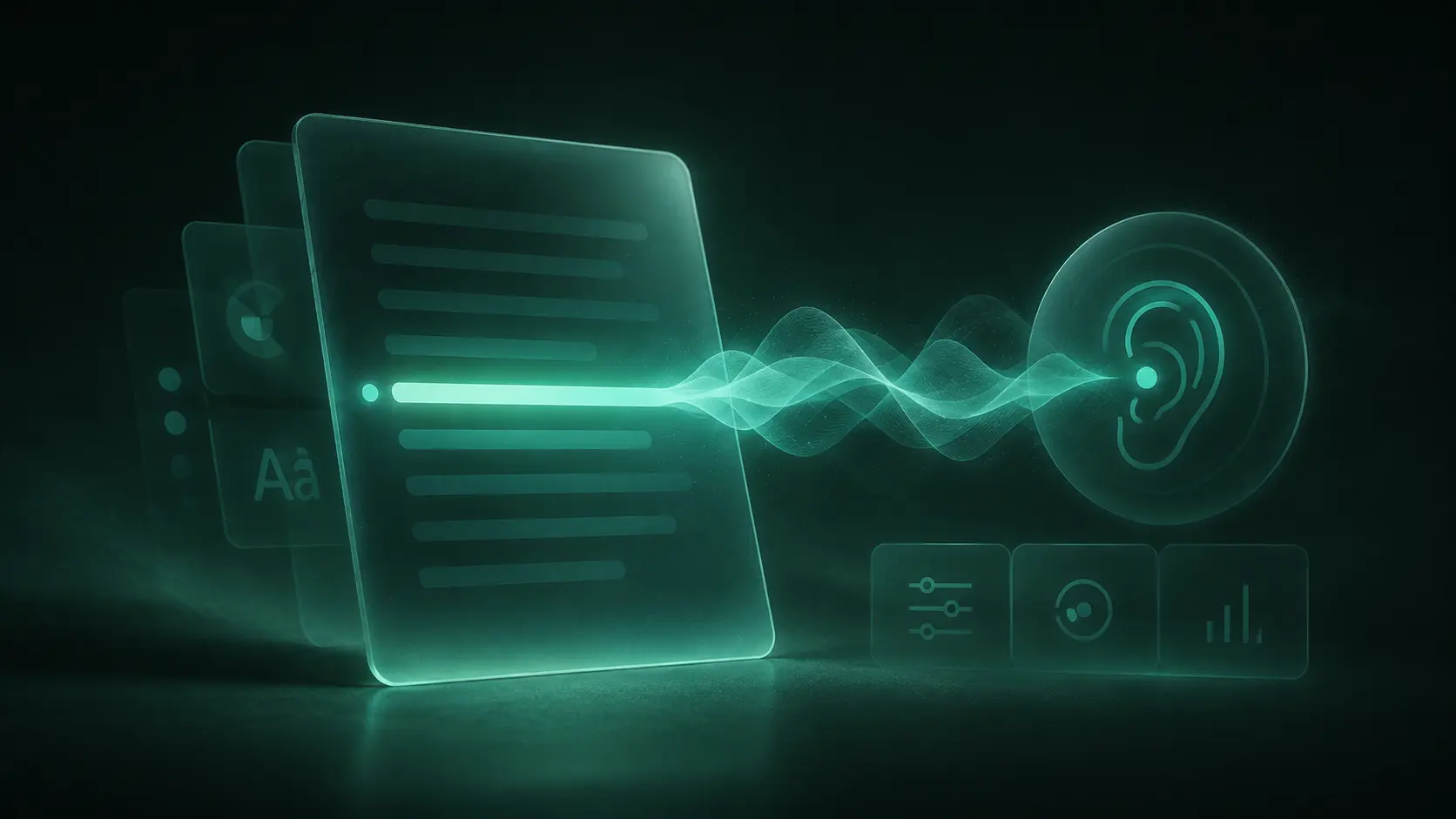
आवाज की गुणवत्ता मायने रखती है, लेकिन नियंत्रण और दस्तावेज़ संरचना यह निर्धारित करती है कि टीटीएस व्यावहारिक है या नहीं।
प्राकृतिक लगने वाला टेक्स्ट टू स्पीच केवल तभी उपयोगी होता है जब श्रोता इसे समझ सकें और इसे नियंत्रित कर सकें। एक नाटकीय आवाज़ जो विराम चिह्नों को अस्पष्ट करती है, एक संयमित, सुगम आवाज़ की तुलना में कम सुलभ है। टीमों को केवल एक पॉलिश किए गए डेमो क्लिप के बजाय वास्तविक लेखों, तकनीकी शब्दों, नामों, तिथियों, संक्षिप्ताक्षरों और लंबे वाक्यों का उपयोग करके भाषण का मूल्यांकन करना चाहिए।
पहुंच-योग्यता समीक्षा चेकलिस्ट
कसौटी | परीक्षण के लिए प्रश्न |
|---|---|
स्वाभाविकता और सुगमता | क्या शब्द सामान्य और तेज़ गति से स्पष्ट हैं? क्या ठहराव विराम चिह्नों के साथ संरेखित हैं? |
गति नियंत्रण | क्या उपयोगकर्ता अप्राकृतिक रूप से पिच को फिर से शुरू या बदले बिना छोटे चरणों में गति बदल सकते हैं? |
आवाज का चुनाव | क्या चयन को भारी बनाए बिना कई स्पष्ट विकल्प उपलब्ध हैं? |
भाषा समर्थन | क्या चयनित आवाज दस्तावेज़ की भाषा और स्क्रिप्ट को सटीक रूप से संभालती है? |
क्या दोहराए गए नाम, संक्षिप्त रूप, संख्याएं और डोमेन शब्द लगातार बोले जाते हैं? | |
सिंक्रोनाइज़ेशन | क्या हाइलाइटिंग ऑडियो से मेल खाती है, दृश्यमान रहती है, और ध्यान भटकाने वाली गति से बचती है? |
कम घर्षण नियंत्रण | क्या उपयोगकर्ता स्पर्श, कीबोर्ड या सहायक तकनीक के साथ खेल सकते हैं, रोक सकते हैं, फिर से चला सकते हैं, छोड़ सकते हैं और सेटिंग्स बदल सकते हैं? |
कई कार्यान्वयन क्या गलत करते हैं: वे एक प्ले बटन जोड़ते हैं लेकिन पढ़ने के क्रम को अनदेखा करते हैं। यदि शीर्षकों, साइडबारों, फ़ुटनोटों, या तालिका कक्षों को गलत क्रम में निकाला जाता है, तो एक उत्कृष्ट आवाज़ भी एक दुर्गम परिणाम उत्पन्न करती है।
अच्छा टेक्स्ट टू स्पीच एक्सेसिबिलिटी उपयोगकर्ता की पसंद को भी सुरक्षित रखता है। स्वचालित रूप से वर्णन न चलाएं, आवश्यक नियंत्रण न छिपाएं, या हर पृष्ठ पर भाषण के लिए बाध्य न करें। जहां व्यावहारिक हो, गति और आवाज प्राथमिकताओं को बनाए रखें, एक स्पष्ट रोक कार्रवाई प्रदान करें, और सुनिश्चित करें कि नियंत्रणों के सुलभ नाम और दृश्यमान कीबोर्ड फोकस हों।
डेवलपर्स एक सुलभ रीडिंग ऐप में स्पीच कैसे जोड़ सकते हैं
एक टीटीएस एपीआई टेक्स्ट और संश्लेषण सेटिंग्स स्वीकार करता है, फिर ऑडियो देता है जिसे एक एप्लिकेशन चला या स्ट्रीम कर सकता है। पहुंच-योग्यता के लिए भाषण संश्लेषण बनाने वाली टीमों के लिए Smallest.ai एक बुनियादी ढांचा विकल्प है। इसका प्रलेखित लाइटनिंग टीटीएस वर्कफ़्लो चयन योग्य आवाज़ों और भाषाओं के साथ एपीआई-आधारित संश्लेषण का समर्थन करता है। डेवलपर्स को रिलीज़ से पहले आधिकारिक दस्तावेज़ों में वर्तमान मॉडल, आवाज़, भाषा, प्रमाणीकरण और अनुरोध मापदंडों की पुष्टि करनी चाहिए।
एक व्यावहारिक एकीकरण अनुक्रम
सार्थक सामग्री निकालें। तार्किक पठन क्रम में शीर्षकों, पैराग्राफों, सूची वस्तुओं, कैप्शनों और भाषा मेटाडेटा का उपयोग करें। छिपे हुए या दोहराए जाने वाले इंटरफ़ेस टेक्स्ट को बाहर निकालें।
टेक्स्ट को प्रबंधनीय खंडों में विभाजित करें। वाक्य या पैराग्राफ के टुकड़े नेटवर्क त्रुटियों से रीप्ले, हाइलाइटिंग, कैशिंग और रिकवरी को सरल बनाते हैं।
सुरक्षित रूप से भाषण का अनुरोध करें। एक संरक्षित सर्वर से पाठ, समर्थित आवाज पहचानकर्ता, भाषा और प्रलेखित संश्लेषण विकल्प भेजें। ब्राउज़र कोड में कभी भी गुप्त एपीआई क्रेडेंशियल उजागर न करें।
ऑडियो को टेक्स्ट से कनेक्ट करें। सक्रिय खंड को ट्रैक करें ताकि इंटरफ़ेस इसे हाइलाइट कर सके और विराम या रीफ्रेश के बाद पाठक की स्थिति को बहाल कर सके।
सुलभ नियंत्रणों को उजागर करें। प्रोग्रामेटिक रूप से बटन लेबल करें, कीबोर्ड और टच का समर्थन करें, राज्य परिवर्तनों की घोषणा करें, और ध्यान चुराने से बचें।
विफलताओं का परीक्षण करें। ऑडियो अनुपलब्ध होने पर पठनीय पाठ प्रदान करें, असमर्थित भाषाओं को संभालें, और दस्तावेज़ को अवरुद्ध किए बिना त्रुटियों की व्याख्या करें।
ऑडियो केवल तभी कैश करें जब सामग्री अधिकार, गोपनीयता दायित्व और प्रदाता शर्तें इसकी अनुमति देती हैं। शैक्षिक, स्वास्थ्य, रोजगार या गोपनीय सामग्री के लिए अवधारण नियम निर्धारित करें।
विश्वसनीय और समावेशी टीटीएस के लिए उन्नत विचार
बिना किसी धारणा के वैयक्तिकरण
डिस्लेक्सिया से पीड़ित सभी लोगों के लिए कोई एक आदर्श आवाज या गति नहीं है। समझदारी भरे डिफॉल्ट की पेशकश करें, फिर रास्ते से हट जाएं। कुछ पाठक धीमी गति और वाक्य हाइलाइटिंग पसंद करते हैं; अन्य को लंबे सत्र में तेज़ भाषण बनाए रखना आसान लगता है। सेटिंग्स जहां व्यावहारिक हो उपयोगकर्ता का अनुसरण करनी चाहिए, और साझा उपकरणों को एक सीधे रीसेट पथ की आवश्यकता होती है।
गुणवत्ता आश्वासन में कठिन सामग्री शामिल करें:
तालिकाएं, समीकरण, उद्धरण, फ़ुटनोट और क्रमांकित निर्देश
मिश्रित-भाषा मार्ग और दूसरी भाषा से उधार लिए गए शब्द
नाम, पते, तिथियां, मुद्रा, संक्षिप्ताक्षर और आद्याक्षर
अनिश्चित ओसीआर परिणामों वाले छवि-आधारित पीडीएफ
बहुत छोटे लेबल, बहुत लंबे पैराग्राफ और बाधित नेटवर्क कनेक्शन
अनुभव को मापें, न कि केवल ऑडियो जनरेशन को
विलंबता और त्रुटि दर मायने रखती है, लेकिन वे इस बारे में कुछ नहीं कहती हैं कि क्या सुलभ पठन उपकरण वास्तव में उपयोग करने में सहज हैं। सहमति से, सफल प्ले स्टार्ट, पॉज़, रीप्ले, छोड़े गए सत्र, पसंदीदा गति और रिपोर्ट की गई उच्चारण समस्याओं को ट्रैक करें। बार-बार रुकने को विफलता के रूप में चिह्नित नहीं किया जाना चाहिए - एक पाठक नोट्स ले सकता है या किसी कठिन विचार के साथ बैठ सकता है।
डिस्लेक्सिया से पीड़ित लोगों को संचालित परीक्षण में आमंत्रित करें और उनकी विशेषज्ञता के लिए उन्हें मुआवजा दें। पूछें कि क्या नियंत्रण ढूंढना आसान है, क्या हाइलाइटिंग शांत करने वाली है या ध्यान भटकाने वाली है, क्या समय के साथ आवाज सुगम रहती है, और क्या भाषण वास्तव में सामग्री तक पहुंच आसान बनाता है। वह साक्ष्य यह मानने की तुलना में कहीं अधिक उपयोगी है कि एक प्रभावशाली डेमो डिस्लेक्सिया के लिए प्रभावी सहायक तकनीक के बराबर है।
लिखित जानकारी तक अधिक लचीली पहुंच
डिस्लेक्सिया के लिए टेक्स्ट टू स्पीच एक लचीले पठन वातावरण के भीतर एक विकल्प के रूप में सबसे अच्छा काम करता है - एक जनादेश नहीं। एक छोटे से पैसेज के साथ शुरू करें, अलग-अलग आवाजों और गतियों को आजमाएं, और इस बात पर ध्यान दें कि क्या अकेले सुनना या हाइलाइटिंग के साथ सुनना सबसे आरामदायक महसूस होता है। शिक्षकों और नियोक्ताओं को हर किसी को एकल पठन पद्धति में समेटने के बजाय उस विकल्प की रक्षा करनी चाहिए।
वॉयस-सक्षम शिक्षण उपकरण, दस्तावेज़ पाठक, प्रकाशन मंच, या कार्यस्थल पहुंच-योग्यता सुविधाएँ बनाने वाले डेवलपर्स के लिए, Smallest.ai की टेक्स्ट-टू-स्पीच तकनीक एआई-जनित भाषण जोड़ने के लिए एक एपीआई-आधारित मार्ग प्रदान करती है। वॉयस लेयर को सिमेंटिक कंटेंट, कम घर्षण वाले नियंत्रण, सुरक्षित इंजीनियरिंग और वास्तविक उपयोगकर्ताओं के नेतृत्व में परीक्षण के साथ जोड़ें।
अक्सर पूछे जाने वाले प्रश्न
क्या टेक्स्ट-टू-स्पीच डिस्लेक्सिया के लिए सहायक है?
टेक्स्ट-टू-स्पीच डिस्लेक्सिया से पीड़ित लोगों की मदद कैसे करता है?
क्या डिस्लेक्सिया से पीड़ित लोग एक ही समय में सुन और पढ़ सकते हैं?
डिस्लेक्सिया (dyslexia) के लिए टेक्स्ट-टू-स्पीच टूल में मुझे क्या देखना चाहिए?
क्या डेवलपर्स किसी एक्सेसिबिलिटी ऐप में टेक्स्ट-टू-स्पीच जोड़ सकते हैं?