स्पीच-टू-टेक्स्ट ब्राउज़र एक्सटेंशन: ये कैसे काम करते हैं और इन्हें कैसे बनाया जाए
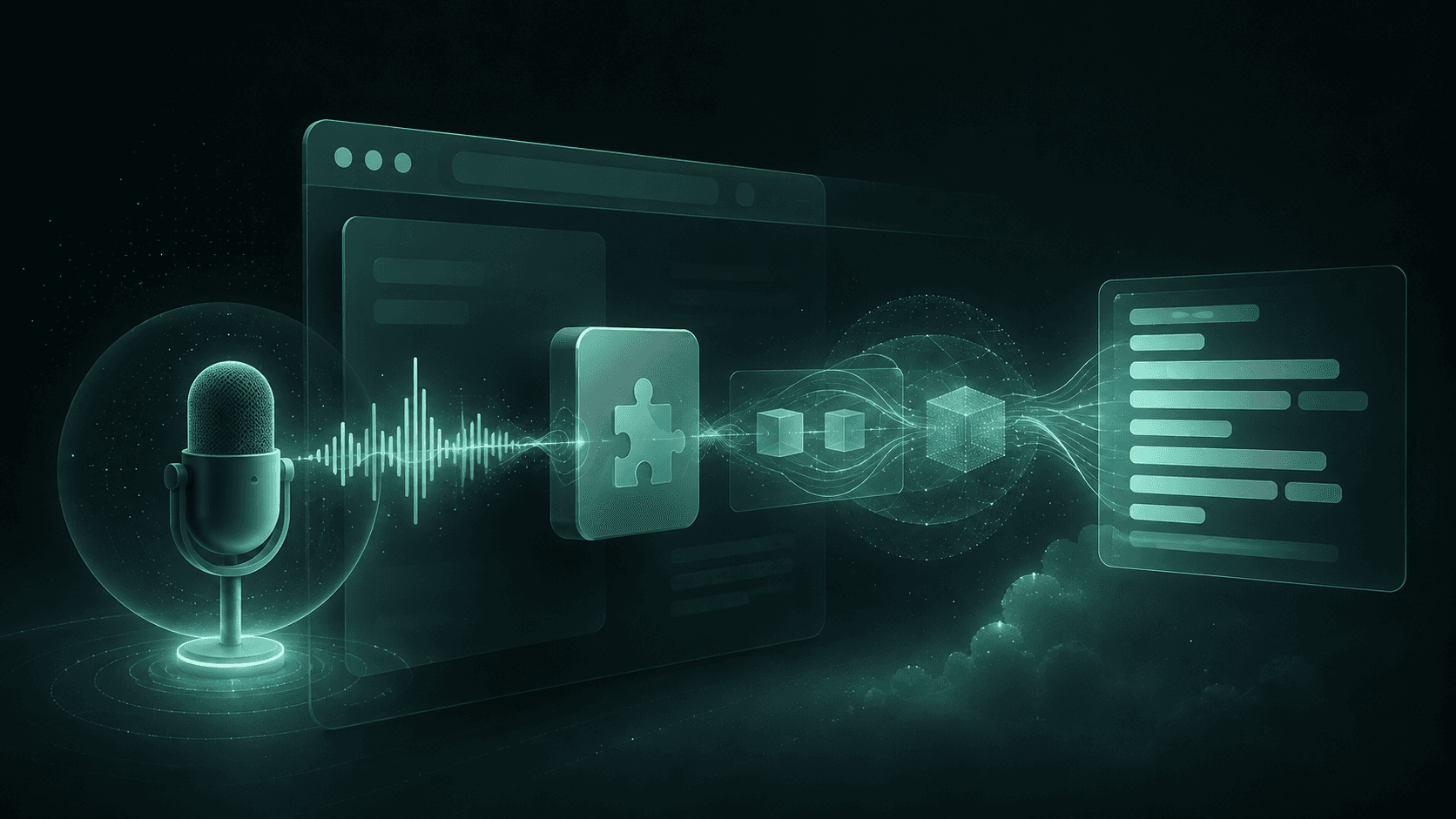
जानें कि स्पीच-टू-टेक्स्ट ब्राउज़र एक्सटेंशन क्रेडेंशियल्स (credentials) को उजागर किए बिना ऑडियो को कैसे कैप्चर करते हैं, उसे सुरक्षित रूप से स्ट्रीम करते हैं और विश्वसनीय रियल-टाइम ट्रांसक्रिप्ट प्रदान करते हैं।
स्पीच-टू-टेक्स्ट ब्राउज़र एक्सटेंशन ब्राउज़र अनुमतियों, ऑडियो कैप्चर, एक्सटेंशन मैसेजिंग, भाषण पहचान (स्पीच रिकग्निशन), और यूआई स्टेट मैनेजमेंट को जोड़ते हैं। दिखाई देने वाला ट्रांसक्रिप्ट केवल अंतिम चरण है। इसके पीछे एक पाइपलाइन होती है जिसे अनुमति अस्वीकृत होने, नेटवर्क बाधाओं, असमर्थित कोडेक्स, आंशिक परिणामों और एक्सटेंशन लाइफसाइकिल घटनाओं से बचना होता है।
इसके बाद जो आता है वह आर्किटेक्चर से लेकर कार्यान्वयन और प्रोडक्शन को मजबूत बनाने तक बढ़ता है। यह जावास्क्रिप्ट डेवलपर्स, प्रोडक्ट इंजीनियर्स और एआई एप्लिकेशन बिल्डर्स को लक्षित करता है जो क्रेडेंशियल्स को उजागर किए बिना या रीयल-टाइम ऑडियो को सामान्य HTTP डेटा की तरह माने बिना स्पीच-टू-टेक्स्ट एक्सटेंशन शिप करना चाहते हैं।
विषय सूची:
स्पीच-टू-टेक्स्ट ब्राउज़र एक्सटेंशन कैसे संरचित होते हैं: घटक और डेटा प्रवाह।
ट्रांसक्रिप्शन मोड चुनना: ब्राउज़र-मूल (नेविट), रिकॉर्ड किया गया, या रीयल-टाइम पहचान।
एक्सटेंशन के भीतर ऑडियो कैप्चर करना: अनुमतियां, मीडियारिकॉर्डर (MediaRecorder), और ऑडियो प्रोसेसिंग।
बाहरी एसटीटी (STT) से सुरक्षित रूप से जुड़ना: बैकएंड प्रॉक्सी, वेबसोकेट्स, और पल्स।
एक स्थिर ट्रांसक्रिप्ट रेंडर करना: आंशिक परिणाम, अंतिम खंड और रिकवरी।
प्रोडक्शन के लिए तैयारी: सुरक्षा, अनुकूलता, परीक्षण और सामान्य गलतियाँ।
अक्सर पूछे जाने वाले प्रश्न: व्यावहारिक कार्यान्वयन निर्णय।
मुख्य निष्कर्ष: एक संक्षिप्त निर्माण योजना।
स्पीच-टू-टेक्स्ट ब्राउज़र एक्सटेंशन वास्तव में कैसे संरचित होते हैं
एक कंटेंट स्क्रिप्ट पेज में नियंत्रण और कैप्शन जोड़ सकती है, लेकिन इसे हर जिम्मेदारी खुद नहीं लेनी चाहिए। मैनिफ़ेस्ट V3 में, सर्विस वर्कर कमांड, सेटिंग्स और संदेशों को संभालता है लेकिन उसके पास कोई DOM नहीं होता है और उसे टिकाऊ इन-मेमोरी स्टोरेज के रूप में नहीं माना जाना चाहिए। क्रोम 116 और बाद के संस्करण एक्सटेंशन सर्विस वर्कर को सक्रिय रख सकते हैं जब एक वेबसोकेट संदेशों का आदान-प्रदान कर रहा हो, जबकि माइक्रोफ़ोन कैप्चर एक एक्सटेंशन पेज या समर्थित ऑफस्क्रीन दस्तावेज़ में चल सकता है। फ़ायरफ़ॉक्स मैनिफ़ेस्ट V3 क्रोम-शैली के एक्सटेंशन सर्विस वर्कर्स के बजाय बैकग्राउंड स्क्रिप्ट या इवेंट पेजों का उपयोग करता है।
घटक | ज़िम्मेदारी | बचें |
|---|---|---|
पॉपअप या साइड पैनल | प्रारंभ, रोकें, सेटिंग्स, निर्यात | यूआई बंद होने के बाद सत्र (सेशन) का स्वामित्व रखना |
कंटेंट स्क्रिप्ट | कैप्शन रेंडर करना और पेज के साथ इंटरैक्ट करना | गोपनीय जानकारी सहेजने या पेज HTML पर भरोसा करने से |
सर्विस वर्कर | कमांड, राउटिंग, सत्र मेटाडेटा | लगातार ऑडियो या सॉकेट स्थिति बनाए रखने से |
ऑडियो कॉन्टेक्स्ट | कैप्चर, एनकोड, बफर, स्ट्रीम | यह मान लेना कि एक ही कोडेक हर जगह काम करता है |
सुरक्षित बैकएंड | उपयोगकर्ताओं को प्रमाणित करना और एसटीटी को कॉल करना | बिना सीमाओं के ट्रैफ़िक को रिले करने से |
सामान्य प्रवाह माइक्रोफ़ोन से ऑडियो ओनर तक, ऑडियो ओनर से बैकएंड तक, बैकएंड से रिकग्नाइज़र तक, और ट्रांसक्रिप्ट इवेंट वापस कंटेंट स्क्रिप्ट तक चलता है। रनटाइम संदेशों में सत्र आईडी, अनुक्रम संख्या, स्थिति और टेक्स्ट होना चाहिए। उनमें अप्रतिबंधित प्रदाता क्रेडेंशियल नहीं होना चाहिए।
चेतावनी: अधिकांश कार्यान्वयन कहाँ गलत हो जाते हैं: एक सर्विस वर्कर एक इवेंट-संचालित समन्वयक (कोऑर्डिनेटर) है, न कि माइक्रोफ़ोन कैप्चर या टिकाऊ इन-मेमोरी सत्र स्थिति का भरोसेमंद मालिक।
ब्राउज़र-नेटिव, रिकॉर्डेड, या रीयल-टाइम ट्रांसक्रिप्शन चुनें
ब्राउज़र-नेटिव पहचान MDN द्वारा वर्णित वेब स्पीच एपीआई का उपयोग करती है। इसका स्पीचरिकग्निशन (SpeechRecognition) इंटरफ़ेस एक संक्षिप्त जावास्क्रिप्ट स्पीच-टू-टेक्स्ट पथ प्रदान करता है, लेकिन इसका समर्थन और व्यवहार ब्राउज़र के अनुसार भिन्न होता है। ब्राउज़र या उसका कॉन्फ़िगर किया गया सेवा नियंत्रण पहचान, नेटवर्किंग, उपलब्ध भाषाओं और परिणाम व्यवहार को नियंत्रित करता है। यह प्रोटोटाइप और सीमित डिक्टेशन के लिए काम करता है, उन उत्पादों के लिए नहीं जिन्हें एक सुसंगत क्रॉस-ब्राउज़र अनुबंध की आवश्यकता होती है।
इंटरैक्शन मॉडल द्वारा चुनें:
रिकॉर्ड किया गया ट्रांसक्रिप्शन: एक संपूर्ण ब्लॉब (Blob) कैप्चर करें, रोकने के बाद इसे अपलोड करें, और एक परिणाम वापस करें। इसका उपयोग वॉयस नोट्स, एसिंक्रोनस इंटरव्यू और उन वर्कफ़्लो के लिए करें जहां तत्काल टेक्स्ट की तुलना में सादगी अधिक मायने रखती है।
रीयल-टाइम ट्रांसक्रिप्शन: एक निरंतर कनेक्शन पर छोटे ऑडियो टुकड़े भेजें और आंशिक एवं अंतिम परिणाम प्राप्त करें। कैप्शन, मीटिंग्स, कमांड इंटरफेस और संवादात्मक अनुप्रयोगों के लिए एक रीयल-टाइम स्पीच-टू-टेक्स्ट एपीआई का उपयोग करें।
ऑन-डिवाइस पहचान: जहां समर्थित हो, ब्राउज़र-प्रदान की गई ऑन-डिवाइस पहचान या वेबअसेंबली स्पीच इंजन प्रोसेसिंग को स्थानीय रख सकता है, लेकिन उपलब्धता, मॉडल डाउनलोड, सीपीयू उपयोग, भाषा समर्थन और पहचान गुणवत्ता एप्लिकेशन की जिम्मेदारियां बन जाती हैं।
वेबसोकेट स्पीच रिकग्निशन द्विदिश (बिडायरेक्शनल) है: ऑडियो अपस्ट्रीम जारी रहता है जबकि ट्रांसक्रिप्ट इवेंट डाउनस्ट्रीम आते हैं। Smallest.ai का पल्स रीयल-टाइम ट्रांसक्रिप्शन क्विकस्टार्ट इस स्ट्रीमिंग पैटर्न का दस्तावेजीकरण करता है, जिसमें वेबसोकेट पर बाइनरी ऑडियो भेजा जाता है जबकि ऑडियो प्रोसेस होने के साथ ही ट्रांसक्रिप्शन परिणाम वापस कर दिए जाते हैं। रिकॉर्ड की गई ब्राउज़र ऑडियो ट्रांसक्रिप्शन साधारण HTTPS का उपयोग कर सकती है क्योंकि इसके लिए किसी निरंतर प्रतिक्रिया चैनल की आवश्यकता नहीं होती है।
माइक्रोफ़ोन ऑडियो कैप्चर और तैयार करें
स्पष्ट उपयोगकर्ता कार्रवाई के बाद ही माइक्रोफ़ोन एक्सेस का अनुरोध करें। getUserMedia() केवल सुरक्षित संदर्भों में उपलब्ध है, और मैनिफ़ेस्ट अनुमतियां अपने आप माइक्रोफ़ोन एक्सेस प्रदान नहीं करती हैं। यदि कोई क्रोम एक्सटेंशन कैप्चर के लिए ऑफस्क्रीन दस्तावेज़ का उपयोग करता है, तो ऑफस्क्रीन अनुमति घोषित करें और USER_MEDIA उपयोग के लिए दस्तावेज़ बनाएं। पहुंच का अनुरोध करने से पहले स्पष्ट करें कि ऑडियो की आवश्यकता क्यों है, और एक स्पष्ट रिकॉर्डिंग संकेतक और आसानी से पहुंचने योग्य स्टॉप कंट्रोल प्रदान करें।
जानकारी: न्यूनतम कैप्चर सेटअप:
const stream = await navigator.mediaDevices.getUserMedia({
audio: { channelCount: 1, echoCancellation: true, noiseSuppression: true },
video: false
});
const mime = MediaRecorder.isTypeSupported('audio/webm;codecs=opus')? 'audio/webm;codecs=opus': '';
const recorder = new MediaRecorder(stream, mime? { mimeType: mime }: {});
recorder.ondataavailable = e => e.data.size && sendChunk(e.data);
recorder.start(250);
MediaRecorder सबसे सरल ब्राउज़र ऑडियो कैप्चर विकल्प है, लेकिन यह कंटेनरीकृत संपीड़ित (कंप्रेस्ड) ऑडियो उत्सर्जित करता है। पुष्टि करें कि आपका बैकएंड और प्रदाता चयनित MIME प्रकार को स्वीकार करते हैं। यदि एपीआई एक विशिष्ट नमूना दर पर मोनो पीसीएम (PCM) की अपेक्षा करता है, तो एक ऑडियोवर्कलेट (AudioWorklet) का उपयोग करें या सर्वर पर ट्रांसकोड करें। बहिष्कृत ScriptProcessorNode से बचें, और नासमझ नमूना छोड़ने से बचें, जिससे समय और गुणवत्ता की समस्याएं आती हैं।
कैप्चर को स्टेट मशीन के रूप में संभालें:
सत्र समाप्त होने पर प्रत्येक मीडियास्ट्रीम ट्रैक को रोकें।
म्यूट, एंडेड और डिवाइस चेंज इवेंट का पता लगाएं।
चंक कतार को सीमित करें ताकि धीमा नेटवर्क असीमित मेमोरी की खपत न कर सके।
टैब ऑडियो से माइक्रोफ़ोन इनपुट को अलग करें। टैब या मीटिंग को कैप्चर करने के लिए अलग ब्राउज़र एपीआई और अनुमतियों की आवश्यकता होती है।
एक्सटेंशन को बाहरी स्पीच रिकग्निशन से सुरक्षित रूप से कनेक्ट करें
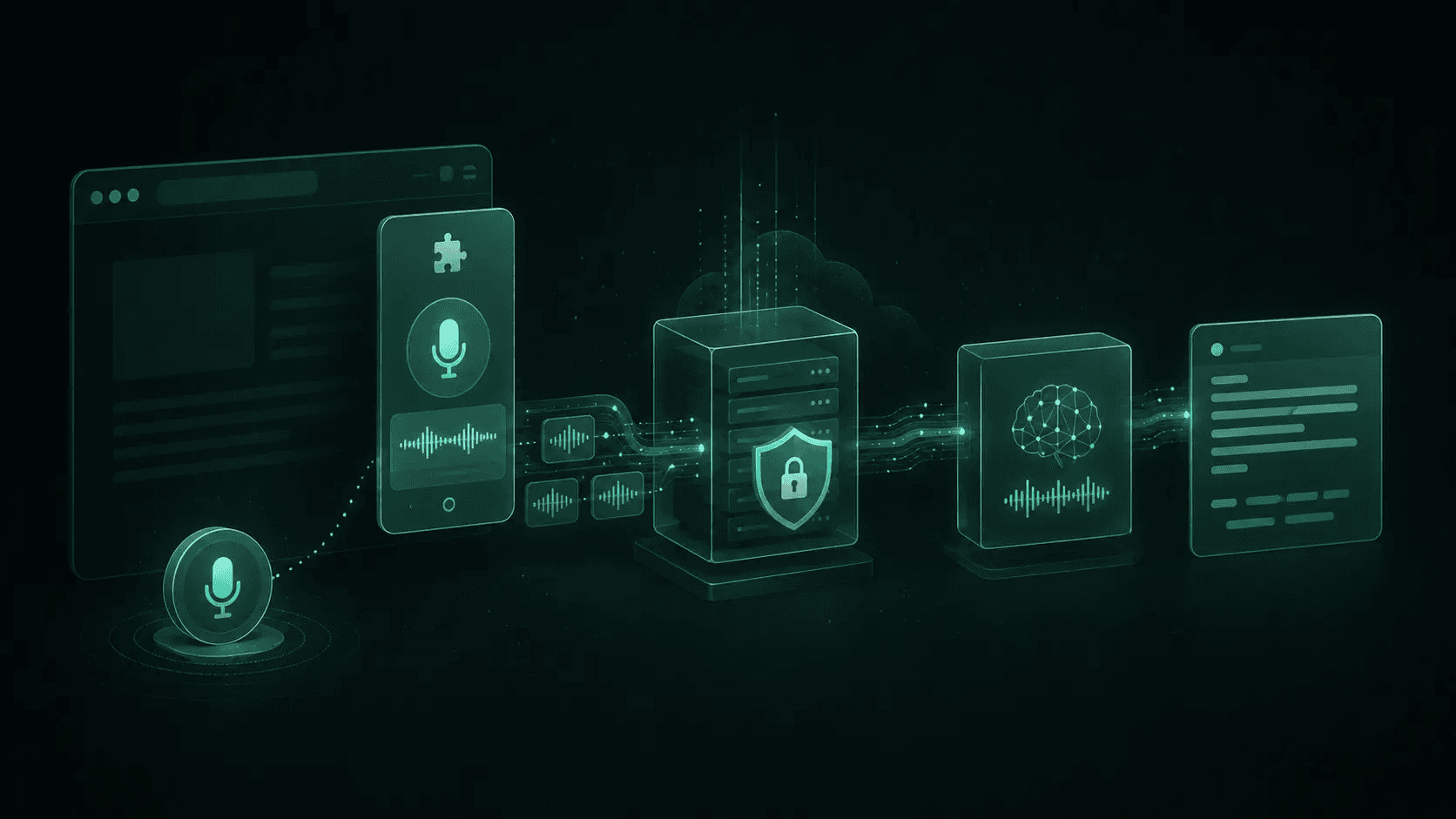
एक्सटेंशन आपके एप्लिकेशन के लिए प्रमाणित करता है। केवल बैकएंड ही स्पीच प्रदाता के लिए प्रमाणित करता है।
एक्सटेंशन जावास्क्रिप्ट, मैनिफ़ेस्ट, बंडल किए गए पर्यावरण चर, या रिमोट कॉन्फ़िगरेशन में कभी भी बाहरी एसटीटी एपीआई कुंजी न रखें। उपयोगकर्ता पैकेज और नेटवर्क ट्रैफ़िक का निरीक्षण कर सकते हैं। इसके बजाय उपयोगकर्ता को अपने बैकएंड पर प्रमाणित करें, एक अल्पकालिक सत्र टोकन जारी करें, और बैकएंड को सर्वर-रक्षित गुप्त कुंजी के साथ प्रदाता को कॉल करने दें।
Smallest.ai पल्स एक बाहरी स्पीच-टू-टेक्स्ट सेवा है जो रिकग्नाइज़र की भूमिका निभा सकती है। इसकी आधिकारिक सामग्रियां स्पीच-टू-टेक्स्ट उपयोग और क्विकस्टार्ट को कवर करती हैं। बैकएंड पर एक प्रदाता एडेप्टर रखें जो आपके आंतरिक प्रारंभ, ऑडियो, स्टॉप, आंशिक, अंतिम और त्रुटि इवेंट को वर्तमान पल्स एपीआई अनुबंध से मैप करता है। यह एक्सटेंशन को प्रदाता प्रोटोकॉल परिवर्तनों से अलग करता है।
जानकारी: ब्राउज़र-साइड सॉकेट स्केच:
सर्वर पर, उपयोगकर्ता, सत्र, उत्पत्ति, घोषित एन्कोडिंग, नमूना दर और अधिकतम अवधि को मान्य करें। कनेक्शन और बाइट-रेट सीमाएं लागू करें। bufferedAmount के माध्यम से बैकप्रेशर की निगरानी करें, और परिभाषित करें कि क्या ओवरलोड ऑडियो को छोड़ देता है, रिकॉर्डिंग को रोकता है, या सत्र को समाप्त करता है। पुनर्मिलन (रिकनेक्शन) के लिए एक नई स्ट्रीम सीमा की आवश्यकता होती है जब तक कि प्रदाता स्पष्ट रूप से पुनरारंभ करने योग्य सत्रों का समर्थन नहीं करता।
बिना यूआई जिटर के आंशिक और अंतिम ट्रांसक्रिप्ट रेंडर करें
लाइव ट्रांसक्रिप्ट केवल अंत में जोड़े जाने वाला स्ट्रिंग नहीं है। अधिक संदर्भ आने पर पहचान सेवाएं आंशिक परिकल्पनाओं को संशोधित करती हैं। अंतिम रूप दिए गए खंडों को वर्तमान आंशिक से अलग संग्रहीत करें, खंड आईडी द्वारा आंशिक पाठ को बदलें, और केवल अंतिम घटना आने पर ही इसे कमिट करें। अनुक्रम संख्याएं यूआई को डुप्लिकेट या अव्यवस्थित संदेशों से बचाती हैं।
एक उपयोगी इवेंट अनुबंध में शामिल हैं:
प्रारूप और सत्र आईडी के साथ `session.started`।
खंड आईडी, अनुक्रम, पाठ और वैकल्पिक समय के साथ `transcript.partial`।
अपरिवर्तनीय पाठ और टाइमस्टैम्प के साथ `transcript.final`।
एक स्थिर एप्लिकेशन कोड और सुरक्षित संदेश के साथ `session.error`।
कारण और आपके बैकएंड द्वारा उजागर किए जाने वाले किसी भी उपयोग मेटाडेटा के साथ `session.ended`।
अविश्वसनीय ट्रांसक्रिप्ट टेक्स्ट को textContent के साथ रेंडर करें, innerHTML के साथ कभी नहीं। DOM अपडेट को एनिमेशन फ़्रेम तक सीमित करें, उपयोगकर्ता की स्क्रॉल स्थिति को सुरक्षित रखें, और एक उपयुक्त ARIA लाइव क्षेत्र के माध्यम से अंतिम टेक्स्ट की घोषणा करें। पेज ओवरले के लिए, शैडो DOM सीमा होस्ट-पेज शैलियों को आपके नियंत्रणों को बाधित करने से रोकती है।
सुझाव: छोटा मामला: लाइव कैप्शन के लिए, नवीनतम आंशिक पंक्ति को तुरंत दिखाएं लेकिन केवल अंतिम रूप दिए गए खंडों को सहेजें। यह छोड़ी गई परिकल्पनाओं को निर्यात किए बिना इंटरफ़ेस को उत्तरदायी बनाए रखता है। यही इंटरैक्शन मॉडल व्यावहारिक लाइव कैप्शन उत्पादों में दिखाई देता है।
संगतता, गोपनीयता और विश्वसनीयता को मजबूत करें
क्रोम एक्सटेंशन स्पीच रिकग्निशन व्यवहार हर क्रोमियम ब्राउज़र, फ़ायरफ़ॉक्स या सफ़ारी के लिए एक विश्वसनीय प्रॉक्सी नहीं है। उपयोगकर्ता-एजेंट स्ट्रिंग्स के बजाय एपीआई का परीक्षण करें। MediaRecorder MIME समर्थन की जाँच करें, AudioWorklet उपलब्धता की पुष्टि करें, और स्ट्रीमिंग न चल पाने की स्थिति में रिकॉर्डेड-अपलोड फ़ॉलबैक प्रदान करें।
प्रोडक्शन नियंत्रण:
गोपनीयता: सूचित सहमति प्राप्त करें, खुलासा करें कि ऑडियो कहाँ प्रोसेस किया जाता है, डेटा रखने की अवधि को न्यूनतम करें, और हटाने के नियंत्रण प्रदान करें।
अनुमतियाँ: केवल आवश्यक उत्पत्ति और क्षमताओं का अनुरोध करें। जब ओवरले चुनिंदा साइटों पर चलता है तो व्यापक होस्ट अनुमतियों से बचें।
परिवहन (ट्रांसपोर्ट): HTTPS और WSS, अल्पकालिक टोकन, प्रमाणित सत्र, आकार सीमाएं, टाइमआउट और रीप्ले-प्रतिरोधी पहचानकर्ताओं की आवश्यकता रखें।
एक्सटेंशन सुरक्षा: एक प्रतिबंधात्मक सामग्री सुरक्षा नीति का उपयोग करें, संदेश स्कीमा को पिन करें, अप्रत्याशित प्रेषकों के संदेशों को अस्वीकार करें, और कभी भी रिमोट कोड निष्पादित न करें।
अवलोकनीयता: डिफ़ॉल्ट रूप से कच्चे ऑडियो को लॉग किए बिना अनुमति अस्वीकरण, कैप्चर विफलताओं, कतार की गहराई, डिस्कनेक्ट, पहले ट्रांसक्रिप्ट का समय, अंतिम रूप देने का समय और प्रदाता त्रुटियों को मापें।
एक्सेसिबिलिटी (सुलभता): कीबोर्ड संचालन, दृश्यमान स्थिति, स्क्रीन-रीडर लेबल, स्केलेबल कैप्शन और कम-गति प्राथमिकताओं का समर्थन करें।
सामान्य कार्यान्वयन गलतियाँ
गलती | उत्पादन सुधार |
|---|---|
एक एपीआई कुंजी को एम्बेड करना | एक प्रमाणित बैकएंड के माध्यम से प्रॉक्सी करें |
पॉपअप में सॉकेट खोलना | एक टिकाऊ एक्सटेंशन ऑडियो संदर्भ का उपयोग करें |
प्रत्येक आंशिक परिणाम को जोड़ना | अंतिम होने तक खंड आईडी द्वारा बदलें |
कोडेक नेगोशिएशन की अनदेखी करना | प्रारूपों की जाँच करें और सर्वर-साइड को सामान्य करें |
असीमित रिकनेक्ट लूप | कैप्ड बैकऑफ़ और स्पष्ट उपयोगकर्ता स्थिति का उपयोग करें |
मौन को विफलता मानना | उत्पाद के लिए उपयुक्त टाइमआउट का उपयोग करें |
अस्वीकृत अनुमति, अनुपलब्ध उपकरण, ब्लूटूथ माइक्रोफ़ोन परिवर्तन, लंबा मौन, तेजी से शुरू और बंद करना, लैपटॉप स्लीप, ऑफ़लाइन संक्रमण, थ्रॉटल नेटवर्क, विकृत सर्वर इवेंट और सक्रिय सत्र के दौरान एक्सटेंशन अपडेट के साथ परीक्षण करें। एक मजबूत भाषण पहचान एपीआई एकीकरण में उन मामलों में से प्रत्येक के लिए नियतात्मक व्यवहार होता है।
मुख्य निष्कर्ष
विश्वसनीय स्पीच-टू-टेक्स्ट ब्राउज़र एक्सटेंशन कैप्चर, लाइफसाइकिल समन्वय, रेंडरिंग, प्रमाणीकरण और पहचान को अलग-अलग घटकों में विभाजित करते हैं। यदि तत्काल टेक्स्ट की आवश्यकता नहीं है तो रिकॉर्ड किए गए ट्रांसक्रिप्शन से शुरू करें। लाइव इंटरैक्शन के लिए, एक प्रमाणित बैकएंड के माध्यम से सीमित ऑडियो टुकड़ों को स्ट्रीम करें, प्रदाता के रहस्यों को सर्वर-साइड पर रखें, और आंशिक ट्रांसक्रिप्ट को डिस्पोजेबल स्ट्रिंग्स के रूप में मानने के बजाय स्पष्ट रूप से मॉडल करें।
सबसे पहले सबसे छोटा वर्टिकल स्लाइस बनाएं: अनुमति अनुरोध, पांच सेकंड का ऑडियो, एक बैकएंड सत्र, एक अंतिम ट्रांसक्रिप्ट, और एक साफ स्टॉप पथ। वहां से, वास्तविक समय के अपडेट, रीकनेक्शन, प्रारूप फ़ॉलबैक, पहुंच, मेट्रिक्स और स्टोर-तैयार गोपनीयता नियंत्रणों की परतें जोड़ें।
अक्सर पूछे जाने वाले प्रश्न
क्या कोई ब्राउज़र एक्सटेंशन बिना बैकएंड के ऑडियो ट्रांसक्राइब कर सकता है?
क्या मुझे MediaRecorder या AudioWorklet का उपयोग करना चाहिए?
क्या कोई कंटेंट स्क्रिप्ट (content script) getUserMedia को कॉल कर सकती है?
वास्तविक समय (real-time) के ऑडियो चंक्स (chunks) कितने बड़े होने चाहिए?
मैं सुरक्षित रूप से कैसे प्रकाशित करूँ?