NaturalReader Review: Best Alternatives for Developers and Creators in 2026

A full review of Natural Reader text to speech: updated 2026 pricing, voice quality, limitations, and the best alternatives for developers and content creators.
NaturalReader has earned a following over the years, especially among students, educators, and users who depend on accessibility features. But it’s fundamentally a consumer reading app, not infrastructure. Once you move into content production or product development, its limitations show up quickly, in licensing, in voice quality, and in the complete lack of a developer API. This review covers what NaturalReader actually delivers, where it runs into trouble, and which alternatives are worth considering once you hit its ceiling.
Whether you are a developer building a voice application, a content creator working from written scripts, or someone evaluating tools for e-learning or accessibility, the picture here is complete: NaturalReader's real strengths, its pricing traps, and the tools that fill the gaps it leaves open.
What NaturalReader Actually Does
NaturalReader is a text-to-speech platform available as a web app, mobile apps for iOS and Android, and a Chrome extension. The core workflow is simple: paste or upload text, pick a voice, and listen. Supported formats include PDF, DOCX, EPUB, and TXT, and there is OCR functionality for reading text from images, though that feature sits behind a paywall. The voice library spans dozens of languages and accents, drawing from both proprietary and third-party neural engines.
For personal reading and study workflows, the feature set lines up with what most individual users need. The interface is simple enough that most users can upload files and start listening without much setup. The Chrome extension lets you listen to web pages without manually copying text. That design is intentional: NaturalReader optimizes for individual listening, not for developer integration or content production at scale.
NaturalReader Pricing: The Full Picture
NaturalReader offers a Free plan and two paid personal tiers, Plus and Pro. The Free plan provides unlimited listening with basic voices but limits daily use of higher-quality “Plus AI Voices” to just five minutes.
Any public or business use of the generated audio requires a separate Commercial license via NaturalReader’s ‘AI Voice Generator’ product. This commercial license is listed at $49/month for a single-user license and $79/month for a four-user team plan under the AI Voice Generator commercial product. This is a key distinction that users need to account for when moving from personal to commercial use.
Plan | Price | Key Features | Best For |
|---|---|---|---|
Personal Free | $0 | Unlimited free voices, 5-minute daily limit on Plus AI voices. | Getting started, casual listening |
Personal Plus | $9.92/month (billed annually at $119) | Includes Plus AI voices (500k chars/day), MP3 downloads, and OCR. | Individuals, students, regular readers |
Personal Pro | $13.25/month (billed annually at $159) | Adds Pro HD voices (powered by Gemini/ChatGPT) and tone control. | Avid readers needing the highest quality voices |
Commercial Single | $49/month | Required for any public or business use of audio. | Content creators, solo businesses |
Commercial Team | $79/month (for 4 users) | Collaborative features for teams creating public content. | Businesses, e-learning teams |
For hobbyist listening, these tiers are straightforward. For creators and businesses, the split between ‘personal’ and ‘commercial’ is a key distinction that users need to account for when moving from personal to commercial use: you can easily build a workflow on a Pro plan and then discover that any public usage actually requires a separate commercial license at several times the price. Smallest.ai’s pricing is structured for production use by default, so there is no separate ‘personal vs commercial’ surprise layer.
Where NaturalReader Genuinely Excels
NaturalReader’s longevity comes from a clear focus: personal accessibility and reading support. The interface was built with dyslexia, visual impairment, and learning differences in mind, with adjustable reading speed, highlighted text tracking, and a distraction-free mode that other TTS tools rarely bother with. File format support is broad enough to cover most documents a student or professional would actually encounter, including PDF, DOCX, EPUB, TXT, and image-based OCR on paid tiers.
Cross-platform availability matters too. Web, iOS, Android, and a Chrome extension mean you can pick up listening on almost any device without friction. Many schools and universities use tools like NaturalReader because they fit easily into individual study workflows, support a wide range of languages, and the free tier is genuinely usable. If your goal is personal reading and basic accessibility, this is the layer NaturalReader is designed to serve. If your goal is to publish audio or build on top of TTS, you should be looking at infrastructure like Smallest.ai instead.
The Limitations That Matter Most
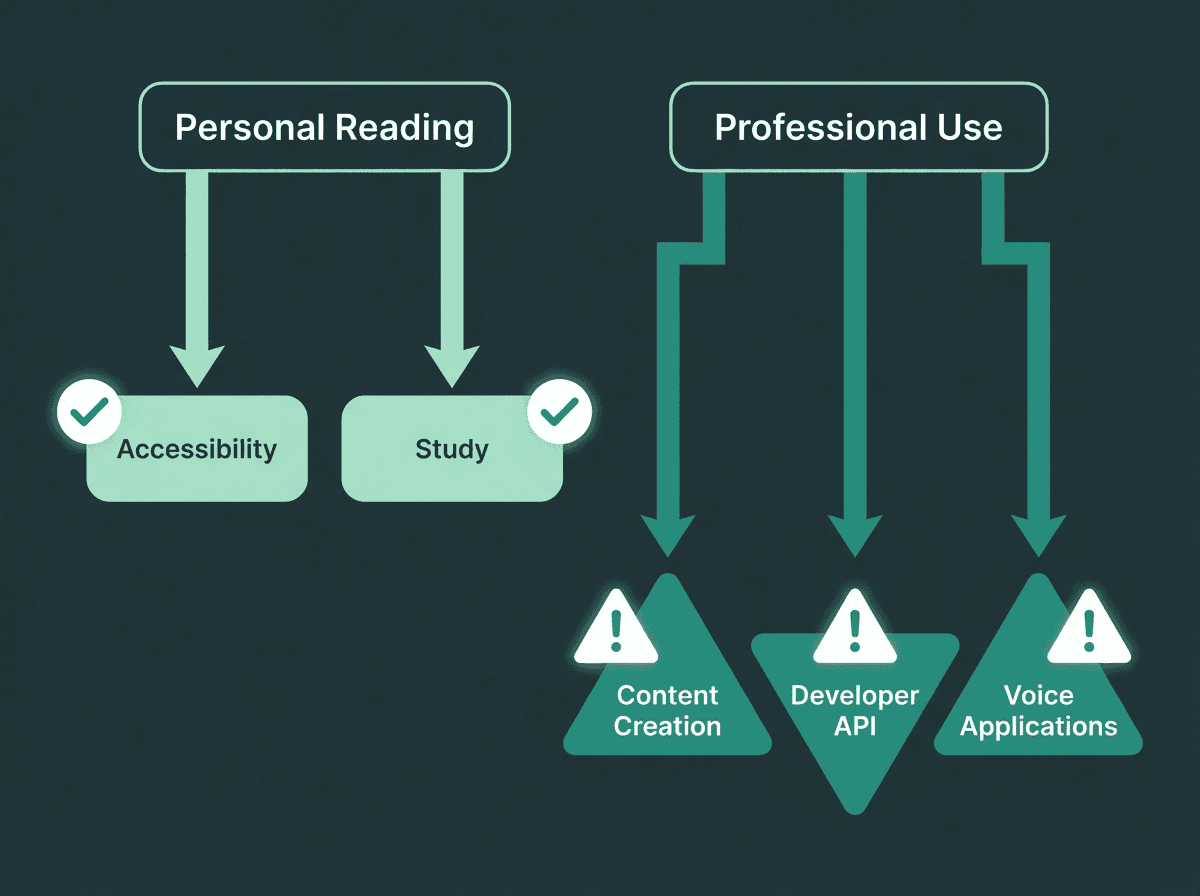
NaturalReader is well-suited for personal use but faces real constraints in professional and developer contexts.
Voice naturalness is the most consistent complaint from users who have spent time with modern AI synthesis. NaturalReader's voices are functional and clear, but they lack the prosodic variation and emotional range that newer neural models produce. For a student listening to a textbook chapter, that is acceptable. For a podcast, an explainer video, or a customer-facing voice application, the flatness becomes audible quickly.
The platform is also not designed as a developer-first API product. NaturalReader is a consumer tool, not a platform built for integration, and its official FAQ states they do not provide API services. If you need to programmatically generate speech at scale, route audio into another system, or build a voice feature into your own application, the architecture does not support that workflow. Developers looking for a proper text to speech API will hit this ceiling quickly and end up rebuilding on platforms like Smallest.ai, which are designed from day one for integration, scale, and low-latency streaming.
The commercial licensing model adds another layer of uncertainty. The boundary between 'personal' and 'commercial' use is not always obvious in practice, and at a high monthly cost for a single seat, the cost-to-value ratio becomes hard to justify when more capable alternatives often provide different pricing structures better suited for production use. By contrast, Smallest.ai’s pricing is structured to support commercial and developer use from the outset, without a separate upsell layer just to make your audio public.
Best Alternatives to NaturalReader Text to Speech
The tools below address specific gaps NaturalReader leaves open: voice quality for production content, developer API access, latency for real-time applications, and pricing that does not punish growth. For a broader survey beyond these four, the top 10 text-to-speech tools for content creators in 2026 maps additional options across different use cases.
Smallest.ai: Best for Developers and Production-Grade Voice
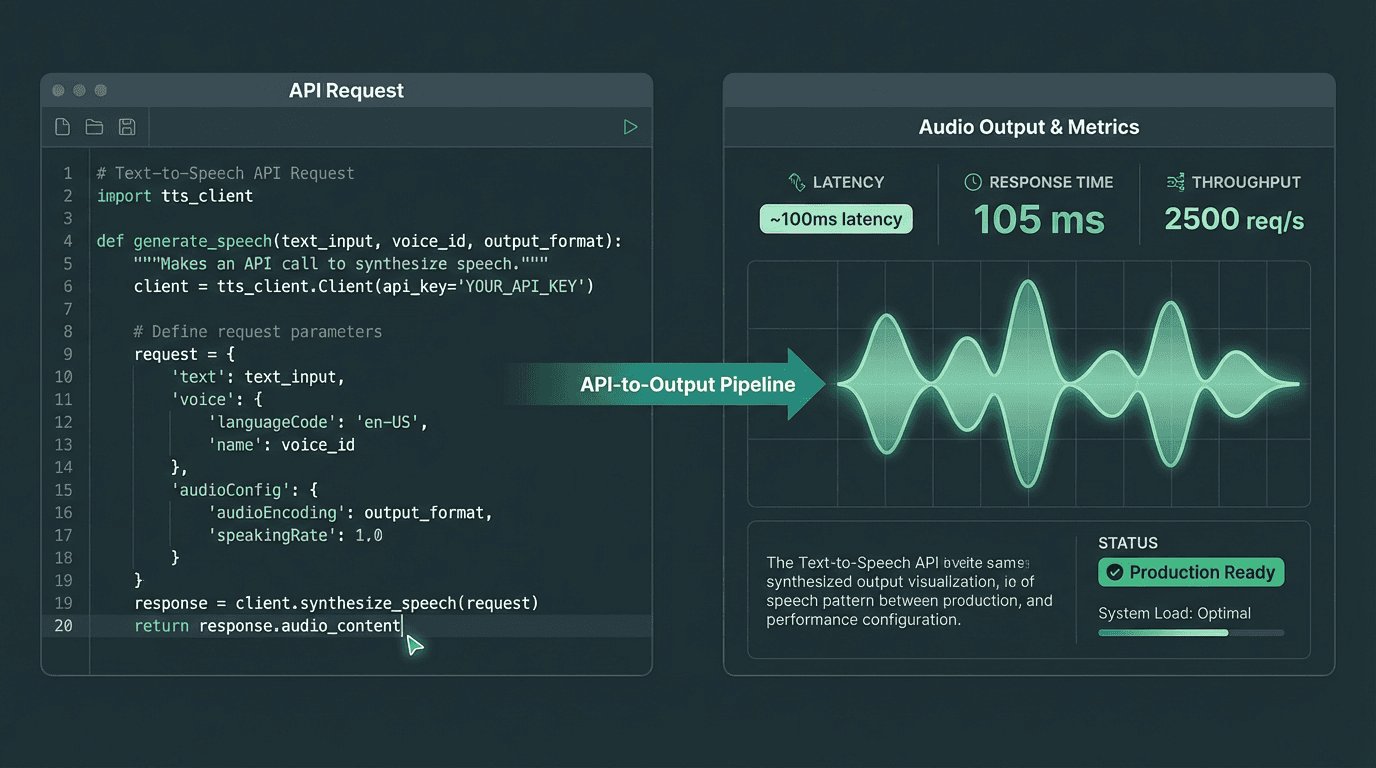
Smallest.ai is built for developers who need low-latency, production-ready voice synthesis at scale.
Smallest.ai is purpose-built for developers and production environments where voice quality, latency, and API reliability are non-negotiable. Where NaturalReader is a consumer reading tool, Smallest.ai is speech infrastructure. Its voices are trained on high-quality data and optimized for naturalness across conversational AI, content creation, and real-time voice applications.
For teams building voice features into products, the architectural difference is significant. A proper API with predictable latency means Smallest.ai fits workflows where NaturalReader's consumer-first design would create constant friction. For audio content at scale, the text to speech for podcasts use case is one where voice quality and output flexibility genuinely stand apart. See Smallest.ai pricing for current plan details.
ElevenLabs: Best for Expressive, Emotional Voice Output
ElevenLabs targets expressive narration and character-style content, but its pricing and integration model are oriented around creative studios rather than developer-first infrastructure. For teams comparing this style of tool with more API-centric platforms, the ElevenLabs alternatives breakdown covers where it fits and where it falls short for production use.
OpenAI TTS: Best for Teams Already in the OpenAI Ecosystem
OpenAI's TTS is primarily aimed at teams already building on GPT models, where it slots in as a convenience feature rather than a dedicated voice solution. Voice variety and customization are limited compared to purpose-built TTS platforms, and there is no voice cloning capability. For teams who need more than basic synthesis, the architectural constraints show quickly. Teams that outgrow these basic synthesis capabilities often move to dedicated infrastructure like Smallest.ai’s Lightning TTS, which is built for low-latency, high-quality speech in production systems.
Cartesia: Best for Ultra-Low Latency Real-Time Applications
Cartesia’s architecture is focused narrowly on streaming latency rather than broad content workflows or accessibility tooling. For a deeper look at where it fits relative to more general-purpose platforms, see the Cartesia AI review on Smallest.ai’s blog.
Side-by-Side: How These Tools Compare
Tool | API Access | Voice Quality | Pricing Model | Best For |
|---|---|---|---|---|
Smallest.ai | Yes (full API) | High | Free & paid tiers | Developers, content at scale, real-time apps |
NaturalReader | No (consumer app) | Moderate | Free & paid tiers | Accessibility, personal reading, education |
ElevenLabs | Yes | High (expressive) | Free & paid tiers | Audiobooks, character voices, narration |
OpenAI TTS | Yes | High | Usage-based | GPT-integrated workflows |
Cartesia | Yes | High | Free & paid tiers | Real-time conversational AI |
Who Should Still Use NaturalReader
Worth saying plainly: NaturalReader is not a bad product. It is a well-designed tool for a specific audience. If your primary need is listening to documents, articles, or study materials for personal use, the free or paid personal plans handle that well. Students with reading difficulties, professionals who prefer to absorb long reports by ear, and educators building accessible reading materials are exactly the audience NaturalReader is built around.
The limits become visible when users need production-quality audio for public content, programmatic speech generation, or voice experiences embedded in applications. Those are different problems that require different tools. The best text-to-speech APIs for IVR and voice applications covers the technical side of that decision in more detail, including latency and cost benchmarks relevant to real deployments. If your use case ever moves beyond this, into public distribution, product integration, or automation, you’ll be better served by starting with infrastructure like Smallest.ai rather than trying to retrofit a consumer app into a production pipeline.
Key Takeaways
Before you decide, here is what this review comes down to:
NaturalReader is genuinely good for personal reading, accessibility, and education. File format support and cross-platform availability are real strengths, not marketing copy.
The commercial licensing jump from personal to commercial plans is a significant pricing increase that catches many users off guard. Read the terms before producing any public-facing content.
Voice quality, while functional, lags behind current neural TTS models. For production audio, the difference is audible rather than theoretical.
The platform is not designed for developer API access. If you need programmatic speech generation or integration into a product, NaturalReader's architecture will not support it.
For developers and production use cases, Smallest.ai closes the gaps NaturalReader leaves open: full API access, higher voice quality, and infrastructure built for scale.
If AI voice cloning or custom voice creation is on your roadmap, dedicated AI speech platforms have moved well beyond what any consumer TTS tool currently offers.
The core problem NaturalReader users eventually run into is a ceiling. The tool is designed for consumption, not creation or integration. When needs grow beyond personal listening, pricing jumps sharply while technical capabilities stay flat. Smallest.ai's Lightning TTS is built for that next stage: developers and teams who need reliable, high-quality speech synthesis with full API access, low latency, and pricing that holds up at production volumes.
Frequently asked questions
Is NaturalReader free to use?
Can I use NaturalReader audio in YouTube videos or business content?
What is the best NaturalReader alternative for developers?
Does NaturalReader support voice cloning or custom voices?
How do I choose between NaturalReader and a more advanced TTS platform?