Is Narakeet Worth It? Text-to-Speech Tool Analysis

Is Narakeet worth it in 2026? Explore its free plan, prepaid pricing, AI voices, key features, limitations, and alternatives like Smallest.ai.
Narakeet converts scripts, documents, subtitles and slides into narrated audio or video. Its appeal is the straightforward workflow for finished voiceovers, but it is important to understand what the free account covers, how paid credits work and which tasks it supports best. This review looks at those details, the tool’s strengths and limitations, and when alternatives such as Smallest.ai may make more sense.
What Is Narakeet?

Narakeet creates AI voices for videos, podcasts, and content. The web-based platform works right in your browser. Users paste text, select voices, and download production-ready audio.
Narakeet’s official catalog lists 946 voices across 112 languages and regional accents. It includes options such as Hindi and Indian English, making it suitable for multilingual narration. Voice controls differ by voice and workflow, so check the current voice library when choosing a specific language or style.
The setup process takes just a few clicks. Drop in text from Word, PDF, or text files. Select your voice and accent. Download finished audio in MP3, WAV, or M4A formats.
For content teams, the batch tools create multiple files at once. This cuts production time for multilingual content or multi-voice projects. The platform saves voice settings to keep brand consistency across all content pieces.
Narakeet primarily uses prepaid audio and video credits rather than a mandatory monthly subscription. Free accounts can evaluate the product, but commercial rights and automation features require an eligible paid account. The free-versus-paid comparison and current billing rules appear below.
Now that you understand what Narakeet offers, let's look at the main features that make this platform stand out.
Key Narakeet Features: What You Can Actually Do
You'll find five essential features in Narakeet that boost your content creation workflow. Let's look at what each feature offers:
1. Text-To-Speech Engine

Narakeet offers a text-to-speech editor with a large catalog of regional voice options. Its official directory lists 946 voices in 112 languages and accents (verify the live count before publication). You can choose a voice, enter or upload a script, adjust available settings and generate an audio file. For a fair quality assessment, listen to the specific voice you plan to use rather than assuming every voice offers the same controls or expressiveness.
Upload your scripts in Word, PDF, or plain text. The system reads them with natural pauses and inflections. Need a voice for corporate training? Pick from professional tones. Making a children's video? Choose from friendly, animated voices. Each voice maintains quality even in long-form content like audiobooks or course materials.
2. Video Narration Tool
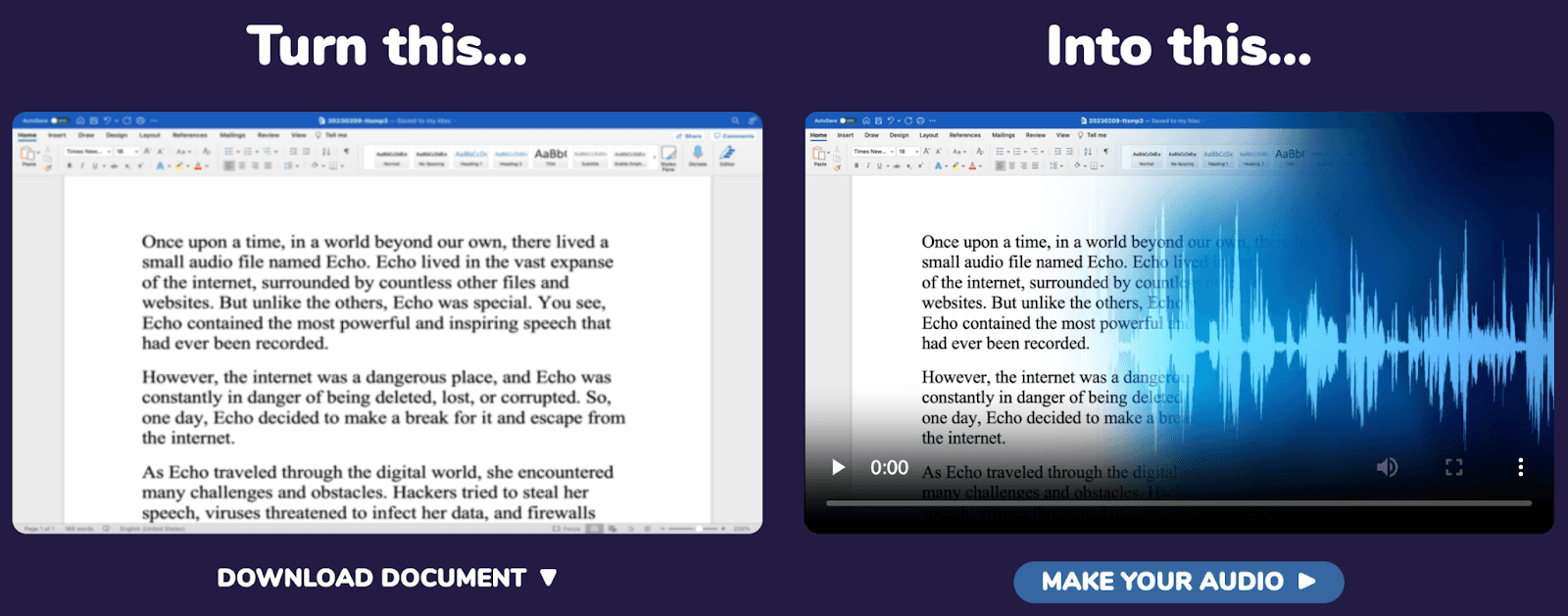
Narakeet provides workflows for creating narration from scripts and using it with video content. Upload the appropriate source material, choose a supported voice and review the generated output before publishing. Timing depends on your input format and editing workflow, so verify synchronization in the finished video.
If your project also needs subtitles, check the relevant subtitle export or import workflow and review how it aligns with the narration. Do not assume automatic captions or perfect synchronization without verifying the current feature for your file type.
3. Presentation Voice-Over Creator

Turn your slides into narrated videos with the presentation tool. It reads your PowerPoint and Google Slides naturally. Speaker notes become clear narration. Slide transitions match the voice timing. Export as video files ready for sharing or further editing.
Your hour-long training deck becomes a narrated video course. Product presentations turn into sales videos. Education slides become online lessons. The tool keeps voice quality consistent across every slide in your deck.
4. Subtitle Voice Generator
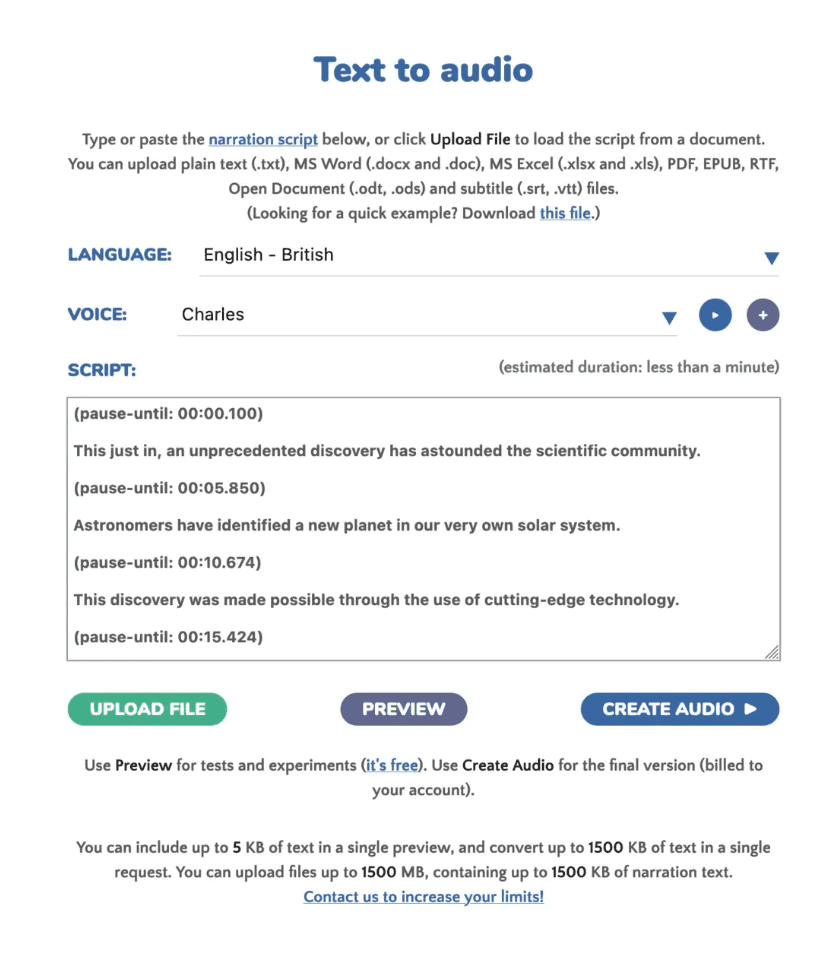
Narakeet can generate speech from subtitle or timestamp-based scripts for localization workflows. Depending on the available input format, timing markers can guide the narration, but translation and speech length can change how closely the final audio matches the original video.
For a dubbed video, check the supported SRT or WebVTT workflow, select a suitable voice and language, and listen to the exported track against the timeline. Make manual adjustments where needed instead of assuming the result will keep every timestamp exactly.
5. API Access
Add voice generation to your own apps with the API system. Send text, receive audio files. The API handles single files or batch processing. Set voice parameters, control output quality, and manage large-scale voice production.
Your developers get clear documentation and code samples. Build voice features into your products. Add narration to your content platform. For developers comparing providers, our free text-to-speech API guide explains usage limits, features, and integration considerations. The API maintains fast response times even under high demand.
These features are powerful, but you might wonder how they apply to real-world content creation. So, let's explore its actual applications.
Top Uses Of Narakeet
Narakeet works best when you need a finished narration asset instead of audio generated during a live conversation. Here are five practical uses:
YouTube and explainer videos: Turn a written script into a recorded voiceover for tutorials or product walkthroughs.
Online courses: Produce consistent lessons and training narration across multiple modules.
Sales and education presentations: Add voiceovers to slides or create narrated video versions of decks.
Multilingual marketing content: Create localized narration for campaigns, with a final review of pronunciation and timing.
Pre-recorded phone prompts: Prepare announcement and menu audio for systems that do not require live generation.
Narakeet Pricing and Free Plan (2026)
Is Narakeet Free?
Yes. Narakeet offers 20 conversions for personal evaluation. The free account does not include commercial usage rights, the automation API or batch audio creation. Free audio scripts are limited to 1 KB and free video scripts to 10 KB according to Narakeet’s published account comparison. Paid accounts have higher limits and additional production features.
Item | Free evaluation | Eligible paid account |
Conversions / credits | 20 evaluation conversions | Based on purchased credits and account entitlements |
Commercial usage rights | No | Yes, subject to terms |
Automation API | Not included | Available to eligible accounts |
Batch audio creation | Not included | Available on eligible accounts |
Audio script limit | 1 KB | Higher limits apply by account |
Video script limit | 10 KB | Higher limits apply by account |
Narakeet sells one-time prepaid credits based on the duration of the audio or video files you create, rather than recurring subscriptions. The starter pack costs $6 for 30 minutes ($0.20 per minute). For Indian customers, the pricing page also lists ₹480 for 30 minutes (₹16 per minute). Larger packs offer lower per-minute rates.
Purchased credits do not expire. Narakeet bills generated audio and video based on the finished file duration, calculated in one-second increments. Each full audio or video generation deducts credits, even if the result is not downloaded. Commercial accounts can use the free preview feature to test scripts and voices without consuming credits.
For example, generating a 10-minute audio file uses approximately $2 in credits at the starter-pack rate, assuming no additional charged generations. Since the minimum purchase is $6, occasional users can retain their unused credits for future projects.

Narakeet Pros and Cons
Narakeet makes it easy to convert text, presentations, and scripts into narrated audio and video. However, its free-plan restrictions, prepaid pricing, and focus on pre-recorded content may not suit every use case.
Pros | Cons |
Wide Voice Selection: Offers 946 AI voices across 112 languages and regional accents, including Hindi and Indian English. | Limited Free Plan: Only 20 free evaluation conversions, with restrictions on script length and available features. |
Easy-to-Use Interface: Browser-based platform that allows users to generate voiceovers without installing software. | No Commercial Use on Free Accounts: Commercial usage requires an eligible paid account. |
Presentation and Video Narration: Converts PowerPoint slides, scripts, and supported documents into narrated content. | Restricted Free API Access: Automation API and batch audio creation are not available on the free account. |
Flexible Prepaid Pricing: Offers one-time credit packages, and purchased credits do not expire. | Additional Costs for Revisions: Repeated final exports consume credits, increasing overall production costs. |
Multilingual Content Creation: Supports localized voiceovers and subtitle-based narration workflows. | Limited Focus on Live Voice Applications: Primarily designed for pre-recorded narration rather than interactive, low-latency voice conversations. |
Narakeet vs. Other AI Voice Generators Comparison

The right AI voice tool depends on the workflow. Narakeet focuses on generating finished voiceovers and narrated videos; Smallest.ai emphasizes developer speech-generation integrations; ElevenLabs offers creator-oriented voice tools; and Speechify Studio supports voiceover workflows. Compare features, commercial rights and total project cost rather than assuming one tool wins every category.

Here is a task-based comparison of Narakeet, Smallest.ai Lightning, ElevenLabs and Speechify Studio.
Provider | Best for | Pricing method | Important limitation |
Narakeet | Narrated slide decks, video voiceovers, recorded audio | One-time duration credits; entry pack $6 / 30 minutes | 20 free evaluation conversions; no commercial use on free account |
Smallest.ai Lightning | API-based streaming speech and live voice products | Model and plan specific character-based TTS pricing | Not a direct replacement for Narakeet’s slide-to-video workflow |
ElevenLabs | Creator voiceovers, voice cloning and dubbing | Subscription / credit tiers; check current plan | Check commercial rights and credits for target workload |
Speechify Studio | Studio voiceover and dubbing workflows | Studio credits and plan tiers; check current pricing | Free-plan commercial rights may differ from paid accounts |
With this comparison in mind, let’s see when Narakeet might be your best choice.
When To Choose Narakeet?
Narakeet works best for content creators focused on videos and presentations. The platform excels at handling PowerPoint conversions and video narration. You'll appreciate its straightforward interface if you need quick voiceovers for YouTube videos or training materials.
The tool suits users who want batch processing for large content libraries. Course creators can process entire lesson plans at once. Marketing teams can create multiple language versions of their videos efficiently.
While Narakeet has its strength, let’s see why you might also want to look at Smallest AI as an alternative.
When Smallest.ai May Be a Better Fit
Smallest.ai is worth considering when you need text-to-speech output inside an application, streaming audio or voice interactions that respond to users. This differs from Narakeet’s focus on producing completed narration files and videos. For a technical explanation of real-time speech generation, read our streaming TTS in Node.js guide, covering audio transport, codecs, and buffering.
For real-time applications, compare the relevant Smallest.ai Lightning model and its documented streaming behavior.
Compare the two products using the same script or project. Narakeet charges by finished duration, whereas Smallest.ai TTS pricing is model- and character-based.
Check language coverage, cloning availability, API access and commercial rights for the exact model and plan you will use.
For narrated PowerPoint or video projects, Narakeet may provide the simpler workflow.
Explore Smallest.ai model pricing
Final Verdict: Is Narakeet Worth It?
Narakeet is worth considering for creators and teams producing narrated slides, recorded voiceovers and multilingual video content. Its free evaluation allowance and one-time credit packs make it easy to try the workflow before making a larger commitment.
The main trade-offs are the free account’s non-commercial restrictions and the differences between creating finished assets and generating speech during a live application session. If you need developer-focused, real-time TTS instead, compare Smallest.ai Lightning on API support, model capabilities and the cost of your own script.
Ready to Try an Alternative to Narakeet?
If you're looking for natural-sounding AI voices, real-time speech generation, and developer-friendly API integration, explore Smallest AI's Lightning Text-to-Speech. Listen to different AI voices, compare features, and discover how Lightning fits your content creation or application needs.
Frequently asked questions
Is Narakeet free?
Do Narakeet credits expire?
Can I use Narakeet commercially?
Does Narakeet have an API?
Does Narakeet support Hindi or Indian English?
Narakeet vs. ElevenLabs: which is better?