Murf AI Review 2026: Pricing, Features, API & Limits

A comprehensive Murf AI review covering voice quality, pricing tiers, API limits, and voice cloning in 2026. Find out if it's worth it for your use case.
Murf AI has a way of surfacing in almost every AI voiceover conversation, and that visibility is not accidental. The platform has built genuine traction among instructional designers, marketers, and content teams who need polished narration without the cost or scheduling overhead of human voice talent. This Murf AI Review cuts past the product marketing to tell you what Murf actually delivers in 2026, where it runs into real limitations, and whether the pricing holds up against your specific requirements.
What follows covers voice quality, pricing structure, API capabilities, and the constraints you will only encounter after signing up. The goal is simple: by the end, you should know whether Murf belongs in your workflow or whether a different tool is the more honest answer.
What Is Murf AI, and Who Is It Built For?
Murf AI is a browser-based text-to-speech platform that converts written scripts into natural-sounding voiceovers. According to Murf's own product pages, the platform offers over 200 AI voices across more than 35 languages, covering a range of accents, ages, and tonal styles.
The product is squarely aimed at non-technical users. Instructional designers building eLearning modules, marketers producing explainer videos, YouTubers who want consistent narration, small business owners creating product demos. The interface centers on a timeline-style editor that lets you sync voiceover with video or slides without writing a line of code. That design philosophy shapes everything: what Murf optimizes for, and what it has deliberately chosen not to prioritize.
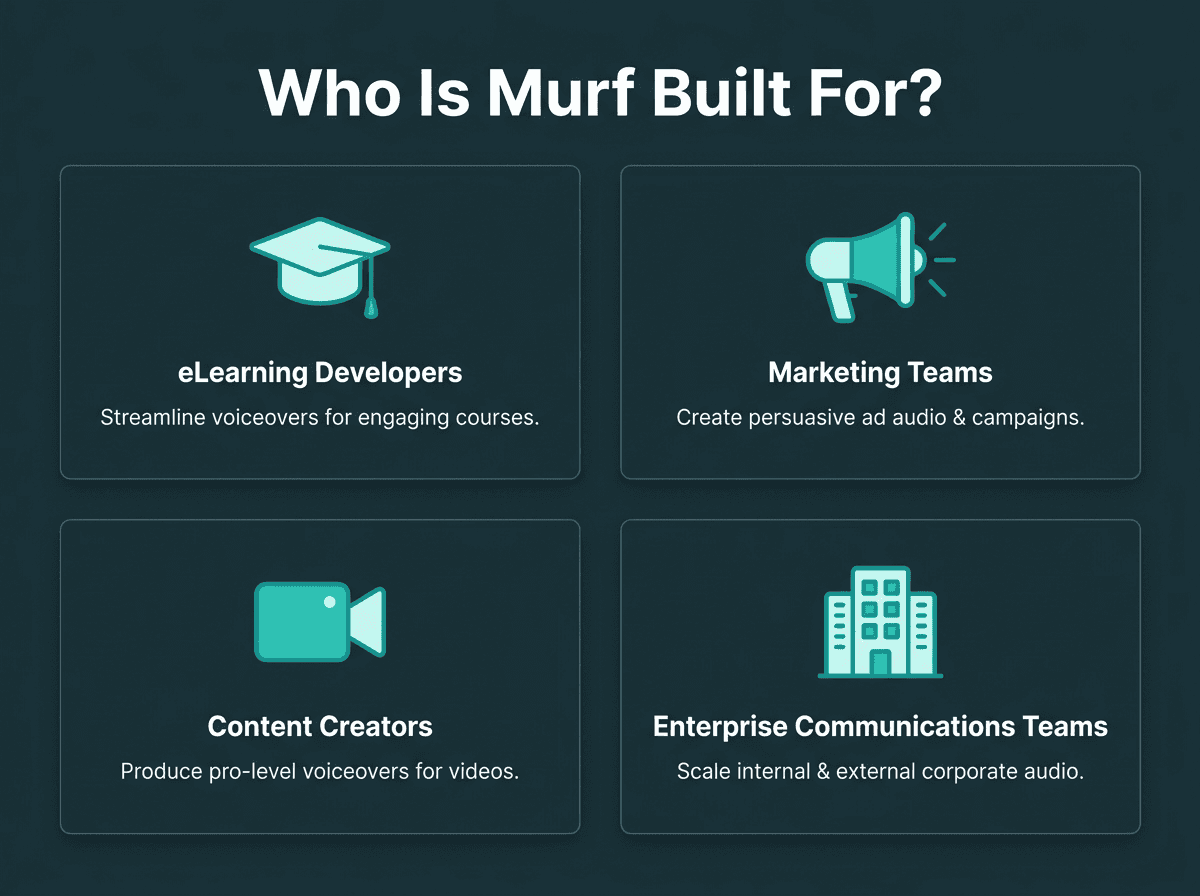
Murf is built primarily for non-technical creators and business teams, not developers.
Core Features: What You Actually Get
The voice library is the headline. At 200-plus voices, Murf covers most commercial use cases reasonably well, with clear pronunciation, natural pacing, and enough tonal variety to avoid the robotic monotony that made earlier TTS tools so recognizable. Pitch and speed controls are available across paid tiers. Word-level emphasis, variability tuning, and the Say It My Way feature are restricted to Business and above.
Beyond the voices themselves, the platform includes a timeline editor for syncing audio with video or slides and a licensed background music library on paid plans. Folder organisation is available from the Creator tier and above. Meaningful team collaboration, project sharing, access control, and multiple editor seats, requires the Enterprise plan. Voice cloning is restricted entirely to Enterprise.
The integrations with Canva (Creator tier and above) and Google Slides and PowerPoint (Business tier required) are genuinely useful for marketing teams who live in those tools. Generating and swapping voiceovers without leaving your design environment removes a real friction point from the production process. Where the platform shows its limits is on the developer side: Murf's API is functional but not built for the kind of low-latency, high-throughput workloads that production voice applications demand. For a broader view of where Murf sits in the category, the roundup of top text-to-speech tools for content creators provides useful comparative context.
Murf AI Pricing in 2026: A Tier-by-Tier Breakdown
Murf runs a four-tier structure. The official pricing page lists the following plans as of 2026, with annual billing reducing the monthly rates shown here:
Murf AI plan overview (Source: Murf.ai, 2026):
Free: Limited voice access, no commercial usage rights, suitable only for testing.
Creator: $19/month (billed annually) for individual creators, commercial rights included.
Business: $66/month (billed annually), higher usage limits, advanced voice controls, design tool integrations, and priority support.
Enterprise: Custom pricing, includes voice cloning, dedicated support, and SLA guarantees.
The free plan is genuinely restrictive. No commercial usage rights means you cannot legally publish anything generated on it, which limits it to basic evaluation rather than any real production use. The Creator plan at $19/month is reasonable for solo creators. The jump to $66/month for Business is steep if the features that justify the upgrade (emphasis controls, Google Slides integration, and higher usage limits) are not central to your workflow. The sharpest limitation, though, is voice cloning sitting entirely behind Enterprise with no published pricing. That means entering a sales conversation before you can even evaluate the feature, which filters out smaller teams and independent creators who may have perfectly legitimate use cases.
Voice Quality: Honest Assessment
For narration-heavy content, Murf's voices hold up well. Murf's voice naturalness is its most consistently praised quality among content creators, reflected in the platform's strong user review scores. The voices avoid the stilted cadence that makes a lot of TTS output immediately identifiable as synthetic, which matters when you are trying to keep an audience engaged through a 20-minute eLearning module or a product explainer.
The ceiling appears when you need emotional range. Murf's voices are optimized for clear, professional delivery, and the available controls let you nudge the output but not fundamentally shift its emotional register. You cannot make a Murf voice sound genuinely excited, warmly conversational, or frustrated in a way that reads as authentic. For teams building interactive voice experiences or conversational AI products, that constraint becomes a hard limit rather than a minor inconvenience. If expressiveness is central to your use case, the complete guide to human-like AI voices is worth reading to understand where the current state of the art actually sits.
The API Question: What Developers Need to Know
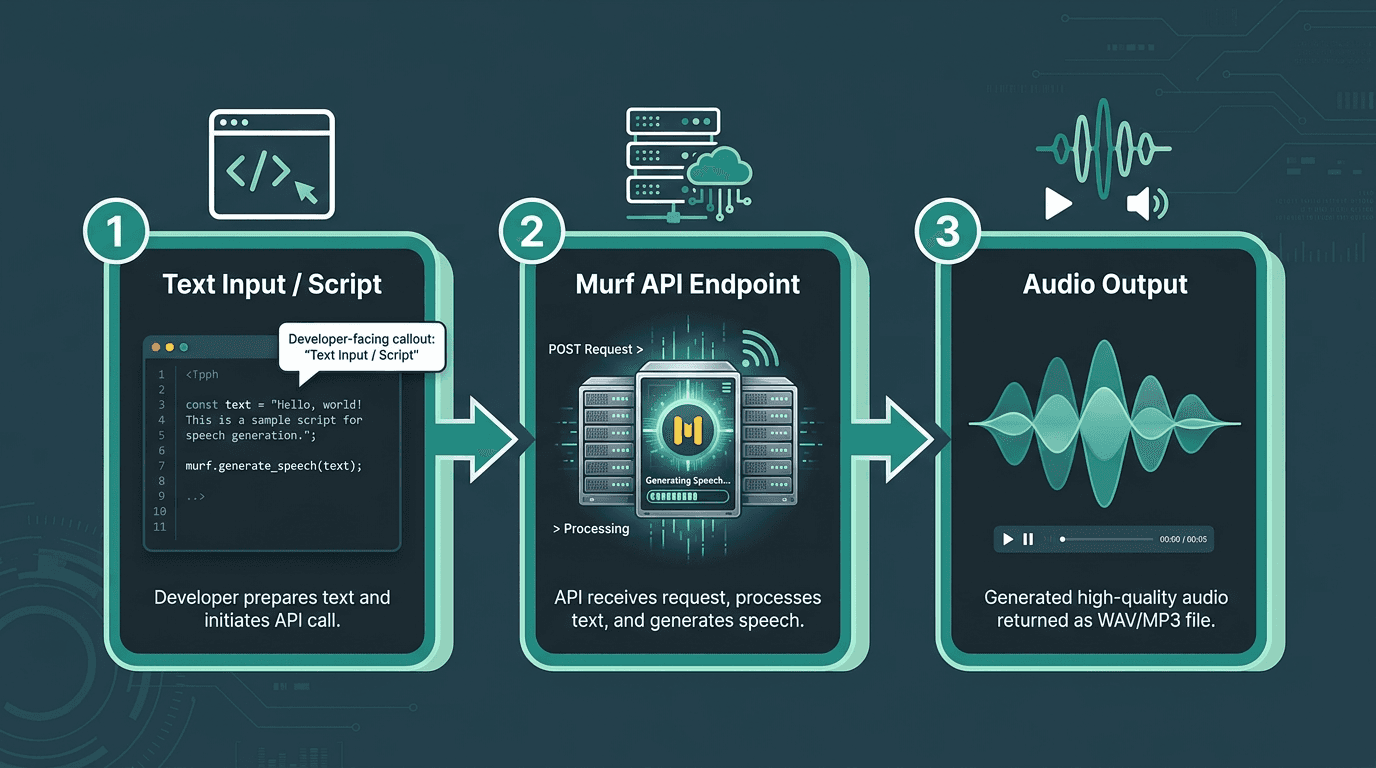
Developers can integrate Murf's voice generation capabilities into their applications using the API.
Murf does offer API access. For batch voiceover generation, it works. The problem is that Murf's architecture was not designed for real-time workloads. If you are building a voice assistant, an IVR system, or a live conversational agent where latency is a hard constraint, you will hit that ceiling quickly. The breakdown of fastest text-to-speech APIs in 2026 is a useful reference for understanding where the performance benchmarks actually sit, and how Murf compares to platforms built specifically for low-latency, high-throughput speech generation.
For developers who want to explore options before committing budget, the guide to free text-to-speech API options covers what is available without upfront cost. A sensible starting point for technical evaluation before any purchase decision.
Voice Cloning: The Enterprise Wall
Voice cloning is one of the most requested capabilities in modern TTS platforms. Murf's decision to lock it entirely behind Enterprise is a meaningful gap in their mid-market offering. A brand that wants to clone an executive's voice for internal communications, or a creator who wants consistent delivery across a long content series, has no self-serve path here. The feature exists, but accessing it requires a sales conversation and custom pricing.
That friction is a real filter. It excludes smaller teams and individual creators with entirely legitimate use cases, and it makes it impossible to evaluate the feature before committing to a commercial discussion. If voice cloning is central to your workflow, the guide on how real-time AI voice cloning works will help you ask sharper questions when you do speak to any vendor, Murf included.
Where Murf Genuinely Excels (and Where It Does Not)
Murf is genuinely good at what it was designed to do. The editor is intuitive, the voice library is broad, and the integrations with Canva and Google Slides reduce the steps between script and finished asset. For eLearning developers and marketing teams producing video content at volume, it is a credible, well-priced choice.
The platform struggles when requirements shift toward real-time delivery, developer customization, emotional expressiveness, or self-serve voice cloning. These are not minor edge cases in 2026. The market has moved toward conversational AI, live voice agents, and personalized voice experiences, and Murf's architecture reflects an earlier era of TTS use. That is not a criticism of the product's quality within its intended scope. It is an honest description of where the boundaries are.
How It Compares: The Broader Market Context
Murf occupies a specific niche: polished, studio-style voiceover for content production. It is not trying to be a developer-first speech API, and it is not optimized for real-time conversational voice. Comparing it against tools that do prioritize those capabilities means comparing products with different design goals entirely. The detailed look at voice quality and latency benchmarks across competing platforms is worth reading if those factors matter to your decision. For a broader sweep of options, the best Murf AI alternatives guide compares six tools across speed, pricing, and API capability.
Summary and Key Takeaways
Murf AI is a well-built product for its target audience. Strong narration quality, an accessible editor, and practical design tool integrations make it a reasonable choice for individual content producers at $19/month. The case gets harder to make as your requirements move outside that core use case.
Quick decision framework:
Choose Murf if you produce eLearning or video content, work primarily in Canva at the Creator tier or in Google Slides and PowerPoint at the Business tier, and do not need developer-grade API access
Look elsewhere if you need real-time voice generation, low-latency API performance, self-serve voice cloning, or emotionally expressive voices for conversational AI
Evaluate Enterprise only if voice cloning is a hard requirement and budget is not a constraint, and you are prepared for a sales-led process before you can test the feature
If your requirements extend beyond studio voiceover into real-time voice applications, conversational agents, or production-scale speech APIs, the gap between what Murf offers and what you need is significant. Smallest.ai's Lightning TTS API is built specifically for low-latency, high-quality voice generation at scale, with self-serve voice cloning and an architecture designed for real-time workloads. If you are building a voice product rather than producing voiceover content, it is worth exploring what Lightning delivers before committing to a studio-first platform.
Frequently asked questions
Is Murf AI free to use?
Does Murf AI support voice cloning?
How many languages does Murf AI support?
Is Murf AI suitable for developers building voice applications?
What are the main alternatives to Murf AI in 2026?