Podcast Audio To Text Tool: Convert Episodes Into Searchable Transcripts

Podcast audio to text tool basics: create searchable transcripts that improve SEO, support accessibility, and speed up repurposing across your episode catalog.
Podcast audiences continue to grow, but most of what listeners hear remains trapped inside audio files. Search engines cannot read it, listeners with hearing loss cannot access it, and creators cannot easily reuse it without a bunch of manual work. A solid audio to text tool flips that dynamic by turning speech into something you can search, ship, and build on.
This piece breaks down what podcasters and developers actually need when they want accurate, searchable transcripts: why transcription pulls more weight than most teams expect, how ASR works under the hood, what to evaluate in a tool, and the real-world edge cases that tend to break automated output. If you run a weekly interview show or you are staring down a back-catalog of hundreds of episodes, the same fundamentals apply.
Why Transcripts Matter More Than Most Podcasters Realize
Search engines still cannot index audio directly. So when someone searches for a question your episode answers well, your work is effectively invisible unless the substance exists as text somewhere on the page. Put a transcript on the episode page and crawlers finally have something to parse, turning your spoken keywords into indexable signals.
Accessibility is the other, more immediate reason. For a significant portion of the audience, transcripts are not a bonus feature; they are the format. Providing a transcript is one of the most important steps a podcaster can take for accessibility. And once you have clean text, it becomes your content supply chain: show notes, newsletters, blog posts, searchable knowledge bases, and even the raw material for social clips all start with the transcript.
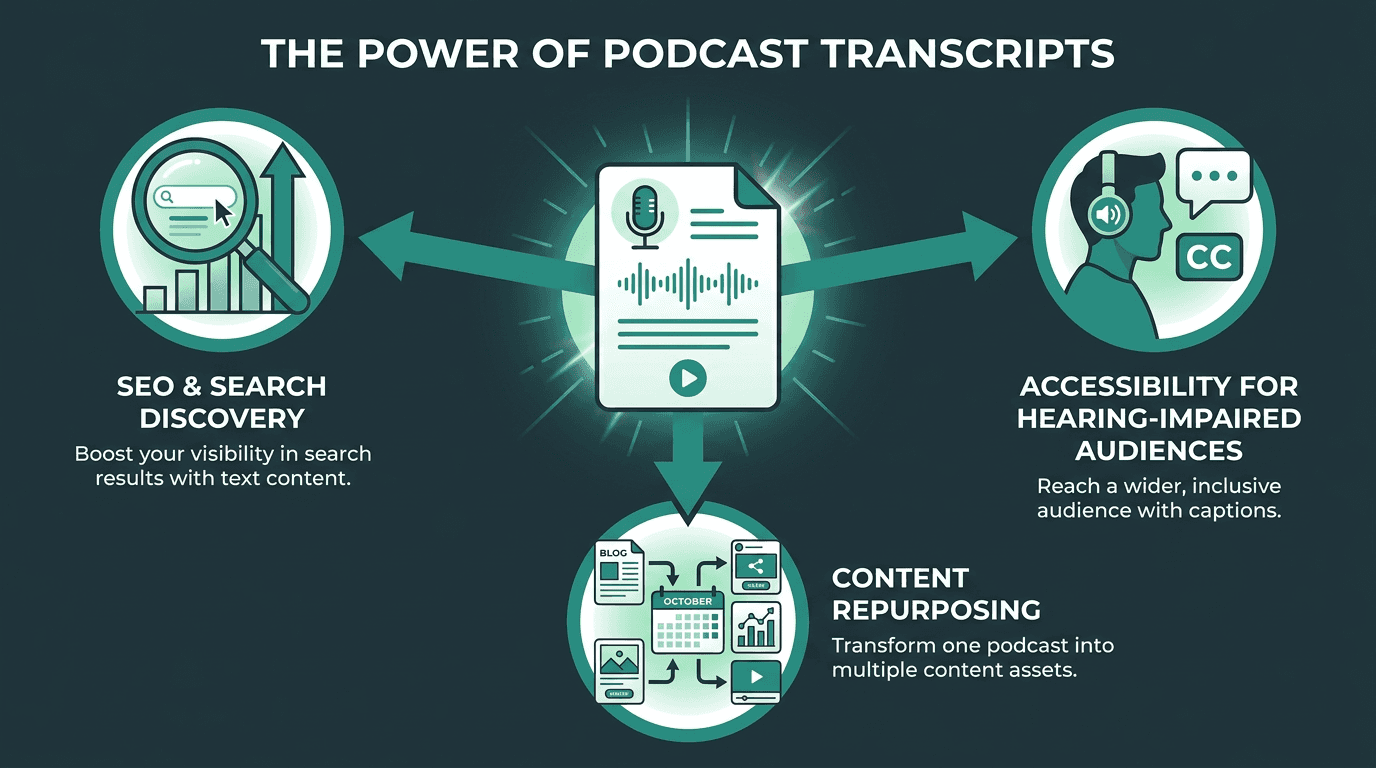
Transcripts unlock three high-value outcomes from a single conversion step.
How Automatic Speech Recognition Actually Works
Automatic speech recognition (ASR) is what powers every audio to text tool. IBM describes the core process as a pipeline: the system ingests raw audio, extracts acoustic features from the signal, runs those features through a trained language model, then outputs a word sequence. Modern ASR stacks are typically transformer-based neural networks trained on hundreds of thousands of hours of labeled audio spanning accents, languages, and recording conditions.
Podcasts make the job harder than a clean dictation clip. You get crosstalk when hosts interrupt each other, background music that bleeds into speech, niche jargon that never appeared in the model's training set, and conversational habits like filler words or half-finished sentences. Speaker diarization (figuring out who said what) is a separate layer that runs alongside transcription, and it is essential for interview formats. The difference between a general-purpose model and one tuned for conversational audio shows up fast in word error rate.
What to Look for in a Podcast Audio to Text Tool
Feature | Why It Matters for Podcasts | What Good Looks Like |
|---|---|---|
Word Error Rate (WER) | Sets how much cleanup you will do by hand | Below 10% on conversational audio |
Speaker Diarization | Separates hosts and guests in multi-speaker shows | Consistent speaker labels with minimal merging errors |
Punctuation and Formatting | Makes the transcript readable without heavy editing | Automatic sentence boundaries and paragraph breaks |
Language and Accent Support | Matters when guests are international or non-native speakers | Wide language coverage with strong accent robustness |
Batch Processing | Required for converting a back-catalog efficiently | API support for parallel file submission |
Output Formats | Controls how easily transcripts fit into your CMS and tools | SRT, VTT, TXT, JSON with timestamps |
Turnaround Speed | Determines whether transcripts keep up with publishing | Real-time or near-real-time processing |
Timestamp granularity is the detail teams often miss until it is too late. Word-level timestamps let you build interactive transcripts where clicking a word jumps the player to that exact moment, which is a surprisingly meaningful UX upgrade when someone is scanning for a specific segment. If your platform supports it, it is worth prioritizing. And if you are sitting on a back-catalog, scale is the whole project: being able to batch transcribe recordings at scale via API is the difference between a weekend sprint and a months-long slog.
Step-by-Step: Converting a Podcast Episode Into a Searchable Transcript
This workflow holds up whether you are processing one episode or wiring transcription into an automated feed. The sequence is about dependencies: each step sets up the next one cleanly.
Podcast-to-transcript workflow:
Prepare your audio file. Export from your DAW or editing software as a WAV or high-bitrate MP3. Avoid heavily compressed files; low bitrate audio increases word error rate noticeably. If your episode has intro music that runs under speech, trim or fade it before submission.
Choose your submission method. For single episodes, a web interface is fine. For recurring production or back-catalog work, use the API. Programmatic submission lets you automate the trigger from your publishing workflow so transcripts are ready when the episode goes live.
Configure speaker diarization. If your show has two or more regular voices, enable diarization and specify the expected number of speakers if the tool supports it. This produces labeled segments like 'Speaker 1' and 'Speaker 2' that you can rename in post.
Request word-level timestamps. Even if you do not plan to build an interactive transcript immediately, having timestamps in the output file costs nothing and gives you flexibility later.
Review and correct the output. Budget time for reviewing proper nouns, technical terminology, and speaker labels before publication. Most errors cluster around names and niche vocabulary.
Format for publication. Convert the raw transcript into readable paragraphs. Add speaker names, remove excessive filler words if the style calls for it, and structure the content with headers that match your episode chapters.
Publish alongside the episode. Embed the transcript on the episode page, not on a separate URL. Co-location ensures that search engines associate the text content directly with the audio player and episode metadata.
If you want to automate the pipeline end to end, the walkthrough on how to transcribe audio to text in Python gets into the mechanics: API authentication, submitting files, polling for results, and turning the JSON response into a transcript format you can publish.
Handling the Hard Cases: Accents, Crosstalk, and Noisy Audio
Most transcription demos are built on pristine studio audio: one speaker, no interruptions, no noise. Real podcasts are not that polite. Here is what tends to go wrong, and what you can do about it.
Accented speech is the most common reason word error rates spike. Models trained mostly on American English often stumble on strong regional accents, non-native speakers, or code-switching between languages. The practical move is simple: pick a model with documented multilingual training data, then test it against a representative slice of your own episodes before you commit. If your show regularly brings on international guests, the strategies in Handling accents and noisy audio are worth a look.
Crosstalk shows up the moment two people talk at once. Diarization will often pin the overlap on one speaker or split it inconsistently, which makes the transcript harder to follow. The best fix is upstream: record separate tracks per speaker when your setup allows it. If that is not possible, some transcription APIs accept multi-channel audio and process each channel independently before merging, which usually produces much cleaner speaker attribution.
Background noise and music behave differently depending on the type of noise. Constant noise (room tone, HVAC hum) is something modern ASR preprocessing can largely suppress. Dynamic noise is tougher, especially music beds and sound effects that overlap speech frequencies. If you run music under dialogue, the cleanest workflow is to submit a version with the music removed, then map the transcript timestamps back onto the final mix.
Podcast SEO: Turning Transcripts Into Ranking Assets
Publishing a raw transcript as a single wall of text is still better than shipping nothing, but it leaves a lot of SEO value sitting unused. The smarter approach is to treat the transcript as the foundation and build a real episode page around it. Search engines index text far more effectively than audio, and a transcript turns an embedded player into something crawlers can actually understand.
The way you structure the page matters. Break the transcript into named sections that match your episode chapters, then use the language your guests actually used. People search in conversational phrases, so a heading like "How to structure a cold email sequence" pulled from the discussion will often map better to queries than a generic "Episode Summary." Add a short editorial intro above the transcript (roughly 100 to 150 words) so crawlers see a dense, well-organized summary before they hit the long-form text. Search engines cannot index audio, but they can crawl every word of a transcript, which makes transcription a direct SEO lever for most podcasters.
Choosing the Right Tool for Your Podcast Setup
The right tool is less about brand names and more about constraints: how often you publish, how much engineering time you can spare, and how much accuracy you need before the transcript is publishable. A solo creator releasing one episode a week is optimizing for a different workflow than a network running 50 shows.
If you publish occasionally and do not need API access, a web UI keeps things simple and predictable with minimal setup or engineering overhead. If transcription needs to sit inside a production pipeline, an API-first tool gives you control over automation, output formatting, and integration with your CMS or publishing stack. If you have developer bandwidth, the guide on how to convert recorded audio into accurate transcripts programmatically walks through the architectural choices involved in building a reliable pipeline.
Treat vendor demos as marketing, not evidence. The only benchmark that matters is your own audio. Send a 10-minute sample from a typical episode, then count errors manually. Focus on the stuff that usually breaks automation: guest names, your niche vocabulary, and recurring technical terms. That quick test will tell you more than any published number.
Key Takeaways and Next Steps
Transcription is not a fancy add-on for podcasts; it is the practical layer that makes audio usable on the modern web. Search engines need text to rank episodes. A meaningful slice of your potential audience may have some degree of hearing loss and needs a transcript to access the content at all. And every hour you convert into text becomes an asset you can republish across formats.
ASR has reached the point where clean conversational audio can come back accurate enough that editing looks like a light review pass, not a full rewrite. The real friction tends to be operational: making transcription happen automatically as part of publishing, instead of as a manual chore that gets postponed until it never happens.
The situation is straightforward: podcast audio is largely invisible to search engines, inaccessible to a meaningful slice of your audience, and hard to repurpose without a text layer. The fix is just as straightforward: use an accurate, fast, API-accessible audio to text tool that slots into your workflow. Smallest.ai's Speech-to-Text API is designed for this kind of workload. The speech-to-text for podcasts page outlines podcast-specific capabilities like speaker diarization, multi-format output, and batch processing for back-catalog conversion. You can check the product pages to match a tier to your volume, then start turning episodes into searchable, accessible pages.
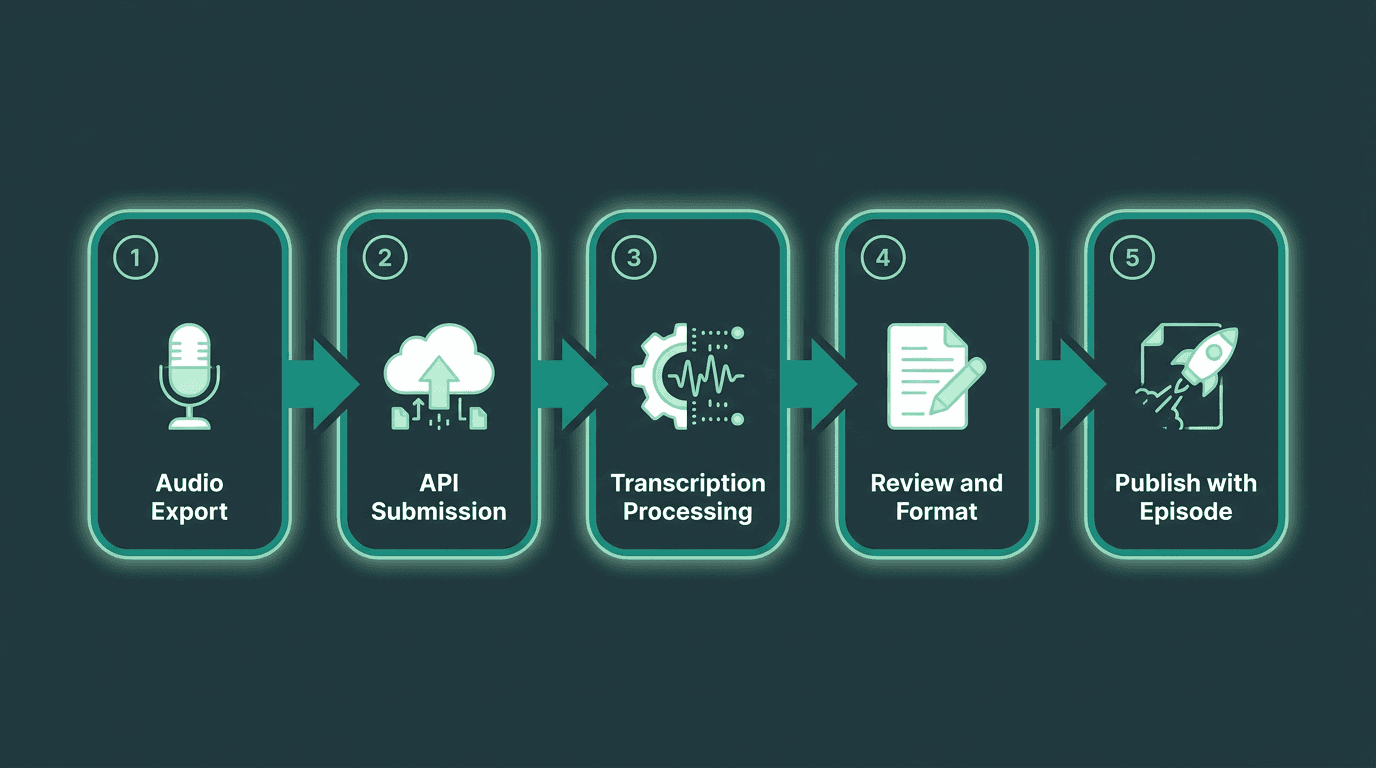
A repeatable five-stage workflow makes podcast transcription a routine part of every publishing cycle.
Turn Podcast Episodes Into Searchable Content
Recording a great episode is only half the job. Transcripts make podcasts searchable, accessible, and easier to repurpose across blogs, newsletters, knowledge bases, and social content. Smallest.ai's Speech-to-Text API helps creators and teams automate transcription with speaker diarization, timestamped output, and scalable processing for growing podcast catalogs.
Frequently asked questions
How accurate are automated podcast transcription tools?
Does transcribing podcast episodes actually improve search rankings?
Can I transcribe episodes in languages other than English?
How do I handle transcription for a large back-catalog of episodes?
What output formats should I request from a transcription tool?